28
29
30
24
AD
31
PR
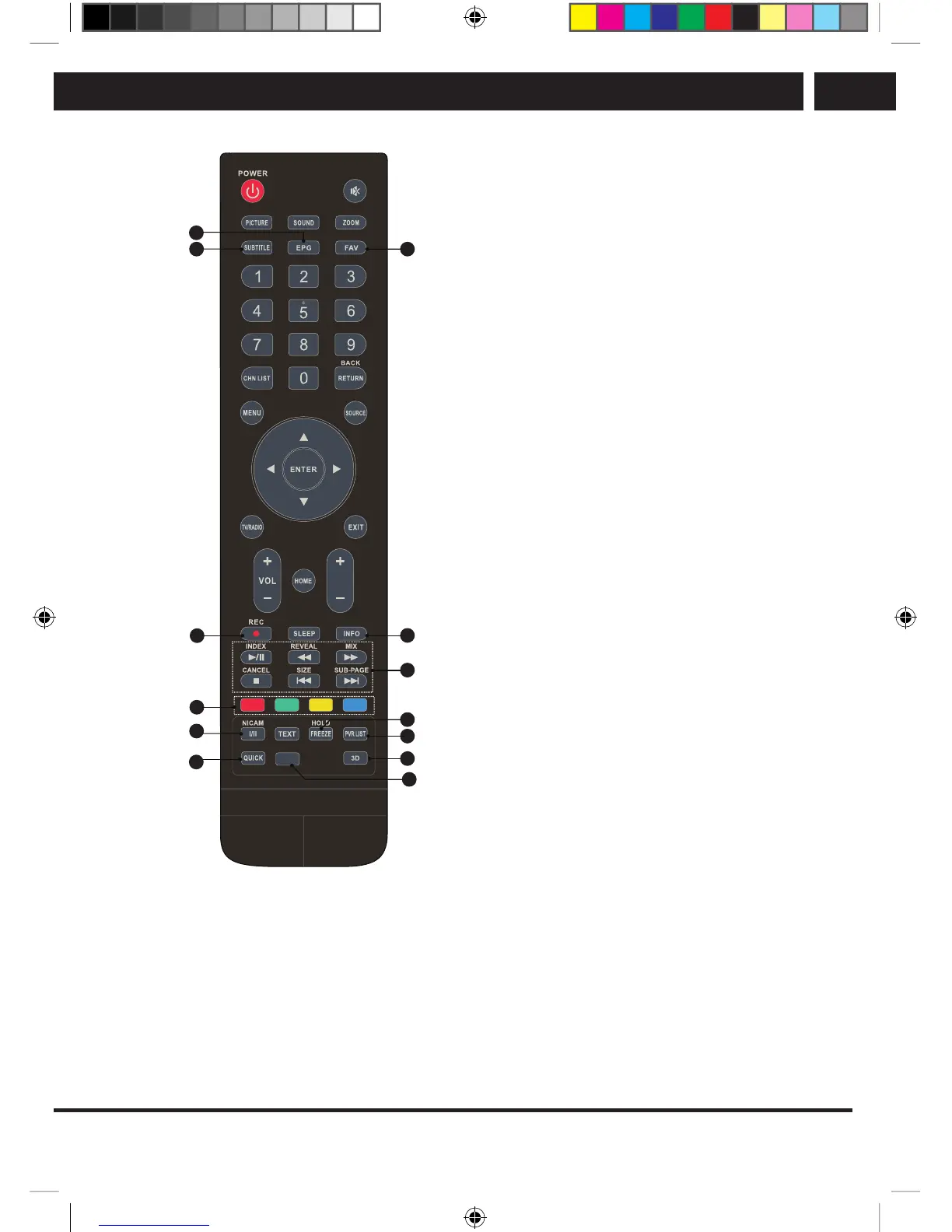
19. EPG
Press to display the electronic program
guide in DTV mode.
20. SUBTITLE
Turn subtitles on / off in DTV / USB
mode.
21. FAV. (Favourite channels)
Press to display your favourite channels.
Press up/down to browse through your
favourite channels, confirm by pressing
ENTER.
22. REC
Press to record the current program (only
works in DTV mode).
23. INFO
Displays information about the current
program.
24. USB control buttons
Play and pause (B/X)
Press to pause playback, press again to
continue playing.
Stop (x)
Press to stop playback.
Fast rewind (m)
Press to fast rewind.
Fast forward (M)
Press to fast forward.
Previous (
.
)
Press to play the previous file.
Next (
>
)
Press to play the next file.
25. Color buttons
Press to perform quick functions in TV or
DTV mode.
26. NICAM
Press to select the desired audio output
depending on the broadcast channel.
27. FREEZE
Freezing the picture on the screen (it is
not available in the USB mode).
28. PVR LIST
Displays the list of files with recordings.
29. QUICK
No function assigned.
30. 3D
No function assigned.
31. AD
Press to activate the audio description,
the narrator describes what is happening
on the screen for blind or visually
impaired persons. Press again to switch
off this function.
SLE SLE 2464TCS + SLE 3258TCS EN+CZ+SK+HU+PL.indb 15 08.09.2016 0:57:28



 To Next Page