EN – 7
minimum humidity memory record, Time and date for maximum
humidity memory record.
(3) Celsius / Fahrenheit
• Press “°C /°F” button (B4) to select Indoor/Outdoor Temperature in
Celsius mode or Fahrenheit mode.
• If the temperature is out of the measurable range, LL.L (beyond the
minimum temperature) or HH.H (beyond the maximum temperature)
will be shown on the LCD.
(4) Humidity
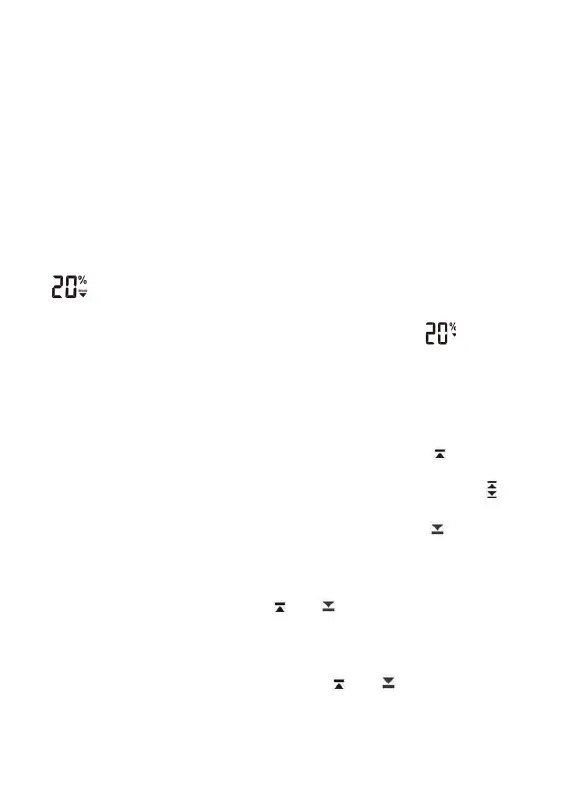
• The humidity measurable range is 20% ~ 99%. If the current
humidity measurement is lower than 20%, the LCD would display
.
• For past 24 hours or memory maximum/minimum humidity record. If
the record is lower than 20%, the LCD would display
(5) Outdoor Temperature Alert Function
• Press “ALERT” button (B8) to select to activate or deactivate outdoor
temperature alert function.
• press ALERT button select to:
Active outdoor upper temperature alert, the icon “ ” besides
outdoor temperature digit would display.
Active outdoor upper& lower temperature alert, the icon “ ”
besides outdoor temperature digit would display.
Active outdoor lower temperature alert, the icon “ ” besides
outdoor temperature digit would display.
Deactivate outdoor temperature alert, alert icon disappear.
• Hold “ALERT” button (B8) for 3 seconds to enter outdoor
temperature alert setting. Icon “ ” or “ ” beside Temperature’s
digits fl ash. Press “+” or “-“button to adjust the setting value, press
“ALERT” (B8) to confi rm the setting. Setting Sequence as follow:
Upper limit of temperature, Lower limit of Temperature.
• When it’s alert, the corresponding icon “ ” or “ ” and temperature
digit would fl ash on the LCD. Press any buttons to stop the alert
sound, otherwise, it will sound for 2 minutes, and stop automatically.



 To Next Page