EasyManua.ls Logo

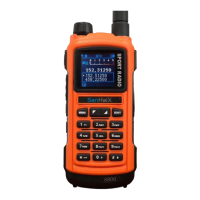
SenHaiX 8800 - User Manual

SenHaiX 8800
12 pages
Print Icon
To Next Page IconTo Next Page
Loading...
8800

Questions and Answers

Summary

Preface

Unpacking and Checking Equipment

Product Overview

Function Keypad

Before Use

Charging the Battery Pack

Steps to charge the battery using the provided charger.

Charger LED Indicator Status

Meaning of LED lights during battery charging.

USB Charging

Instructions for charging the radio via USB cable.

Battery LED Indicator Status

Interpretation of LED signals for battery charge level.

Preparation

Installing;Removing the Antenna

Detailed steps for attaching and detaching the antenna.

Installing;Removing the Belt Clip

Procedure for fitting and removing the belt clip.

Installing;Removing the Battery

Guide for correctly inserting and removing the battery.

Connecting Optional Accessories

How to connect speaker/microphone or headset.

Status Indication

LED Indicator Status

Understanding the top LED for current radio status.

LCD Icons

Basic Operations

Power and Volume Control

How to turn the radio on/off and adjust audio volume.

Menu Navigation and Band Switching

Entering menus, selecting functions, and switching bands.

Keypad Lock and Dual PTT

Locking/unlocking the keypad and using dual PTT.

Dual Standby and VOX Operation

Managing dual standby and voice-activated transmission (VOX).

SOS and Flashlight Functions

Utilizing the SOS alarm and flashlight features.

Scan Operation

Initiating and configuring channel or frequency scanning.

PTT-ID and Search Operation

Transmitting caller ID and performing search scans.

Menu Functions

Troubleshooting

Care and Cleaning

SenHaiX 8800 Specifications

General IconGeneral
BrandSenHaiX
Model8800
CategoryTwo-Way Radio
LanguageEnglish