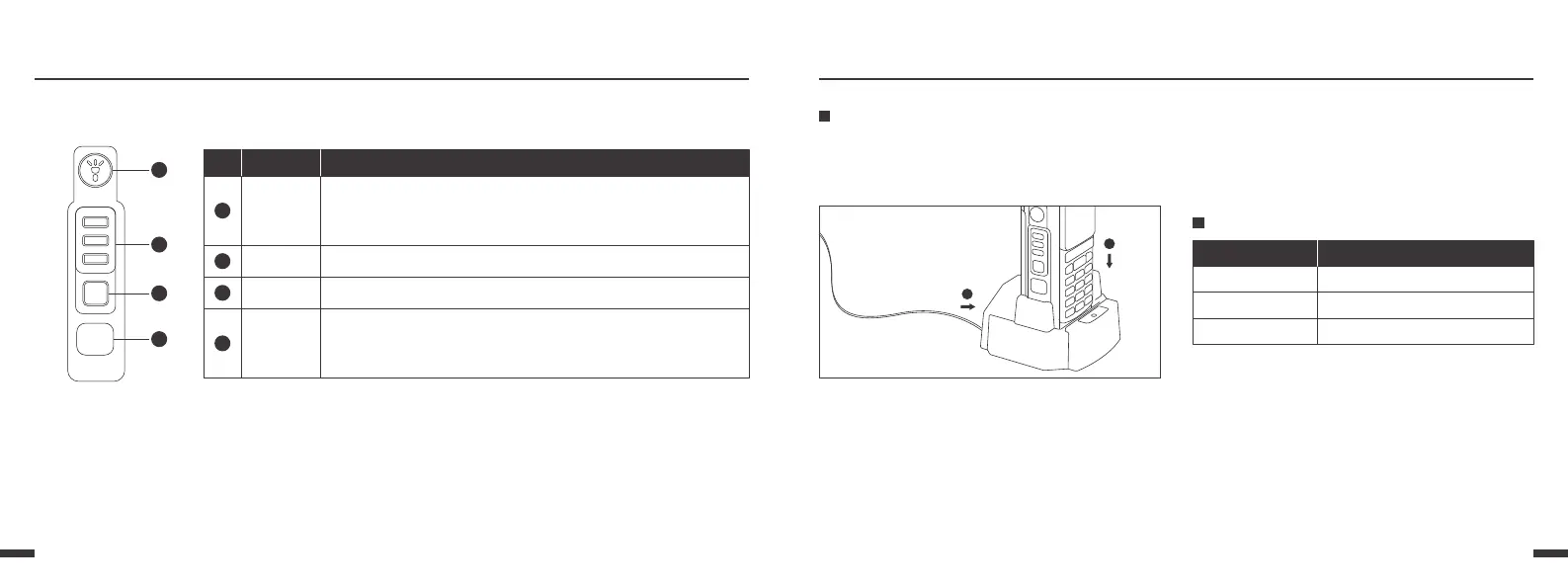
Function Keypad
0504
7
8
9
:
Before Use
Charging the Battery Pack
Charger LED indicator and charging status
Use only the charger and battery specified by the
manufacturer. The charger LED indicates the
charging progress.
1.As ① shown, Plug the AC adaptor into the AC
outlet, and then plug the cable of the AC adaptor
into the DC jack located on the back of the charger.
2.As ② shown, Plug the radio into the charger. Make
sure the battery terminals are good in contact with
charging terminals.
3.The indicator light turns to red, the charging
begins.
4.The indicator light turns to green, the charging is
completed.
LED indication
Constant Green
Constant Red
Constant Green
Standby (no-load)
Charging
Fully charged
Charging status
2
3
7
【PF1】
Press PTT-1 key to transmitting A Band
LAMP Key,
Short press to turn on/off flashlight
Long press for emergency alarm
8
【PTT-1】
Press PTT-2 key to transmitting B Band
9
【PTT-2】
:
【PF2】
Short Press: TX Power/Monitor/Scan
Long Press: TX Power/Monitor/Scan Default: TX Power
Note: PF2 Key can be setup in PC software.
No. Key Function



 To Next Page