13 - ENWWW.SENIXTOOLS.COM
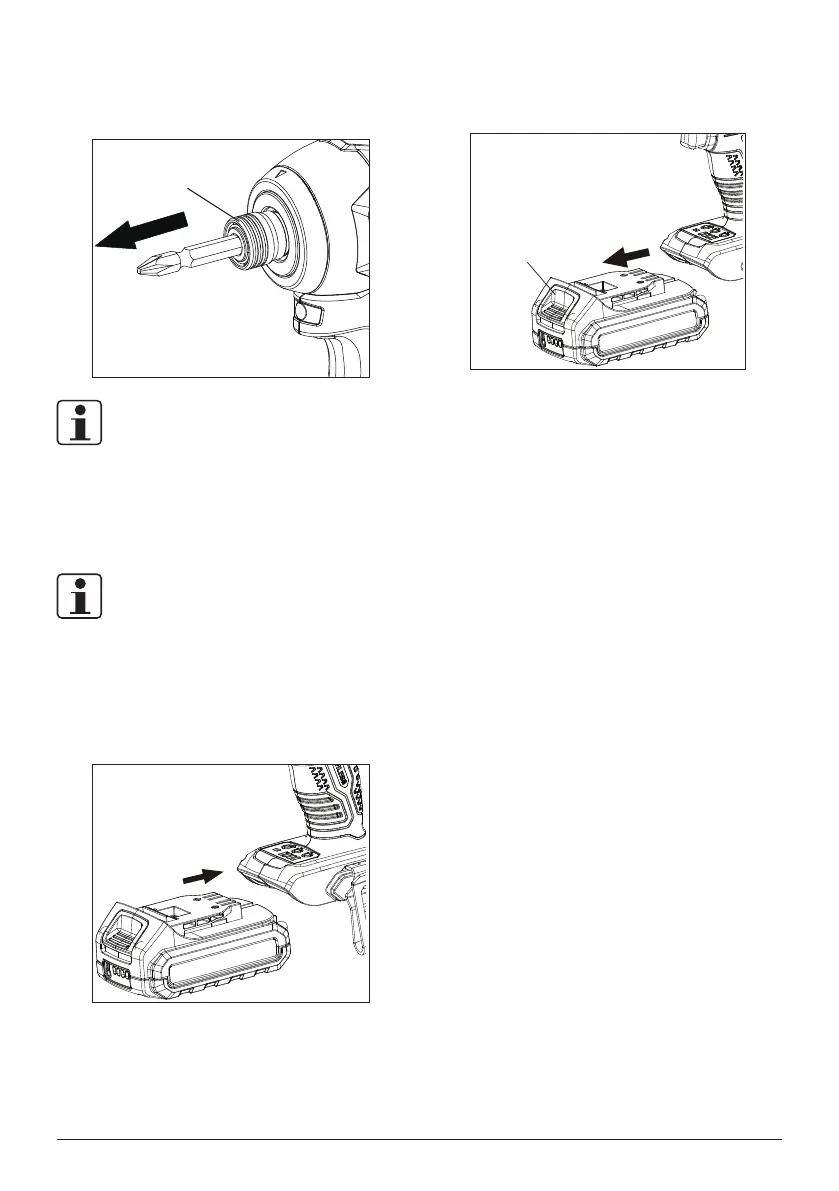
To remove:
Pull the collar forward, remove the bit from chuck then
release the collar.
Collar
NOTE:
Make sure the bit is xed rmly and will never comes out
before use.
BATTERY PACK
NOTE:
Prior to installation, lock the switch trigger by trigger lock to
avoid unintentional start.
To install:
Align and slide the battery pack to the docking port until it is
locked in place.
To remove:
Press the unlock button on battery pack and slide the
battery pack out.
Unlock Button



 To Next Page