18 | All-Day Clear Slim All-Day Clear Slim | 19
8. Put on your hearing aids following the
instructions in the app, making sure your
hands and ears are clean before handling.
Make sure to choose the eartip size that feels
the most comfortable in your ear. Adjust the
forming wire for optimal fit (refer to "Hearing
looks good on you" on page 32 for detailed
instructions).
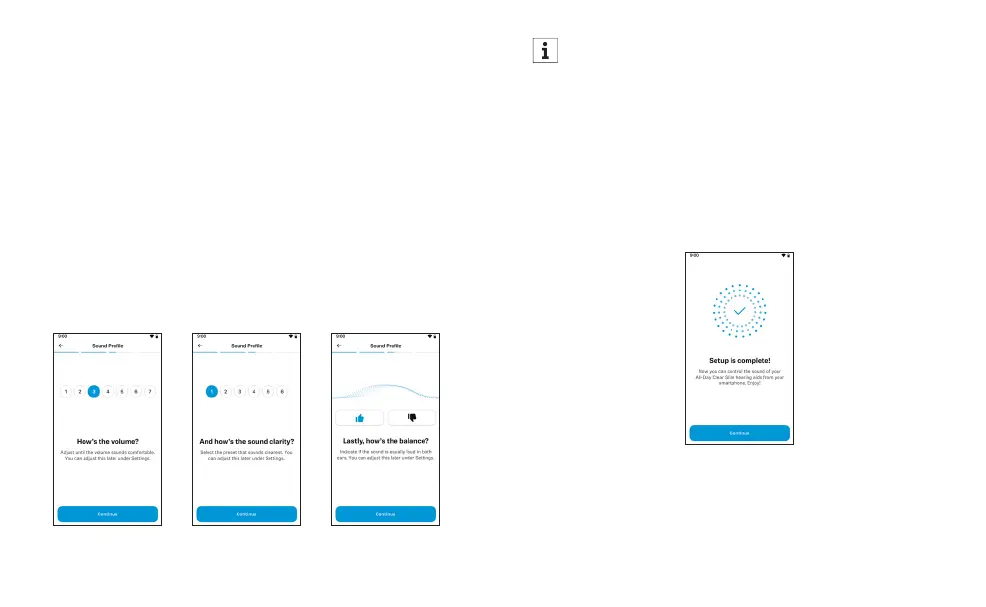
9. Follow the guided steps to set up your
sound profile, making sure to move to a
quiet space first. You’ll be asked to rate the
volume, sound clarity and balance of your
hearing aids. You can adjust your sound
profile at any time through the app settings.
If there is a significant difference in volume
between your hearing aids, you will be
advised to consult a licensed professional.
10. Allow notifications. This is a great option
to get the most out of your hearing aids.
You will receive helpful tips straight to your
smartphone. You can opt out at any time.
11. Set up is now complete. The app will guide
you to the sound control feature.














 To Next Page