
 Need help?
Do you have a question about the Sennheiser ConC 400 Series and is the answer not in the manual?
Addresses hearing protection, implant interference, and choking hazards.
Covers environmental protection, correct usage, and cleaning guidelines.
Details safe charging, handling, and disposal of batteries.
Explains the IPX4 rating and precautions for moisture.
Details data handling for app usage and firmware updates.
Defines proper use and outlines liability limitations for misuse.
Details components of the left and right earbuds with numbered labels.
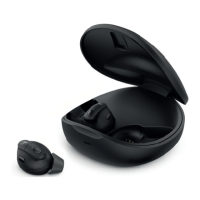
Identifies components of the charging case with numbered labels.
Explains LED indicators for charging status and errors.
Details LED signals for Bluetooth connection and charging status.
Guides on initial charging and powering up the earbuds and case.
Advises on choosing the right fit for sound quality and comfort.
Explains how to pair the earbuds with a smartphone via Bluetooth.
Guides on downloading and installing the app for advanced features.
Describes how to create a personal sound profile via the app.
Explains battery types, initial charging, and quick charge features.
Provides step-by-step instructions for charging the earbuds and case.
Details the process of pairing earbuds with a smartphone via Bluetooth.
Explains Bluetooth version, pairing capacity, and connection management.
Step-by-step guide for pairing earbuds with a smartphone.
Explains how to disconnect the earbuds from a paired device.
Detailed guide on fitting ear adapters for optimal sound and comfort.
Instructions on how to attach and fit silicone ear fins correctly.
Provides guidance on the correct angle and twist for earbud insertion.
Explains how to adjust settings like volume, ANC, and sound clarity via the app.
How to power on/off the earbuds by managing the charging case.
Explains multi-function button operations like presses and holds.
Describes touch controls for functions like play/pause and voice assistant.
Details three modes: Relax (ANC), Communication (clarity), and Stream (music).
Explains how to manage calls using earbud buttons.
Guides on adjusting ambient volume during calls and music playback.
Details how ANC works in Relax mode and how to adjust it via the app.
Explains how Communication mode enhances speech clarity for conversations.
How to activate/deactivate voice assistant and use smart pause.
Covers playing, pausing music, and adjusting Stream mode.
Details how to make, answer, reject, and end calls using earbuds.
Explains how to adjust ambient sound levels during calls for better awareness.
How to check the battery level of earbuds and charging case via LEDs.
How to modify signal tones and melodies using the app.
Proper storage and transport of earbuds using the charging case.
Instructions on how to replace ear adapters and ear fins.
Details on battery defects, errors, and contacting support.
Guides on updating earbud firmware using the Conversation Clear app.
Directs users to the website for FAQs and solutions.
Advises contacting support if problems persist or are not listed.
Explains connection loss and re-establishment outside transmission range.
Provides instructions on how to reset the charging case using the reset button.
States the 24-month warranty period and where to find conditions.
Declares compliance with EU directives for radio equipment.
Declares compliance with UK regulations for radio equipment.
Provides guidance on proper disposal of product and packaging.
Lists trademarks of Apple, Google, Bluetooth, and Sennheiser.
 General
| Impedance | 150 Ω |
|---|---|
| Frequency response | 18 - 20, 000 Hz |
| Sound pressure level (SPL) | 110 dB SPL / 1 mW @ 1 kHz |
| Cable length | 2 m / 78.7 in |
| Type | Wired |



 To Next Page