Using the earbuds
Conversation Clear Plus | 25
Usage modes
The earbuds can be operated in the following usage modes:
•In Relax mode, only the active noise cancellation ANC is active.
•The Communication mode emphasizes ambient sounds particu-
larly clearly and distinctly.
•In Stream mode, you can play back music.
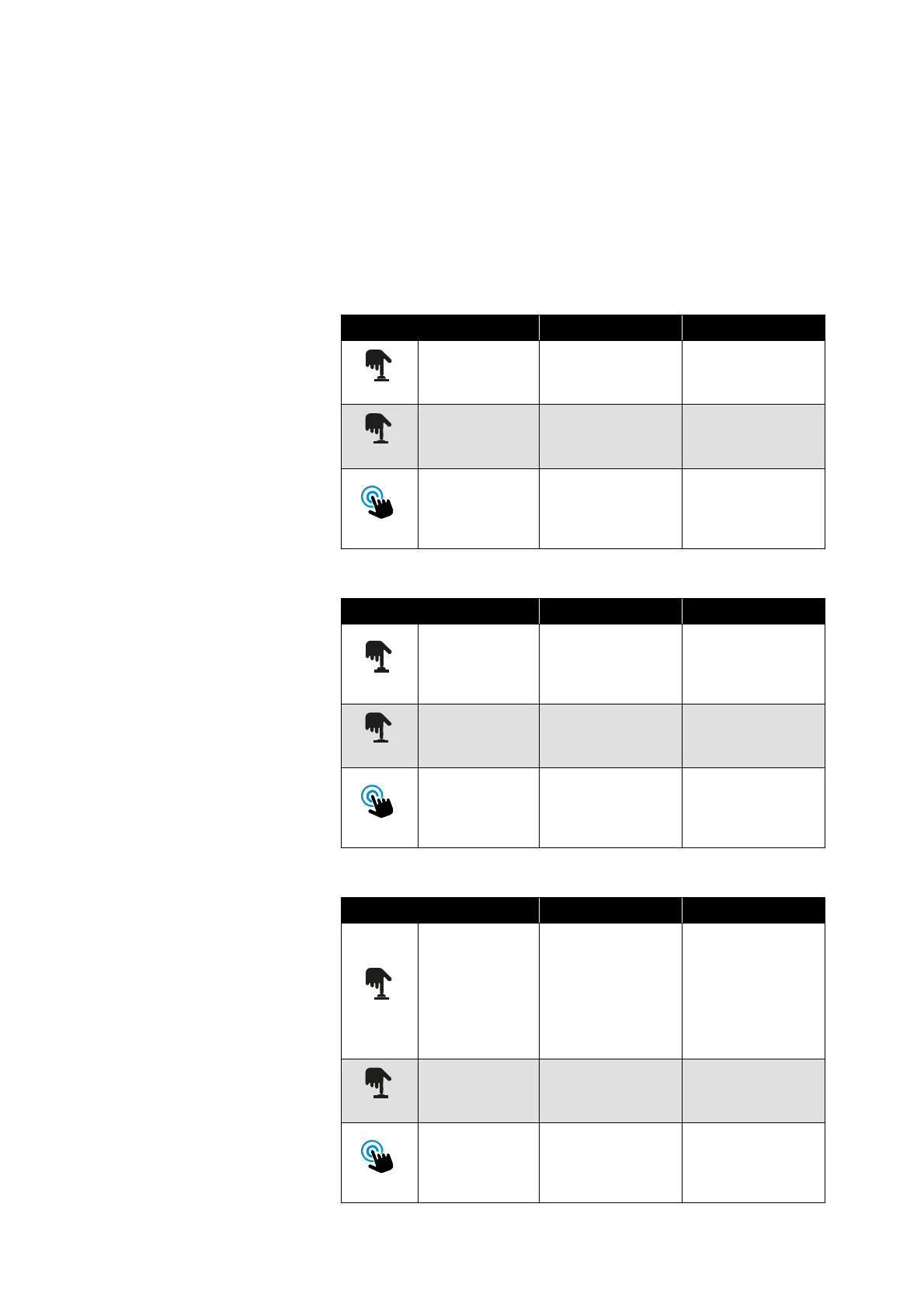
Using the multi-function button
1. Relax mode
2. Communication mode
3. Stream mode
Operation Left earbud Right earbud
Short-press 1x
Reduces the ambi-
ent volume
Increases the
ambient volume
Press for 2 sec –
Communication
mode
Double tap
Activates the
voice assistant
Starts/pauses
playback or deac
-
tivates the voice
assistant
Operation Left earbud Right earbud
Short-press 1x
Reduces the
volume of commu
-
nication enhance-
ment
Increases the
volume of commu
-
nication enhance-
ment
Press for 2 sec Relax mode
Clarity Boost on/
off
Double tap
Activates the
voice assistant
Starts/pauses
playback or deac
-
tivates the voice
assistant
Operation Left earbud Right earbud
Short-press 1x
Ambient sounds
are better audi
-
ble, even during
the music stream;
the stream
becomes quieter
Ambient sounds
are less audible
for an undis
-
turbed music
stream; the
stream becomes
louder
Press for 2 sec Relax mode
Communication
mode
Double tap
Activates the
voice assistant
Starts/pauses
playback or deac
-
tivates the voice
assistant




 To Next Page