Using the earbuds
Conversation Clear Plus | 29
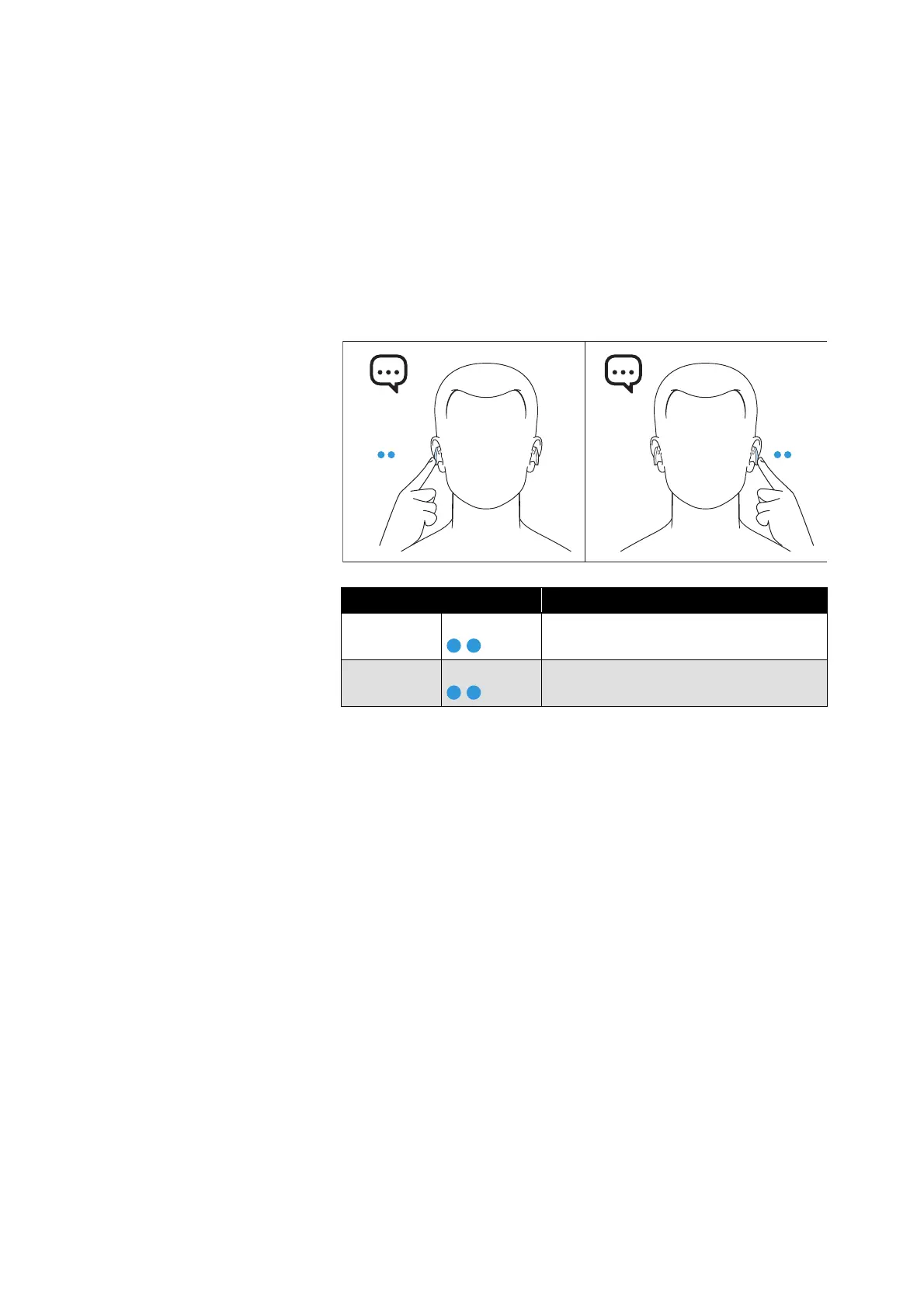
Using the voice assistant/voice dialing
▷ Double tap the left earbud housing.
The available voice assistant of your smartphone is activated
(*depending on the system or app used on your smartphone: Siri,
Google Assistant, ...).
▷ Ask the voice assistant your question or make a request.
To deactivte the voice assistant:
▷ Double tap the right earbud housing.
When the voice assistant is deactivated, the earbuds switch back
to the last active usage mode.
Using the Smart Pause function
The earbuds automatically detect whether they are worn in the ear
or removed from the ear.
Music playback pauses when you take both earbuds out of your ears.
Earbud housing Function
Left earbud Double tap
Activates the voice assistant
Right
earbud
Double tap
Deactivates the voice assistant




 To Next Page