Using the earbuds
Conversation Clear Plus | 31
Making calls using the earbuds
The call functions are only available when the earbuds and the
smartphone are connected via Bluetooth.
Some smartphones and telephony apps (e.g. WhatsApp, MS Teams,
WeChat) may not support all call control functions.
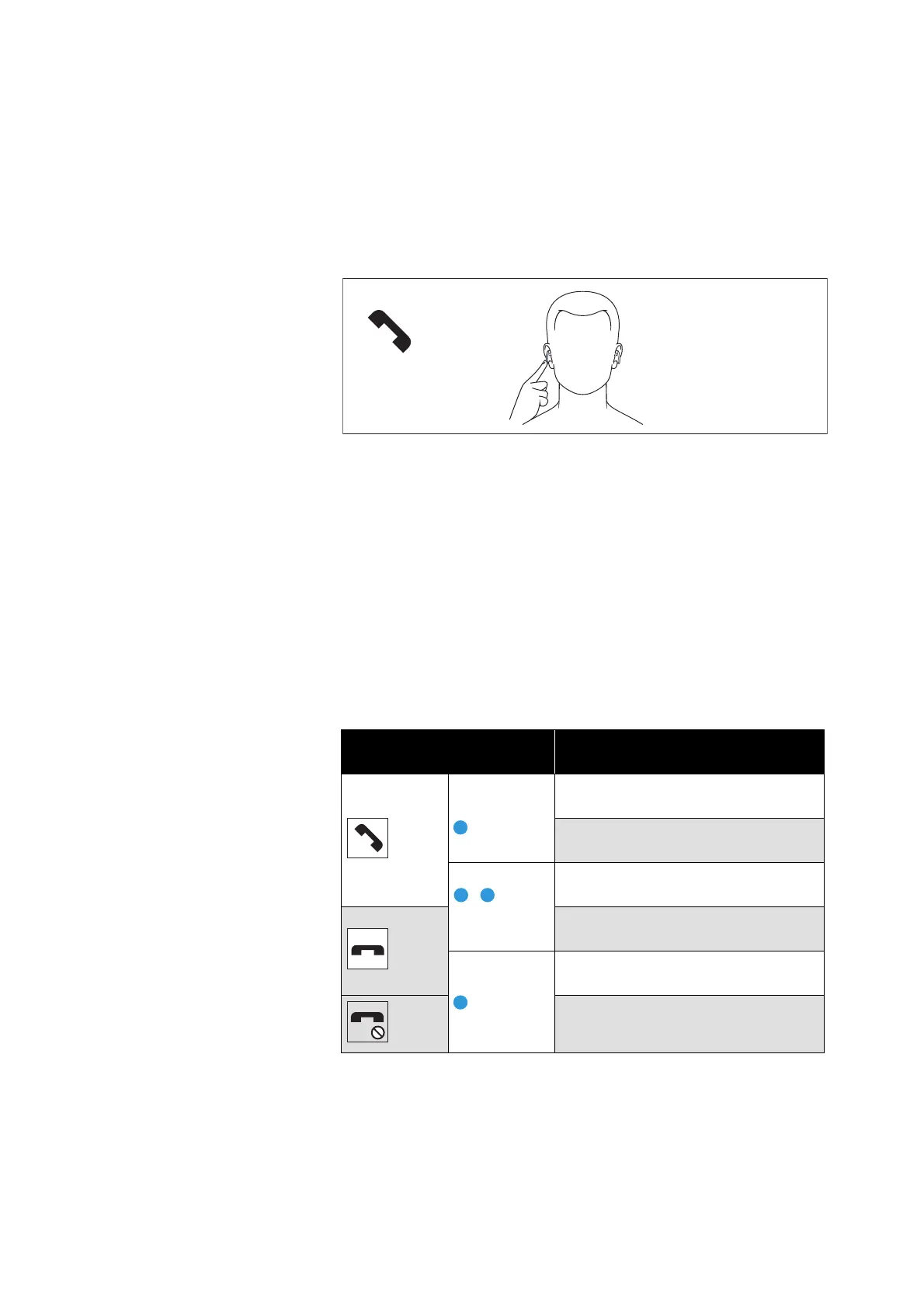
During a call, you can use the right and/or left earbud to control the
call functions.
Making a call
▷ Dial the desired number on your smartphone.
If your smartphone does not automatically transfer the call to the
earbud, select “ConCPlus1” as the output device on your smart
-
phone (see the instruction manual of your smartphone if neces-
sary).
Accepting/rejecting/ending a call
If your earbuds are connected to a smartphone and you receive a
call, you hear a ring tone in the earbuds.
If you are playing music when you receive a call, the music pauses
until you end the call.
Right or left multi-function
button
Function
Press 1x
During a call:
Ambient balancing
In case of an incoming call:
Accepts a call
Double tap In case of an incoming call:
Accepts a call
During a call:
Ends a call
Press for
2
sec
During a call:
Ends a call
In case of an incoming call:
Rejects a call




 To Next Page