Product overview
8 | Conversation Clear Plus
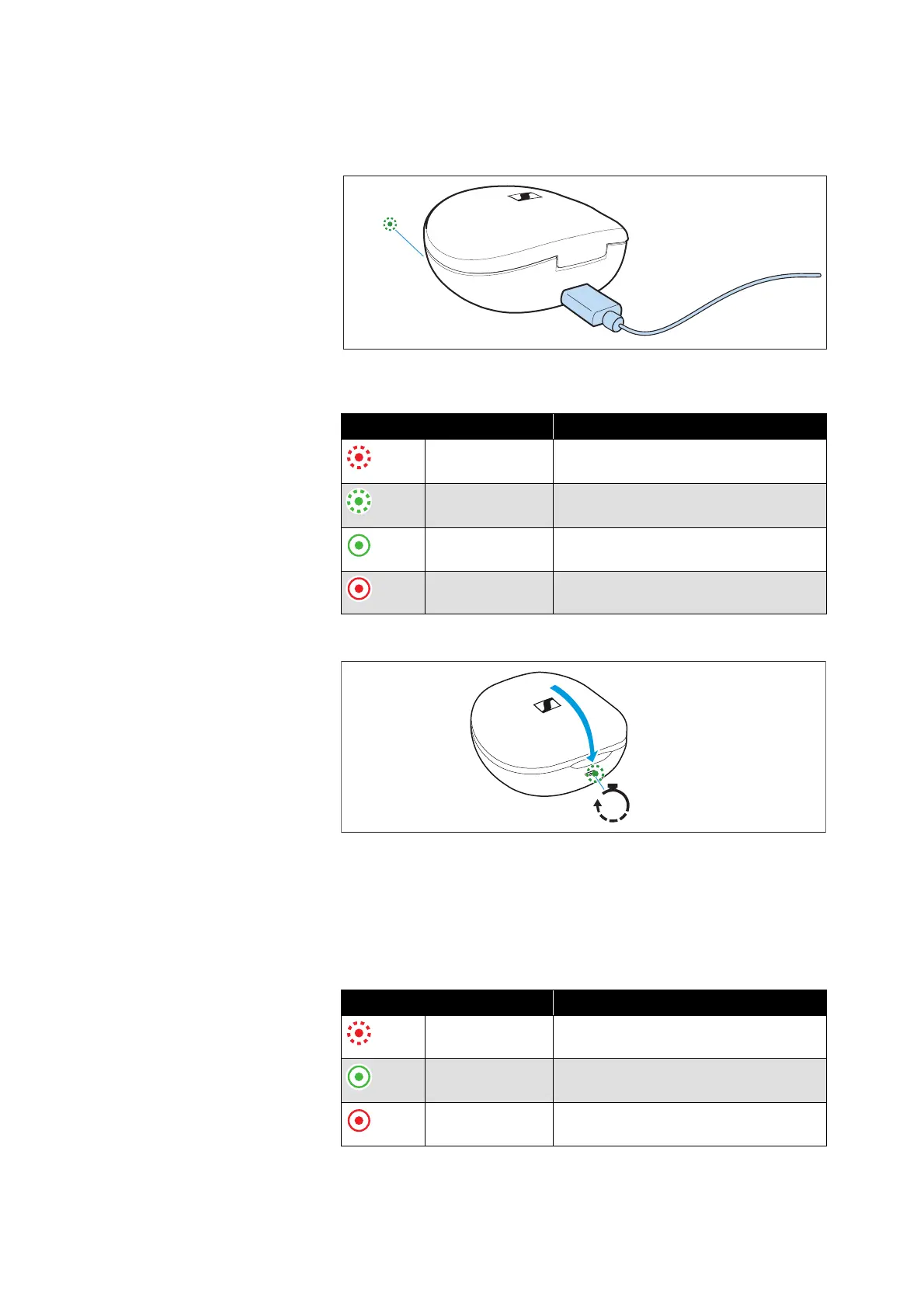
Overview of the LED display of the
charging case
When a USB cable is connected, the LED display of the charging
case permanently displays the charging process:
When you close the lid of the charging case, the LED display goes off
after 15 seconds.
When no USB cable is connected and you open or close the lid of the
charging case, the LED display of the charging case displays the bat
-
tery charge status for 15 seconds:
LED Status
flashes red
... charging case is being charged
... charge status < 10 %
flashes green
... charging case is being charged
... charge status > 10 %
lights up green ... charging case is fully charged
lights up red ... charging error/battery error (> 35)
LED Status
flashes red for
15 sec
... charge status < 10 %
lights up green
for 15 sec
... charge status > 10 %
... charging case is fully charged
lights up red ... charging error/battery error (> 35)






 To Next Page