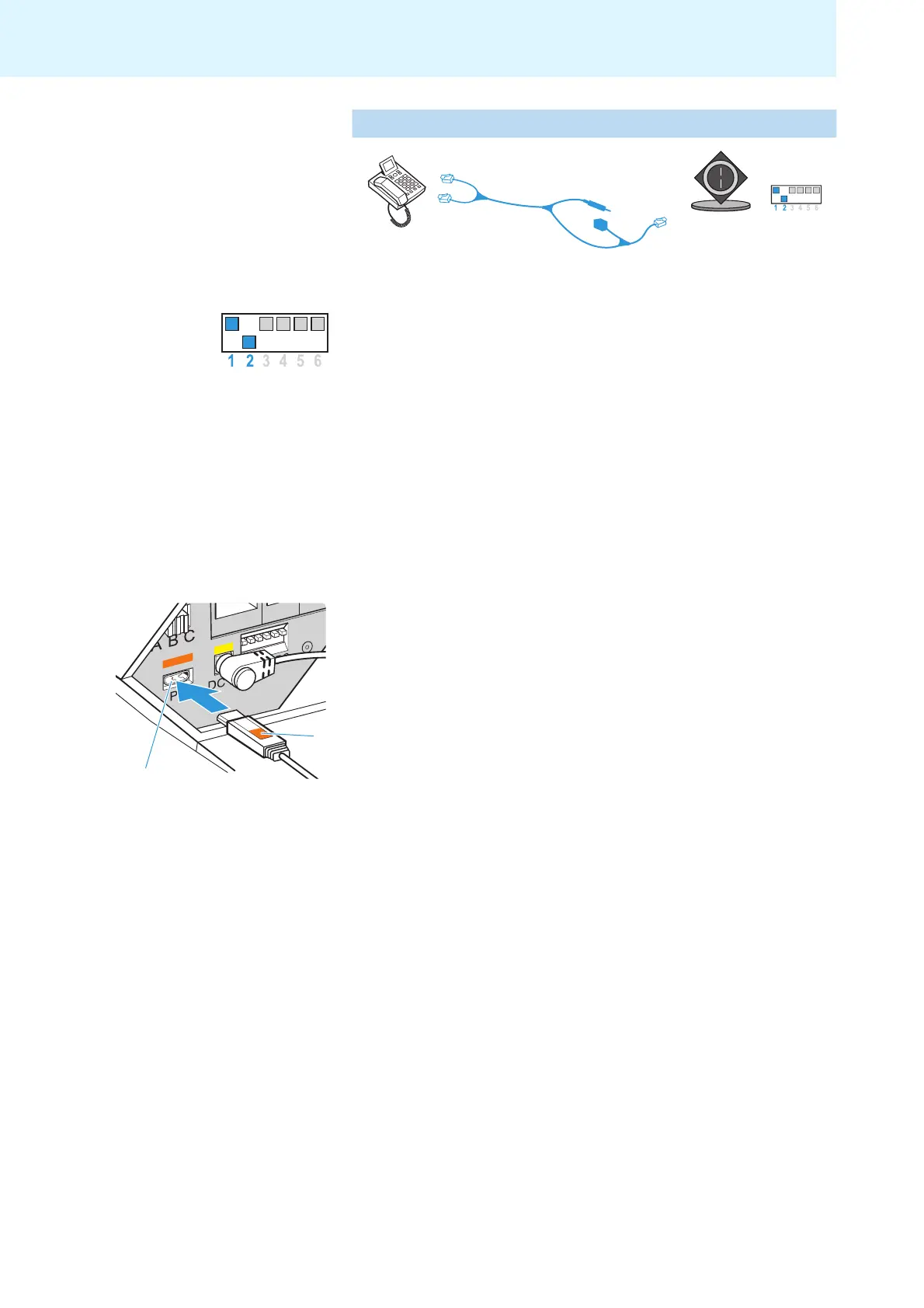
MSH standard
MSH cable
DW Pro1/Pro2 MSH setting
e.g. Alcatel
Putting the headset system into operation
14
If your telephone has a built-in electronic hook switch supporting the MSH
standard:
왘 Set the DIP switch # 1 to the upper position.
왘 Set the DIP switch # 2 to the lower position.
T
he necessary connection and adapter cables are available from
your
Sennheiser partner. For additional information, please visit our website at
www.senncom.com/headsetselector.
Setting up the base station
왘 Place the base station at a minimum distance of
15 to 20 cm from the
fixed line phone.
Connecting the base station to a PC
You can connect the headset system to a PC in order
to use it for Internet
telephone (VoIP) with softphones or multimedia applications.
왘 Use the USB cable to connect the PC socket to a USB socket of
your PC.
The operating system detects the USB audio device “Sennheiser DECT”
an
d installs the necessary drivers.



 To Next Page