21
Putting the headset system into operation
Automatically establishing the wireless link between headset and
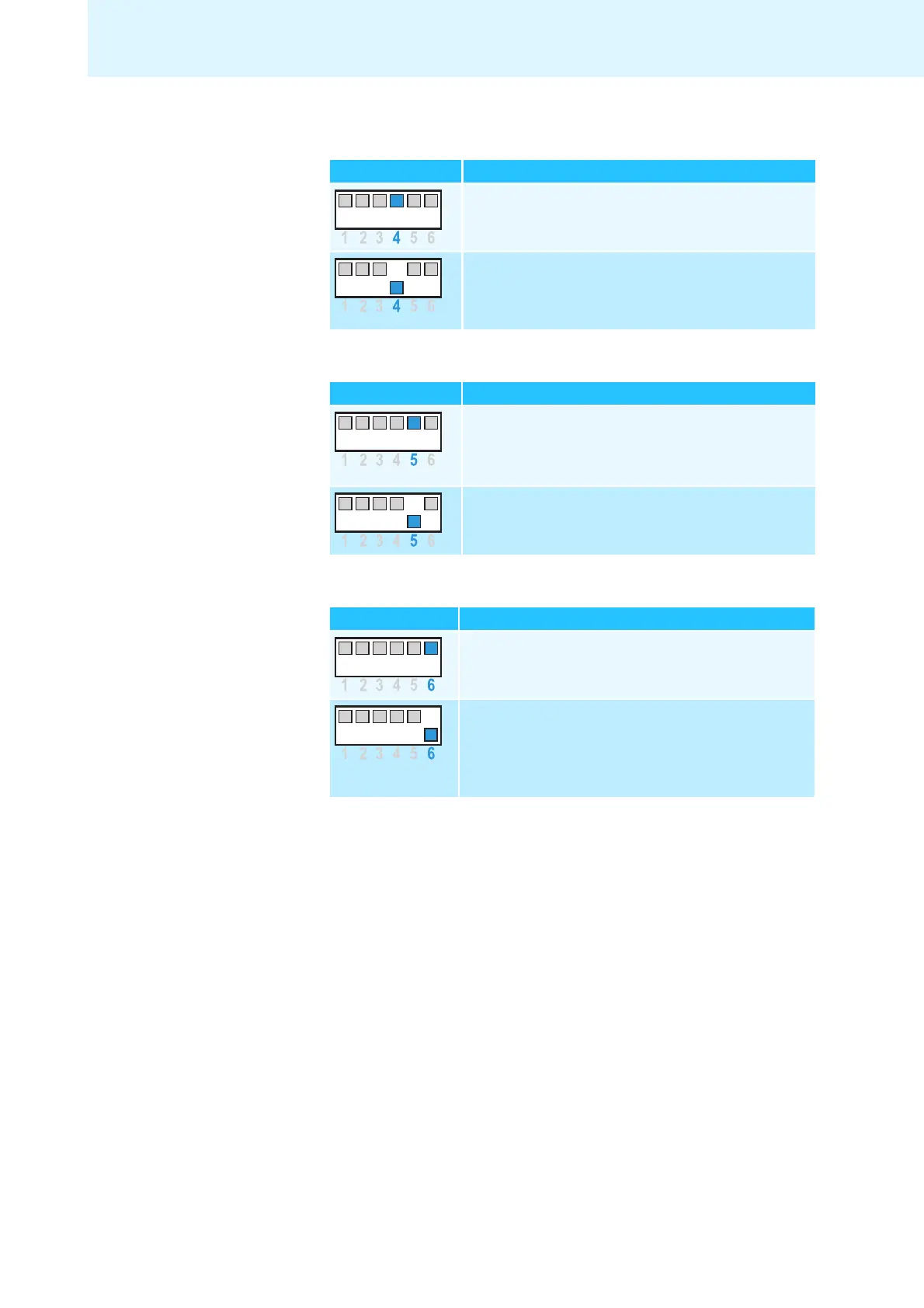
base station (Auto Link) – DIP switch 4
Switch position Function
Switched off
You have to manually establish the wireless link
(see page 23
).
Switched on
When taking the headset out of the base station,
a wireless link is automatically established between
headset and base
station (Auto Link).
Switching between wideband and narrowband mode – DIP switch 5
Switch position Function
Wideband mode
Automatic frequency adjustment of wideband and
narrowba
nd calls in PC and Phone mode.
Battery life: 8 hours
Narrowband mode
Narrowband audio transmission
in PC and Phone mode.
Battery life: 12 hours
Limiting the volume – DIP switch 6
Switch position Function
Standard limitation
Limited volume (country specific)
• AUS version:
in compliance with Directive AS/ACIF S004:2008
• EU and US version:
in compliance with Directive 2003/10/EC



 To Next Page