GSP 670 Wireless headset | GSA 70 Dongle
CONTENTS1
Contents
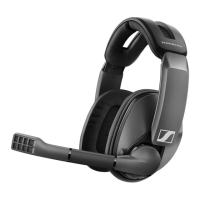
The GSP 670 headset ........................................................................................................................................................... 2
Package contents ................................................................................................................................................................. 2
Product overview ..................................................................................................................................................................3
Overview of the GSP 670 headset ......................................................................................................................................... 3
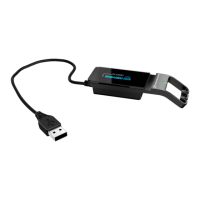
Overview of the GSA 70 dongle .............................................................................................................................................3
Overview of the LEDs .............................................................................................................................................................4
Getting started ..................................................................................................................................................................... 5
Connecting the headset via USB cable and charging the headset battery .....................................................................5
Pairing the headset with wireless devices ........................................................................................................................... 6
Installing the Sennheiser Gaming Suite ...............................................................................................................................9
Changing Audio settings for Microsoft® Windows .............................................................................................................9
Individually adjusting the headset ...................................................................................................................................... 10
Using the headset ............................................................................................................................................................... 11
Switching the headset on ......................................................................................................................................................11
Establishing a wireless connection (Bluetooth or low latency channel) .........................................................................11
Changing the volume ............................................................................................................................................................ 12
Muting the headset’s microphone ...................................................................................................................................... 13
Verifying remaining battery power ..................................................................................................................................... 13
Charging and storing the headset....................................................................................................................................... 14
Reconnecting wireless devices and waking up the headset from sleep mode ............................................................. 15
Switching the headset off .................................................................................................................................................... 15
Using and changing settings for the smart button ........................................................................................................... 15
Maintaining and updating the products ............................................................................................................................16
Replacing the ear pads ......................................................................................................................................................... 16
Exchange cover plates.......................................................................................................................................................... 16
Updating the firmware of the products ...............................................................................................................................17
Replacing/removing the headset‘s rechargeable battery ................................................................................................17
Clearing the pairing list of the headset (Reset) ................................................................................................................. 18
Clearing the pairing list of the dongle (Reset) ................................................................................................................... 18
Specifications ......................................................................................................................................................................19




 To Next Page