EasyManua.ls Logo

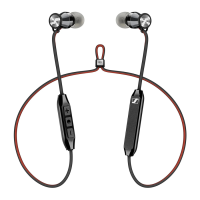
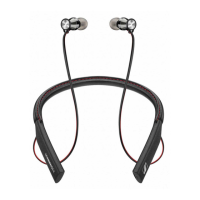
Sennheiser M2 IEBT User Manual

Sennheiser M2 IEBT
36 pages
To Next Page IconTo Next Page
Page #1 background imageLoading...
Page #1 background image
M2 IEBT
In-Ear Wireless
Instruction Manual

Other manuals for Sennheiser M2 IEBT

Questions and Answers:

Sennheiser M2 IEBT Specifications

General IconGeneral
BrandSennheiser
ModelM2 IEBT
CategoryHeadphone
LanguageEnglish

Summary

Important Safety Instructions

Health and Accident Prevention

Guidelines to prevent hearing damage, accidents, and choking hazards from product use and accessories.

Product Damage Prevention

Instructions to prevent product damage from moisture, extreme temperatures, and improper use of accessories.

Leather Parts Care

Recommendations for cleaning and maintaining leather components of the headphones.

Intended Use and Liability

Defines the intended purpose of the headphones and Sennheiser's liability regarding misuse.

Lithium-Polymer Battery Safety

Critical warnings and safety guidelines for the product's rechargeable battery, including disposal.

Product Overview

General Features

Highlights key features like ergonomic design, materials, and audio quality support (aptX, AAC).

Bluetooth Technology

Details compliance with Bluetooth 4.1 standard and supported profiles for wireless connectivity.

NFC Technology

Explains Near Field Communication (NFC) for easy device connection.

Audio Codec Support

Describes how AAC and aptX codecs enhance wireless audio quality.

Package Contents

Included Items

Lists all components included in the headphone package, such as neckband headphones, carry case, and cables.

Controls and Indicators

Component Identification

Diagram and list identifying key parts of the M2 IEBT headphones like neckband, ear adapters, and buttons.

Pictogram Meanings

Explains the meaning of icons used to represent button press actions, alerts, and tones.

LED Indicator Guide

Illustrates various LED light patterns and their meanings during operation and calls.

Button Operations

Details the functions of the power, play/pause, and volume/track buttons with press/hold actions.

Getting Started

Charging Basics

Information on charging time, battery status via LED and voice prompts.

Charging Procedure

Step-by-step instructions for charging the headphones using the USB cable.

Bluetooth Pairing

Instructions for pairing headphones with Bluetooth devices, including automatic and manual modes.

NFC Pairing

Guide for pairing headphones with NFC-enabled devices using the neckband's NFC panel.

Disconnecting Bluetooth

Procedure for deactivating Bluetooth on the smartphone to disconnect the headphones.

Using the Headphones

Powering On and Off

Instructions on how to switch the M2 IEBT headphones on and off using the power button.

Volume Control

How to increase or decrease the volume for music and calls using the volume buttons.

Checking Battery Life

Methods to check the remaining battery life through voice prompts or the connected device.

Music Playback

Wireless Playback

Instructions for playing music wirelessly via Bluetooth, including codec support.

USB Cable Playback

Guide for playing music directly from a computer using the USB cable connection.

Playback Controls

How to control music playback (play, pause, next/previous track) using the headphone buttons.

Call Management

Making and Handling Calls

Steps for dialing, accepting, rejecting, and ending calls using the headphones.

Call Transfer and Redialing

Details on putting calls on hold, toggling between calls, transferring, and redialing last number.

Voice Control Function

How to activate voice control for smartphone commands like dialing contacts.

Care and Maintenance

General Care Precautions

Precautions regarding liquids and cleaning agents to protect the product's electronics.

Ear Adapter Replacement

Instructions on how to change the ear adapters for a proper fit.

Leather Part Care

Guidelines for cleaning and preserving the leather parts of the neckband.

Storage and Handling

Recommendations for storing the headphones in the carry case to prevent damage.

Battery Replacement Information

Information on battery replacement, warranty, and service center contact.

Troubleshooting

Common Issues and Solutions

Addresses issues like headphones not turning on, no audio signal, and connection problems.

Connectivity Problems

Solutions for Bluetooth transmission range problems and clearing previously paired devices.

Specifications

Technical Data

Detailed technical data including frequency response, impedance, battery, and Bluetooth version.

Trademarks

Trademark Acknowledgements

Details on registered trademarks like Bluetooth, NFC, and Qualcomm aptX used in the manual.

Related product manuals