6 | MB Pro1 | MB Pro 2
Product overview
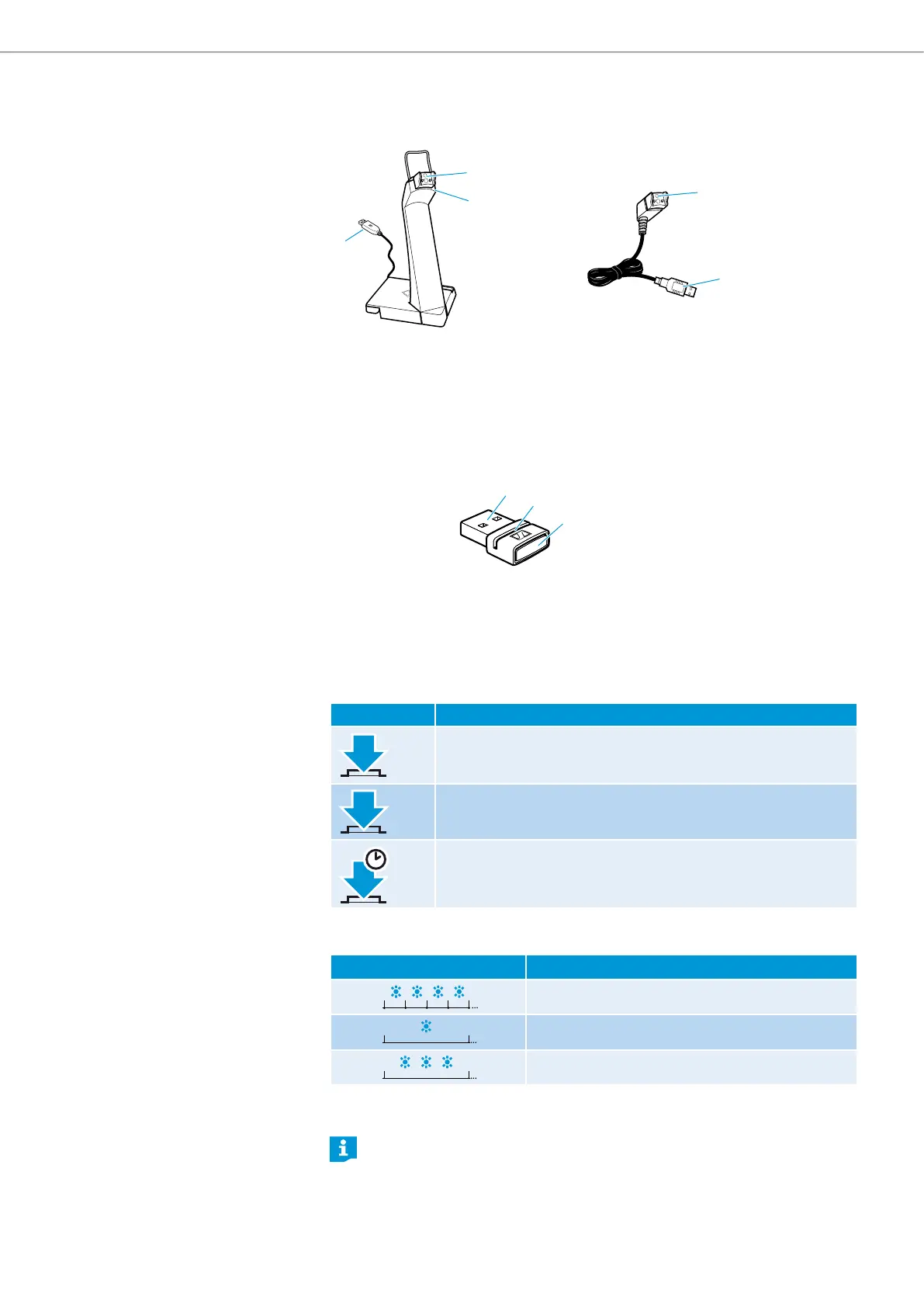
Overview of the headset chargers
1
2
1
3
3
CH 20 MB CH 20 MB USB
1 Magnetic holder with
charging contacts
2 Headset stand/
USB cable holder
3 USB plug
Overview of the BTD 800 USB dongle
1
2
3
1 USB plug
2 Link LED
3 Link button
Overview of pictograms
Meaning of the pictograms for pressing a button
Pictogram Meaning
Briefly press this button.
2 x
Double-press this button.
5s
Keep this button pressed for 5 seconds.
Meaning of the pictograms for the flashing of the LED
Pictogram Meaning
The LED flashes.
3s
The LED flashes once every 3 seconds.
1s
The LED flashes 3 times per second.
The pictogram “i”
Notes marked with the pictogram “i” provide important information on the
use of the product.






 To Next Page