MB Pro1 | MB Pro 2 | 17
Using the headset
Making calls using the headset
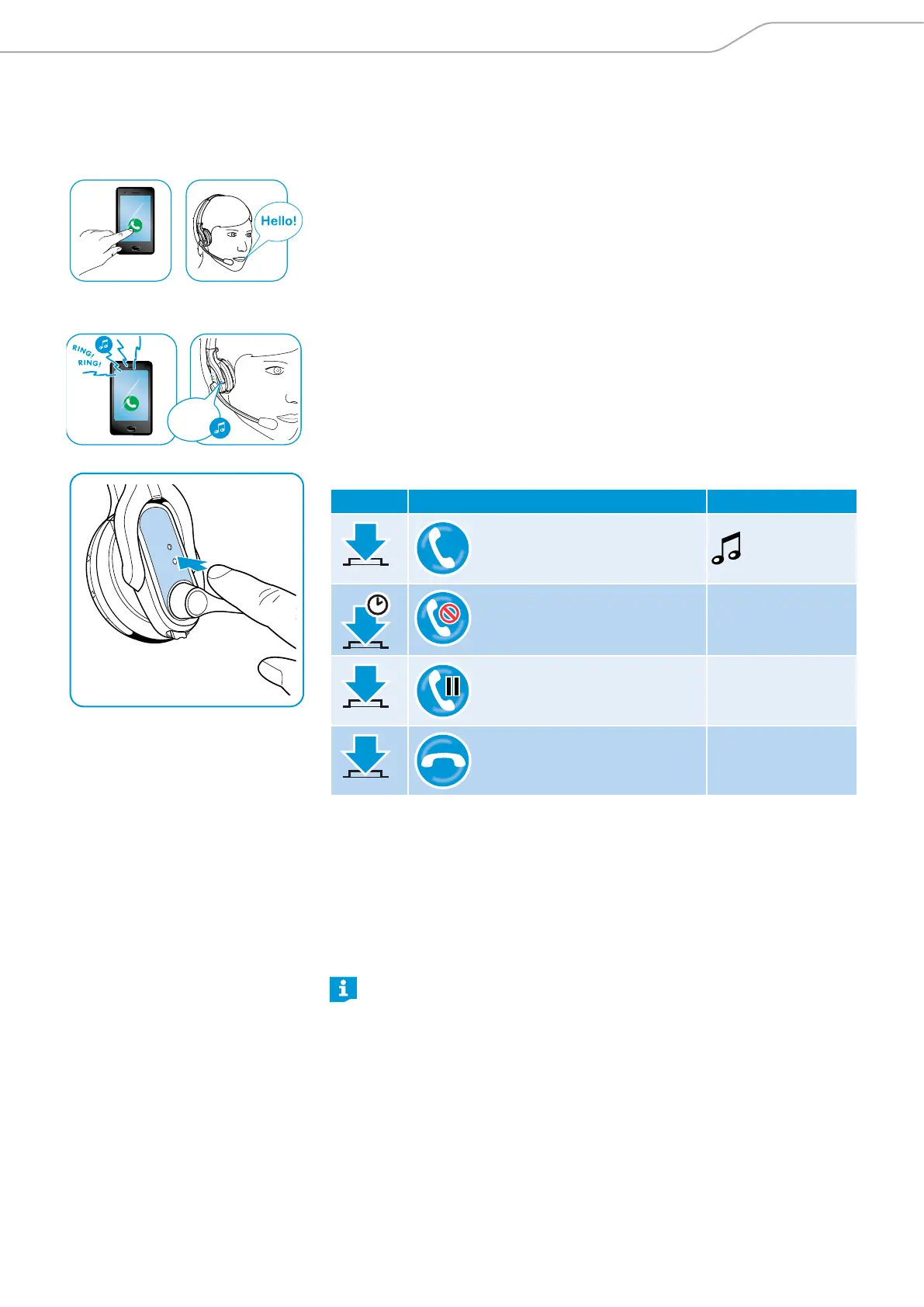
Making a call
X Dial the desired number on your mobile phone or softphone.
You hear a beep in the headset.
If your mobile phone does not automatically transfer the call to the headset:
X Press the multi-function button on the headset or press a corresponding button
on your mobile phone (see the instruction manual of your mobile phone).
Accepting/rejecting/ending a call
When you receive a call, the headset announces which of the connected Blue-
tooth device is ringing:
• connected mobile phones: “Phone one” or “Phone two” or
• Bluetooth dongles connected to the PC: “Dongle“
You then hear a ring tone in the headset and the LED flashes blue. If the headset
battery is low, the LED flashes red.
X Press the multi-function button:
Duration Function Voice prompt/beeps
Accepts a call
1 s
Rejects a call ”Call rejected”
2 x
Puts an active call on hold
(pause)
–
Ends a call ”Call ended”
To accept a call while the headset is being charged:
X Take the headset from the magnetic holder of the charging cable. The headset
switches on and the call is automatically accepted.
X Place the headset back into the magnetic holder to end the call and to con-
tinue charging the rechargeable battery.
To accept a call when the headset is switched off:
X Simply switch your headset on.
When the voice prompts are disabled, you hear a beep in the headset.
When you listen to music, the music is paused until you end the call. This function
is not supported by all mobile phones.
Phone
one




 To Next Page