EasyManua.ls Logo

Sennheiser MB 660 - User Manual

Sennheiser MB 660
37 pages
Print Icon
To Next Page IconTo Next Page
Loading...
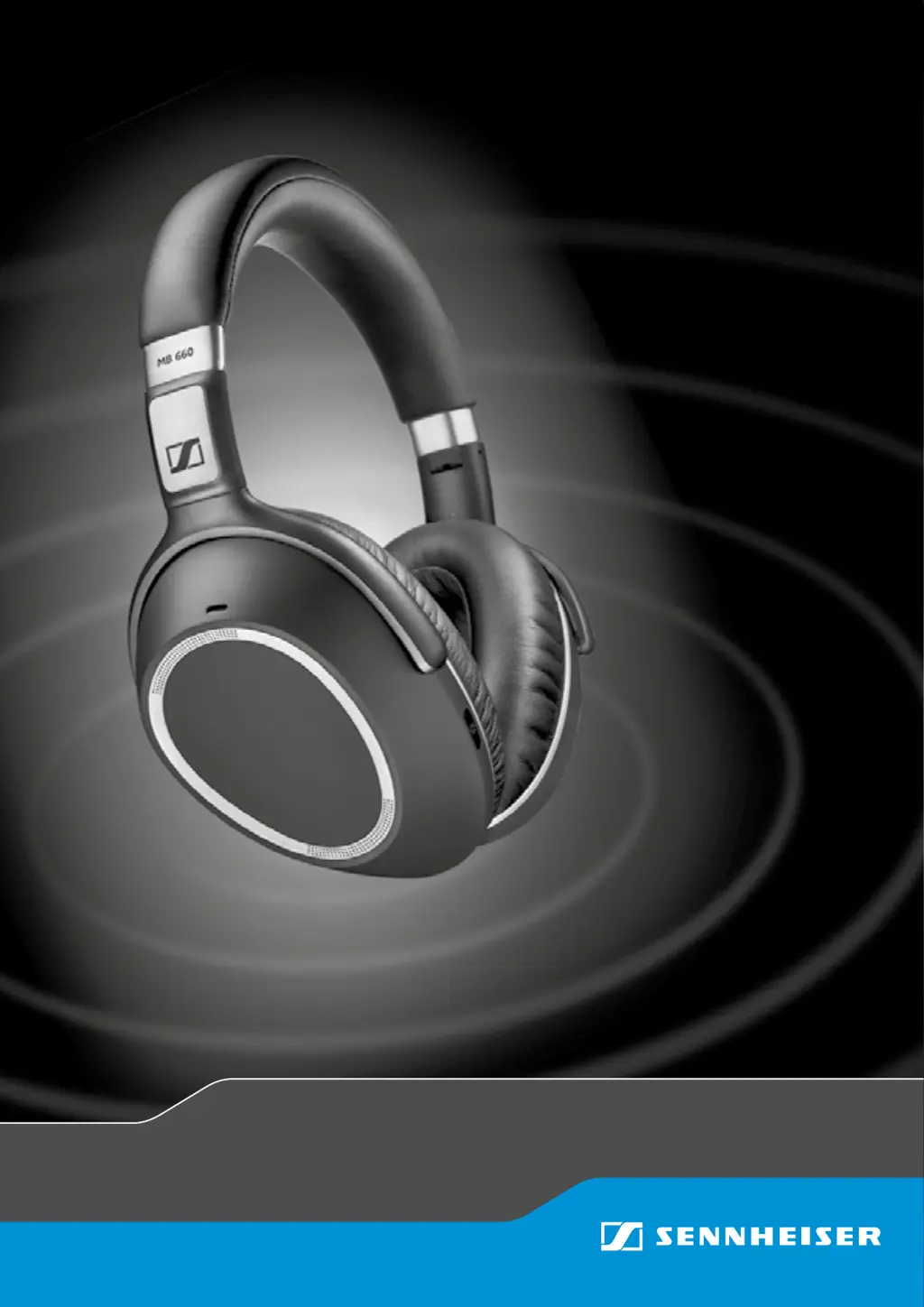
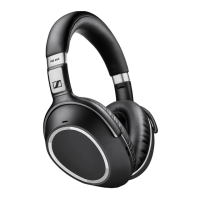
MB 660
wireless
ANC Headset
Instruction manual

Other manuals for Sennheiser MB 660

Questions and Answers

  • J
    Joseph CummingsAug 17, 2025
    How to fix Sennheiser Headsets that cannot be switched on?
    • L
      Lisa MckinneyAug 17, 2025
      If your Sennheiser Headsets won't switch on, the battery might be empty. Try charging the headset. If charging doesn't help, the battery may be completely exhausted or worn out, and you should visit an authorized Sennheiser service center for a battery replacement.
  • M
    Mr. David MorrisAug 19, 2025
    Why Sennheiser MB 660 cannot connect?
    • S
      Steven BushAug 19, 2025
      If your Sennheiser Headsets won't connect, ensure that Bluetooth is activated on your smartphone. Also, check if your smartphone is switched on.
  • A
    Andrew WilsonAug 22, 2025
    What to do if Sennheiser MB 660 Headsets do not automatically go to pairing mode?
    • A
      andrewhallAug 22, 2025
      If your Sennheiser Headsets do not automatically go to pairing mode, first ensure that Bluetooth is activated on the headset. If that doesn't work, and the headset has been previously paired to some devices, press the Sound Effect Mode button for 4 seconds.
  • R
    rebekahdiazAug 26, 2025
    Why smartphone cannot detect Sennheiser MB 660?
    • B
      browntyroneAug 26, 2025
      If your smartphone cannot detect the Sennheiser Headsets, ensure that Bluetooth is activated on the headset.
  • K
    Kellie BensonAug 28, 2025
    Why Sennheiser MB 660 do not attenuate the ambient noise even though NoiseGard is active?
    • N
      Nicholas ThomasAug 28, 2025
      If your Sennheiser Headsets do not attenuate the ambient noise even though NoiseGard is active, it might be because the ear pads are not attached properly after replacement or removal. Ensure that ear pads are securely hooked to all corners of the ear cups.
  • L
    Lydia ThompsonAug 30, 2025
    What to do if there is no audio signal in Sennheiser Headsets?
    • T
      Terry MannAug 30, 2025
      If there is no audio signal in your Sennheiser Headsets, first check if the headset is paired with your smartphone or Bluetooth device. If not, pair them. Also, make sure the volume isn't too low by increasing it. Finally, ensure that the headset and smartphone are successfully paired and that the headset is not stuck in pairing mode.
  • J
    Jasmine BoydSep 2, 2025
    Why Sennheiser MB 660 Headsets do not respond to Smart Pause gestures?
    • A
      ashleyphelpsSep 2, 2025
      If your Sennheiser Headsets do not respond to Smart Pause gestures, it might be because Smart Pause is deactivated by default. Activate Smart Pause in CapTune. If that doesn't work, Smart Pause may not be compatible with your music player, so try another music player or streaming app.
  • J
    Jorge GambleSep 5, 2025
    What to do if Sennheiser Headsets do not respond to any button press?
    • Y
      ymosesSep 5, 2025
      If your Sennheiser Headsets don't respond to any button presses, the headset may not be functioning properly. Try restarting the headset by switching it off and on again. If that doesn't work, perform a reset.
  • S
    Samuel ReynoldsSep 8, 2025
    Why voice prompts cannot be heard on Sennheiser MB 660?
    • W
      Warren ColeSep 8, 2025
      If the voice prompts specified in this instruction manual cannot be heard on your Sennheiser Headsets, it is possible that the Voice Prompt is deactivated in CapTune. To resolve this, activate Voice Prompt in CapTune.
  • K
    kaitlyn51Sep 12, 2025
    What to do if Sennheiser MB 660 Headsets do not go to pairing mode after the 4-second press of the Sound Effect Mode button?
    • J
      James SkinnerSep 12, 2025
      If your Sennheiser Headsets do not go to pairing mode after pressing the Sound Effect Mode button for 4 seconds, first ensure that Bluetooth is activated on the headset. If Bluetooth is active and it still doesn't work, restart the headset by switching it off and on again, as the headset cannot enter pairing mode when music is being played or calls are in progress.

Summary

Product Overview

MB 660 Headset Components

Details physical components of the MB 660 headset with numbered labels.

BTD 800 USB Dongle Components

Details physical components of the BTD 800 USB dongle with numbered labels.

Pictograms and LED Indicators

Explains pictograms for gestures and LED indications during operation and calls.

Buttons and Switches

Details functions of NoiseGard/ANC switch, Sound Effect button, and Bluetooth switch.

Gesture Controls

Explains basic gesture controls and touch pad gesture controls.

CapTune App Features

Details CapTune app features, music player functions, and special headset features.

CapTune Sound Settings and Audio Prompts

Details sound adjustments, profiles, and voice prompt language options in CapTune.

Getting Started

Charging the Headset

Explains how to charge the headset, charging time, and LED indicators for battery status.

Installing the CapTune App

Guides on downloading and installing the CapTune app from app stores.

Pairing the Headset

Explains pairing the headset with Bluetooth devices using NFC or Bluetooth search.

NFC Pairing Procedure

Step-by-step guide to pair headset with smartphone using NFC technology.

Bluetooth Pairing Procedure

Step-by-step guide to pair headset with smartphone using Bluetooth search.

Headband Adjustment

Instructions on adjusting the headband for optimal fit and comfort.

Using the MB 660

Powering the Headset On and Off

Procedure for unfolding and powering on/off the MB 660 headset.

Volume Control

How to adjust volume for music, calls, and voice prompts using touch pad gestures.

NoiseGard and TalkThrough

Explains NoiseGard modes and activating/deactivating TalkThrough.

Sound Effects and Call Enhancements

How to change sound effects and activate/deactivate Call Enhancement.

Checking Battery Life

Procedure to check remaining battery life using touch pad gestures and LED indicators.

Playing Music

Wireless and USB Music Playback

Instructions for playing music via Bluetooth or USB cable.

Music Playback Controls

Details basic music control gestures like play/pause, next/previous track.

Smart Pause Feature

Explains Smart Pause feature for automatic music pause/resume based on headset removal.

Making Calls via the MB 660

Initiating and Managing Calls

Instructions for dialing, accepting, rejecting, ending, and managing calls.

Microphone Muting and Call Hold

Explains gestures for microphone mute and putting calls on hold.

Redialing and Voice Dialing

Instructions for redialing and using voice commands for dialing.

Setting the MB 660 to Flight Mode

Bluetooth Activation and Deactivation

How to use the Bluetooth switch to turn wireless transmission on or off.

Using the Audio Cable for Music

Explains active and passive modes when using the audio cable.

Headset Operation in Flight Mode

Steps to use the headset in flight mode by inserting the audio cable.

Care and Maintenance

Ear Pad Replacement and Storage

Instructions for replacing ear pads and guidelines for headset storage.

Rechargeable Battery Information

Information on battery replacement by authorized service centers.

Troubleshooting

Power and Connection Issues

Troubleshoots headset power, audio, and Bluetooth connection problems.

Button and Gesture Unresponsiveness

Troubleshoots issues with unresponsive buttons and Smart Pause gestures.

Detection and Pairing Problems

Troubleshoots smartphone detection and automatic pairing mode issues.

LED Errors and Voice Prompt Issues

Troubleshoots red LED flashes and issues with audible voice prompts.

NoiseGard and Audio Interruption Issues

Troubleshoots NoiseGard performance and audio stops during adjustment.

Bluetooth Range and Reset Procedures

Explains Bluetooth range limits and procedures for resetting and clearing paired devices.

Specifications

Manufacturer Declarations

Product Warranty Information

Details the product warranty period and how to make a claim.

Regulatory Compliance

Lists compliance with WEEE, Battery, Product Safety, CE, R&TTE, and RoHS directives.

Trademarks and Brand Information

Lists trademarks used in the manual, including Sennheiser, Bluetooth, aptX, etc.

Sennheiser MB 660 Specifications

General IconGeneral
TypeWireless Bluetooth Headset
Wearing styleOver-ear
Transducer principleDynamic, closed
Talk timeUp to 30 hours
Charging timeApproximately 3 hours
ConnectivityBluetooth
Supported ProfilesA2DP, AVRCP, HFP, HSP
Noise CancellationActive Noise Cancellation (ANC)
MicrophoneYes
Battery LifeUp to 30 hours
Frequency Response17 Hz to 23, 000 Hz
Microphone Frequency Response150 Hz to 6, 800 Hz
ConnectionBluetooth, 3.5 mm audio jack
Additional Featurestouch controls

Related product manuals