MB 660 | 25
Making calls via the MB 660
Making calls via the MB 660
The following call functions are only available when the MB 660 wireless headset
and the smartphone are connected using Bluetooth or the USB cable. Some
smartphones may not support all functions.
Making a call
X Dial the desired number on your smartphone.
If your smartphone does not automatically transfer the call to the MB 660,
select the MB 660 as the audio source on your smartphone (see the
instruction manual of your smartphone if necessary).
Accepting/rejecting/ending a call
When you receive a call, you hear the ring tone in the MB 660 Wireless and the
LED flashes white rapidly. If you are playing music when you receive a call, the
music pauses until you end the call.
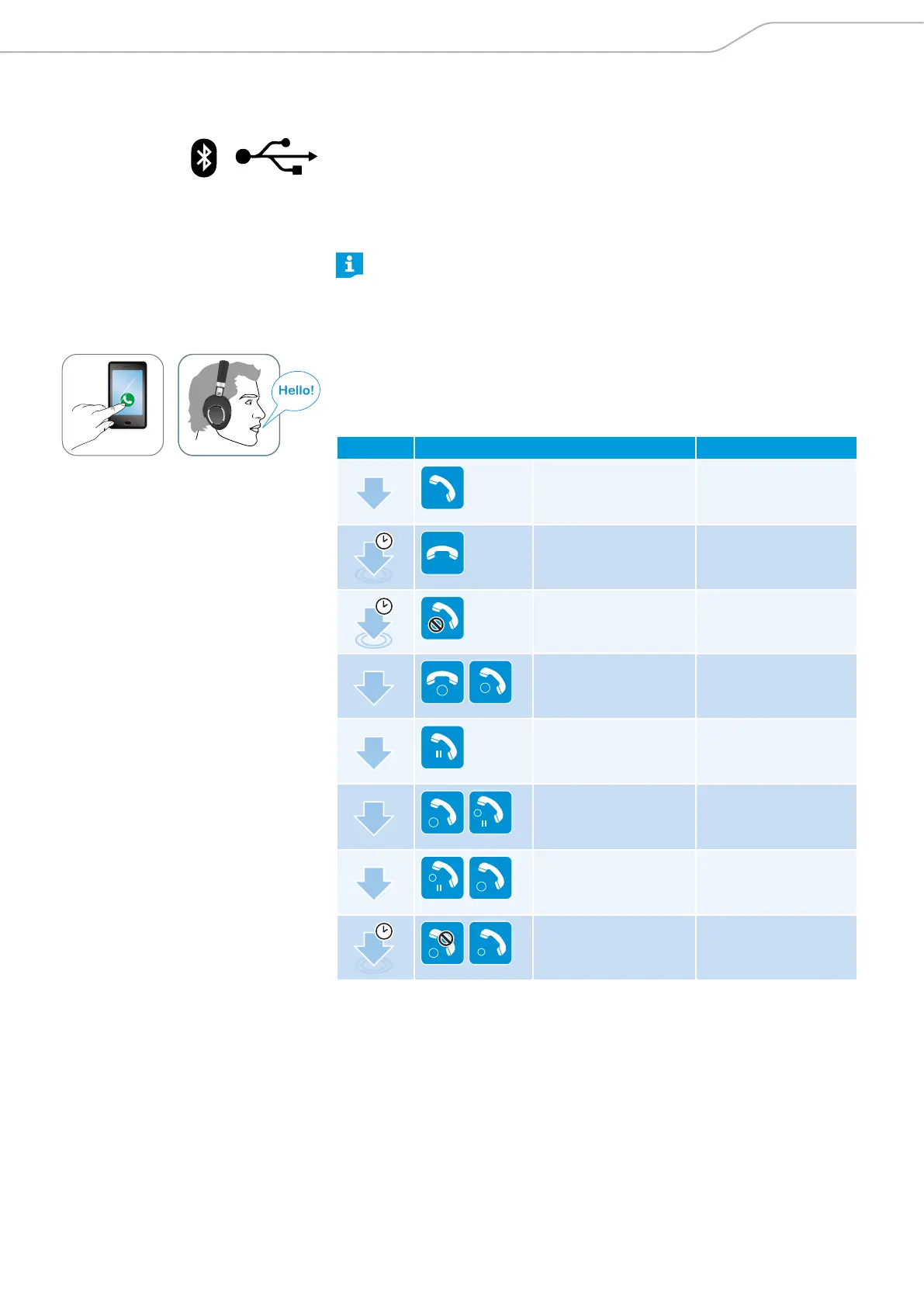
X Tap the touch pad accordingly:
Press Function Signal
1x
Accepts a call
1s
Ends a call “Call ended”
1s
Rejects a call “Call rejected”
1x
1
2
Accepts an incoming
call and ends the
active call
2x
HOLD
Puts the call on hold
2x
2
HOLD
1
Accepts an incoming
call and puts an active
call on hold
2x
HOLD
2
1
Toggles between 2
active calls
1s
2
1
Rejects an incoming
call and continues the
active call





 To Next Page