EasyManua.ls Logo

Sennheiser SKP 500 - User Manual

Sennheiser SKP 500
29 pages
Print Icon
To Next Page IconTo Next Page
Loading...
EK 500
/
SKP 500
Instructions for use

Questions and Answers

  • K
    katelynmcconnellJul 26, 2025
    What to do if my Sennheiser SKP 500 Transmitter has no RF signal?
    • M
      Mark DeanJul 26, 2025
      If your Sennheiser Transmitter shows no RF signal, it could be due to a couple of reasons. First, make sure that the transmitter and receiver are set to the same channel. If they aren't, set them to the same channel. Another reason might be that the transmitter is out of range. In that case, check the squelch threshold setting or reduce the distance between the transmitter and the receiving antenna.
  • V
    vickie45Aug 1, 2025
    Why is the audio signal distorted on my Sennheiser SKP 500?
    • L
      Lisa LongAug 1, 2025
      If the audio signal from your Sennheiser Transmitter is distorted, it might be because the transmitter sensitivity is adjusted too high or the receiver’s AF output level is too high. See “Adjusting the sensitivity” on page 20 or reduce the AF output level to resolve this.
  • B
    Brian WebsterAug 6, 2025
    What to do if my Sennheiser SKP 500 Transmitter has RF signal but no audio and shows “MUTE”?
    • J
      Jackson DunnAug 7, 2025
      If your Sennheiser Transmitter shows an RF signal but no audio and the display shows “MUTE”, it could be because the transmitter is muted. Deactivate the muting function. Alternatively, the receiver’s squelch threshold might be adjusted too high, so reduce the squelch threshold. Another possibility is that the transmitter isn’t transmitting a pilot tone; activate the pilot tone transmission to fix this.
  • J
    James WardAug 13, 2025
    Why does my Sennheiser SKP 500 have a high level of background noise?
    • T
      Tracey PhillipsAug 13, 2025
      A high level of background noise in the audio signal from your Sennheiser Transmitter can occur if the transmitter sensitivity is adjusted too low or the receiver’s AF output level is adjusted too low. See “Adjusting the sensitivity” on page 20 or increase the audio output level to improve the signal.
  • S
    Sheila HortonAug 18, 2025
    How to fix a Sennheiser SKP 500 Transmitter with no operation indication?
    • J
      John JonesAug 18, 2025
      If your Sennheiser Transmitter has no operation indication, the batteries or accupack might be flat. Replace the batteries or recharge the accupack to solve this.

Summary

Safety instructions

The operating controls

Controls and Indicators Overview

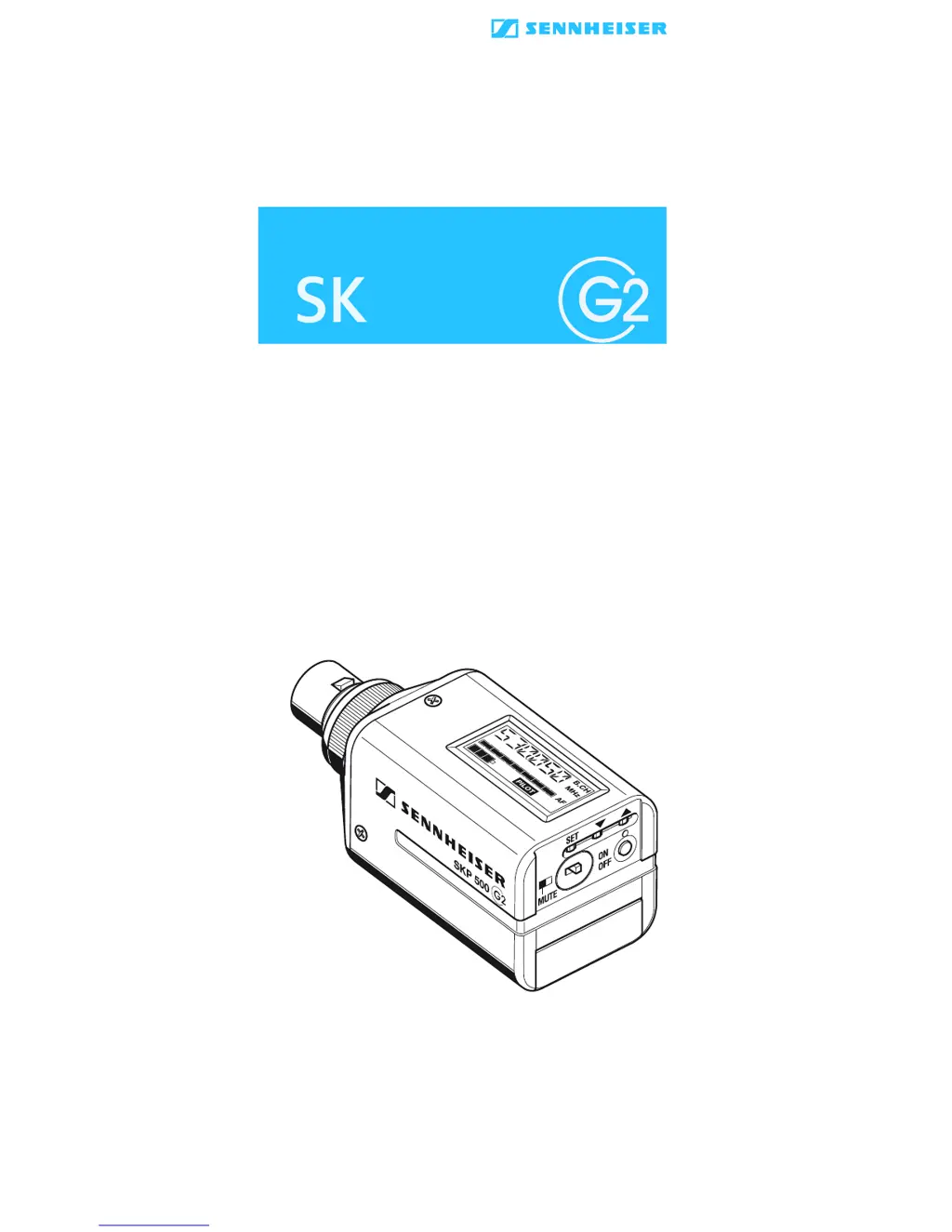
Details the physical controls, connectors, display, and indicator LEDs of the transmitter.

Indications and displays

Display Elements and Status Modes

Explains the LC display panel features, battery status, MUTE, PILOT, and modulation indicators.

Preparing the plug-on transmitter for use

Inserting and replacing the batteries

Instructions for inserting batteries or accupack and notes on accupack operation.

Plugging the plug-on transmitter onto a microphone

Using the plug-on transmitter

Switching the plug-on transmitter on;off

How to turn the transmitter on and off using the ON/OFF button.

Muting the plug-on transmitter

How to mute the audio signal using the MUTE switch.

The operating menu

Working with the operating menu

Operating menu of the plug-on transmitter

SENSIT: Adjusting Input Sensitivity

Adjusts the input sensitivity for optimal audio signal levels.

Advanced Operating Menu Functions

PILOT: Pilot Tone Transmission

Activates or deactivates the pilot tone transmission for squelch control.

LOCK: Activating Lock Mode

Enables or disables the lock mode to prevent accidental adjustments.

Optimizing Input Sensitivity

System Reset and Pilot Tone

Pilot Tone Transmission Control

How to activate or deactivate the pilot tone transmission for squelch control.

Lock Mode and Menu Exit

Activating;Deactivating Lock Mode

How to enable or disable the lock mode to prevent accidental operation changes.

Troubleshooting

Error Checklist and Solutions

Lists common problems, their possible causes, and recommended solutions.

Specifications

Sennheiser SKP 500 Specifications

General IconGeneral
TypePlug-on transmitter
ModulationFM
Power Supply2 x AA batteries
THD< 0.9 %
Audio Input3.5 mm jack
Microphone ConnectorXLR-3
Operating Timeup to 8 hours
Signal-to-Noise Ratio>110 dB
RF Output Power30 mW (G2), 50 mW (G3)

Related product manuals