4.2. Configuring a Logger
Configuration of the logger is performed with the logger
connected.
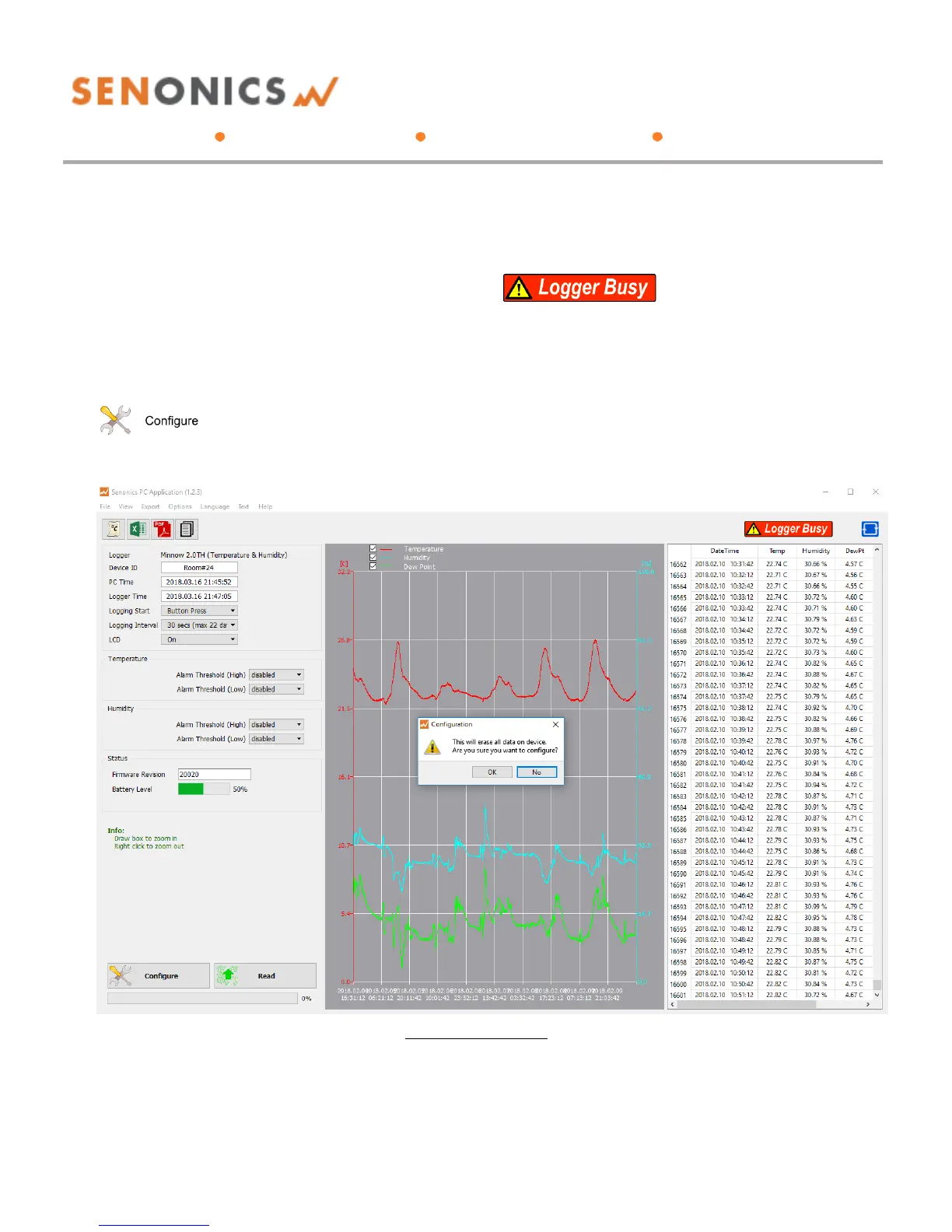
Update all settings on the configuration pane such as
logger name, logger start option (on disconnection,
button press or at specified time), logging interval (1
second, 10 seconds, 30 seconds, 1 minute, 10 minutes,
30 minutes or 1 hour), temperature and humidity logging
enables, temperature and humidity alarm levels.
When complete press the configure button.
Wait for the logger to finish configuration (indicated by
the busy indication disappearing).
Figure 4: Configuration



 To Next Page