
 Need help?
Do you have a question about the Sense Solar and is the answer not in the manual?
Critical safety guidelines for handling the Sense monitor and installation.
Device compliance with FCC rules and conditions for operation.
Overview of Sense monitor installation and app setup procedures.
Identification of Sense monitor, solar, and current sensors for installation.
Safely de-energize the electrical panel and solar feed before proceeding.
Steps to remove the panel cover and access circuit breakers.
How to open the middle port on the Sense monitor for sensor connection.
Locating an appropriate position within the main panel for the Sense monitor.
Connecting the antenna to the electric panel for signal reception.
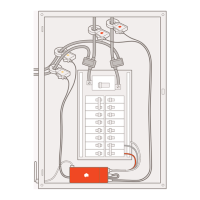
Connecting the power cable, antenna, and current sensors to the monitor.
Attaching current sensors around the service mains.
Connecting solar sensors to the middle port on the Sense monitor.
Attaching solar sensors around the incoming solar feed wires.
Wiring the Sense monitor to the circuit breaker and neutral bus bar.
Replacing the panel cover and labeling Sense breakers.
Turning power back on and listening for confirmation chimes.
Finishing the setup process using the Sense mobile application.
Advisory for professional installation and review of safety warnings.
Technical and climate specifications for the Sense monitor and sensors.
 General
| Peak Efficiency | 97.5% |
|---|---|
| Output Voltage | 240V |
| Frequency | 60 Hz |
| Number of MPP Trackers | 2 |
| AC Output Power | 7.6 kW |
| MPPT Range | 22-58 V |
| Communication | Wi-Fi |
| Operating Temperature | -25°C to +60°C |
| Weight | 20 kg |

 To Next Page