SenseCAP
1.Gateway Network Configuration
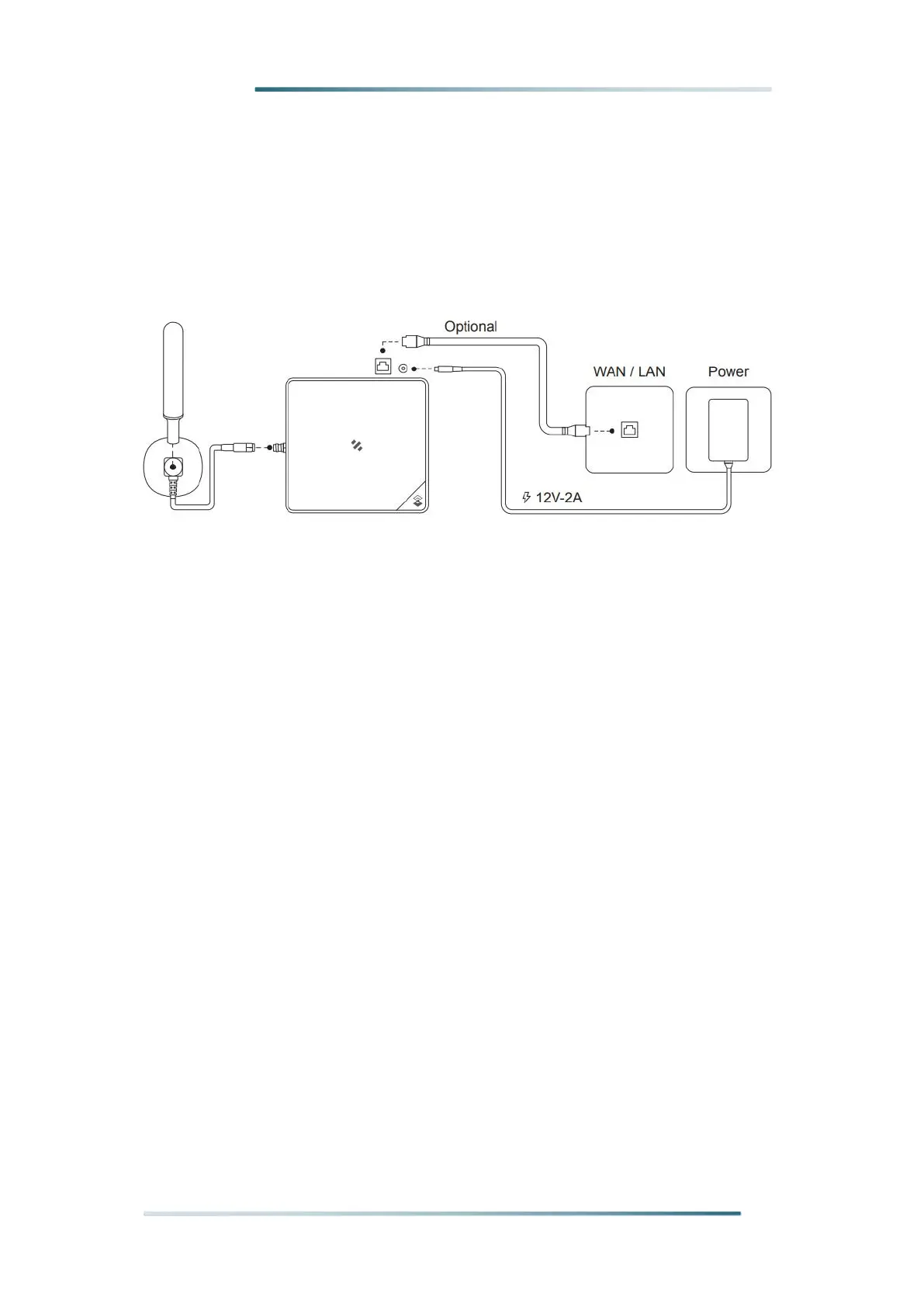
Connect the antenna and power adaptor to the gateway.
The power LED will show in red, and in about 15s indicator on the top will flash green,
indicating that the gateway is booting.
There are two ways to connect to the Internet. Choose the one that works for you.
1.1 Connect to Ethernet Cable
Connect the Ethernet cable to the device, and the indicator on the top will show
solid green if the gateway is successfully connected to the internet.


 To Next Page