SenseCAP
Step 3
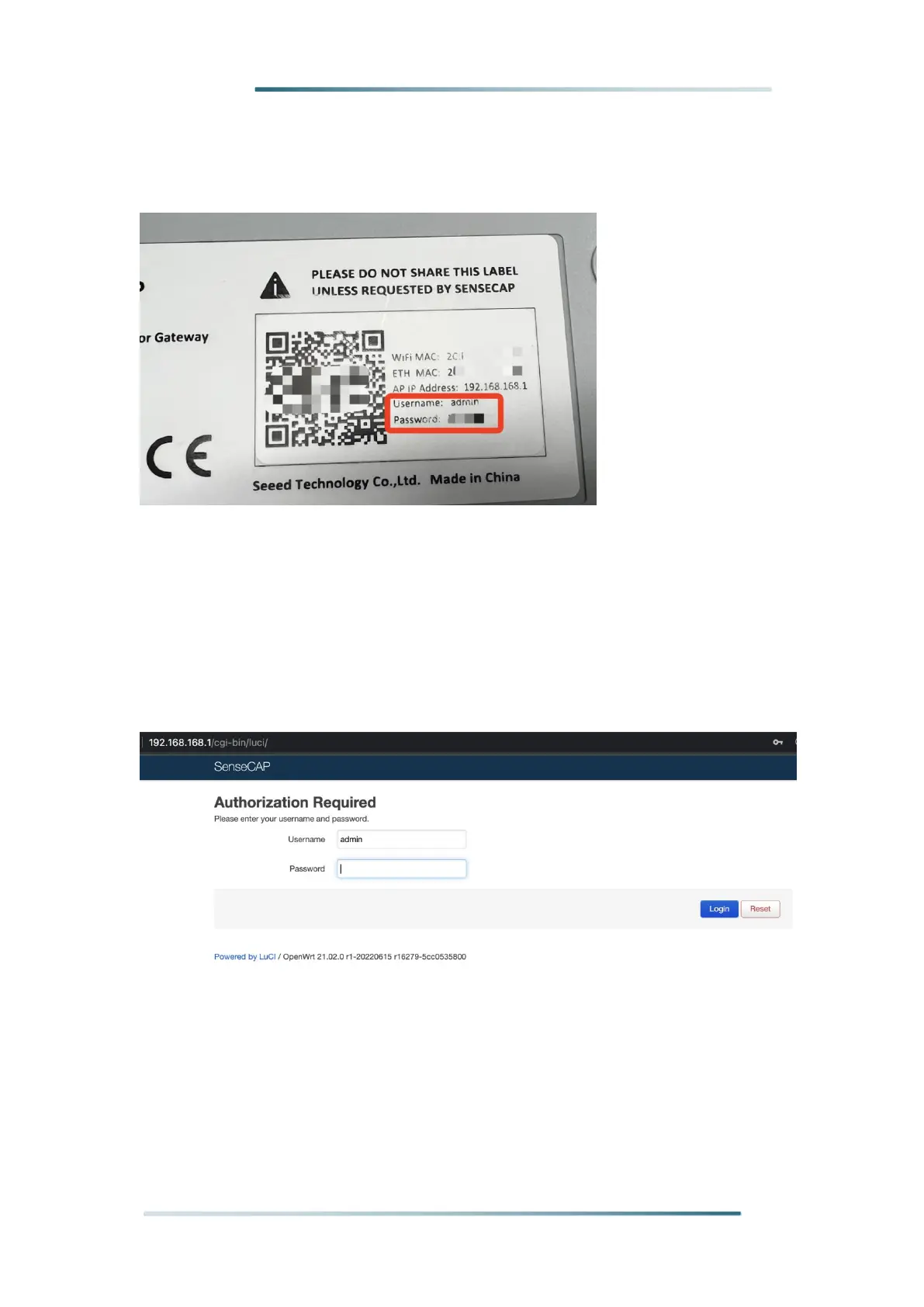
: Get your device Username and Password
You can find the Username and Password on your device label.
Step 4: Log in to the Local Console
Input the IP Address (192.168.168.1) in your browser to enter the Local Console.
Then input your device username and password, and click the Login button.


 To Next Page