© Sensortech Systems, Inc. 2014 Page 4 of 15 Rev.5-2014
Operating the PMT-330
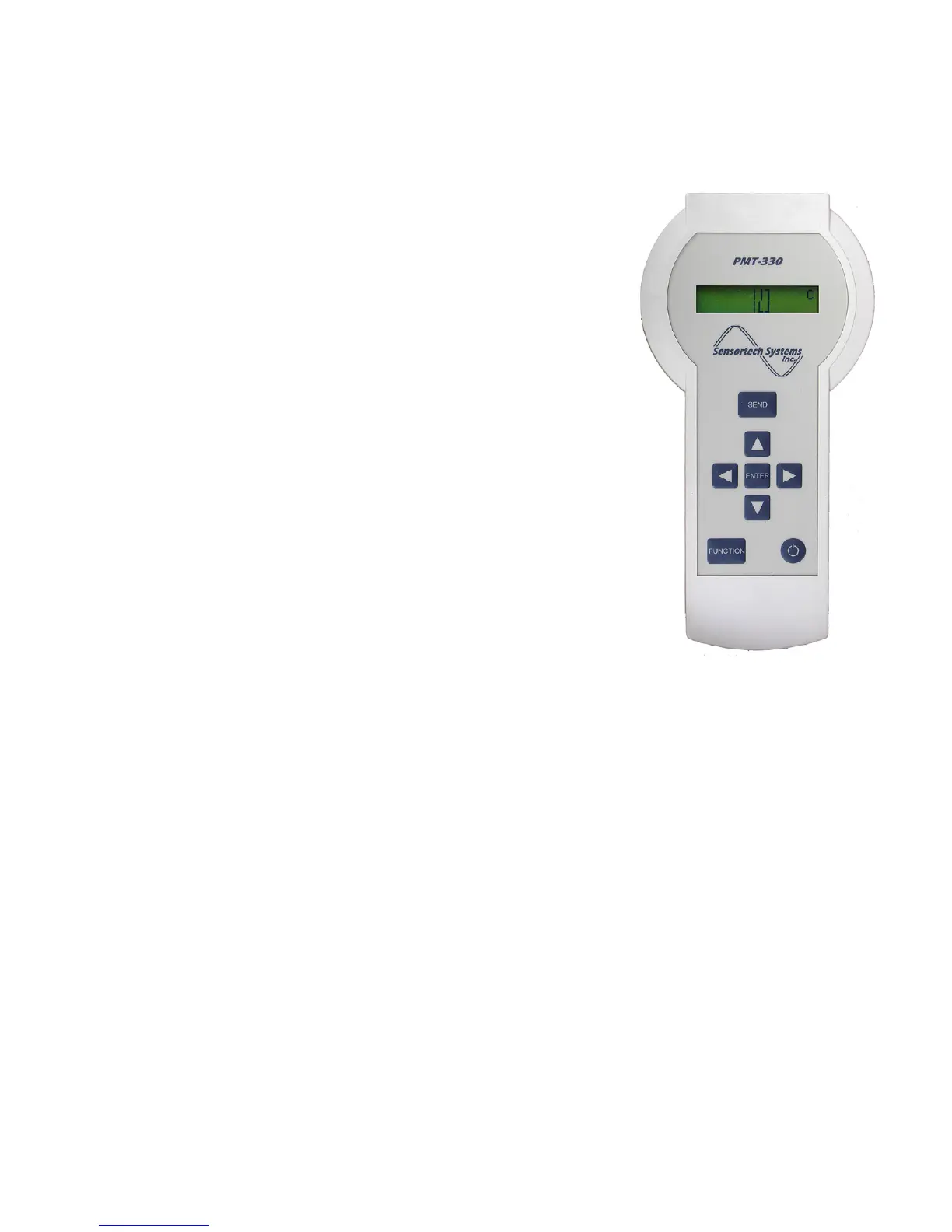
Keyboard Controls
• The Power key turns the PMT-330 on and off. After pressing the
<Power> key, the PMT-330 performs internal diagnostic checks and
enters the Continuous Measurement mode. If the PMT-330 is not
manually powered off by pressing the <Power> key, it automatically
turns off after a selectable time-out period of 1, 2 or 3 minutes. The
default time-out period is 3 minutes.
• The FUNCTION key <FUNCTION> advances thru measurement
and configuration modes.
• The ENTER key <ENTER> is used to select modes and enter
parameter value changes. Pressing <ENTER> after power on
performs the PMT-330 Zero/Reference calibration.
• The Left
◄
and Right
►
keys control the cursor position in the
display when setting Span and Zero. Simultaneously pressing the
◄
and
►
arrow keys turns the power-off.
• The Up
▲
and Down
▼
keys increment or decrement the digit
highlighted by the cursor. In Continuous Measurement mode, the
▲
key toggles the Peak Measurement Mode on and the
▼
key returns
the device back to Continuous Measurement mode. Simultaneously
pressing the
▲
and
▼
keys unlocks Parameter Protection, allowing
changes to be stored in microprocessor memory.
• The SEND key <SEND> is a multi-operation key. In Continuous
Measurement mode, pressing <SEND> will Hold the reading until
the <SEND> key is released which clears the measurement. In any
other mode except Peak Measurement mode, this key saves
changes to microprocessor memory then returns the PMT-330 to
Continuous Measurement mode.
Figure 2 – PMT-330 Keyboard


 To Next Page
 Loading...