EasyManua.ls Logo

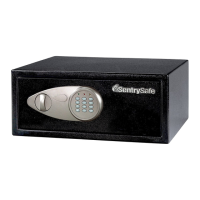
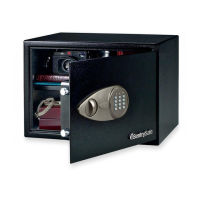
SentrySafe Masterlock X055 - User Manual

SentrySafe Masterlock X055
2 pages
Print Icon
To Next Page IconTo Next Page
Loading...
Security Safe Owner’s Manual
:
SentrySafe.com
:
Masterlock.eu
INSTRUCTIONS FOR USE ......................................................... 2
MODE D’EMPLOI ..................................................................... 3
INSTRUCCIONES DE USO .......................................................... 4
Question and Answer IconNeed help?

Do you have a question about the SentrySafe Masterlock X055 and is the answer not in the manual?

Summary

Safe Operation

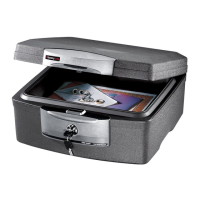
Key Lock Safe Overview

Details on the high security key lock and the two provided keys for key lock safes.

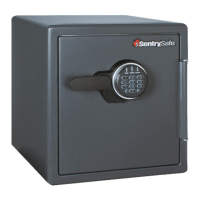
Digital Safe First Use

Instructions for opening a digital safe for the first time using the override key and installing batteries.

Digital Safe Usage

Procedures for programming a new user code, unlocking, and locking a digital safe.

Installation and Security

Bolt-Down Instructions

Steps to securely bolt the safe to a surface for enhanced security.

Troubleshooting

Troubleshooting Guide

Solutions for common issues such as low battery, unresponsive lock, and invalid codes.

Overview

This document provides instructions for the SentrySafe and Master Lock security safes, covering both key lock and digital combination models.

Function Description:

The primary function of these devices is to provide secure storage for important documents and valuables. They are designed to help users stay organized and offer peace of mind by protecting their belongings.

Important Technical Specifications:

  • Battery Type: Requires four (4) AA size alkaline batteries for digital models.
  • Battery Compatibility: Do not use rechargeable batteries or any other type of non-alkaline battery. Do not mix old and new batteries, or alkaline and other battery types.
  • User Code Length: Digital user codes can be between 2 and 8 digits long.
  • Locking Mechanisms: Available with high-security key locks (two keys provided) or digital combination locks with an override key.
  • Bolt-Down Capability: Designed with pre-drilled holes for bolting the safe to a floor or wall for maximum security.

Usage Features:

For Key Lock Safes:

  • Equipped with a high-security key lock.
  • Two keys are provided for convenience.

For Digital Combination Safes:

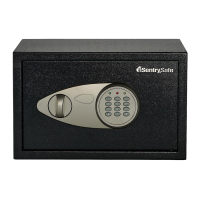
Opening for the First Time (Using the Override Key):

  1. Remove the cover between the knob and keypad.
  2. Insert the provided override key and turn it counterclockwise.
  3. Turn the knob clockwise to open the door.
  4. Turn the key back clockwise to remove it and replace the cover.
  • Emergency Access: The override key can be used to open the safe in an emergency. It is crucial NOT to store the override key inside the safe.

Installing the Batteries:

  1. With the door open, remove the battery compartment cover by sliding it in the direction of the arrow.
  2. Install four (4) AA size alkaline batteries, ensuring correct polarity (+/-) as marked in the compartment.
  3. Slide the battery cover back into place.

Using Your Security Safe:

  • Initial Factory Code: All digital models initially use the factory code 1-7-5-0-0-#.
  • Recommendation: It is highly recommended to reprogram the safe with a new user code immediately for security. Once reprogrammed, the factory code can no longer be used.

Programming Your New User Code:

  1. Open the safe door and remove the battery compartment cover.
  2. Locate and press the button inside the battery compartment; the yellow LED light will turn on.
  3. Enter a new user code (2-8 digits) followed by the "#" key. The yellow LED light will turn off, indicating the new code has been accepted and stored.
  4. Replace the battery compartment cover.
  • Testing New Code: Always test a new code before storing any valuables inside the safe.

Unlocking Your Safe:

  1. Enter your factory code or user code followed by "#".
  2. The green LED light will turn on and remain on for 5 seconds.
  3. Within 5 seconds, turn the knob clockwise and pull open the door.

Locking Your Safe:

  1. With the bolts retracted into the door, firmly close the door.
  2. Turn the knob in the counter-clockwise direction to secure the safe.

Bolt-Down Instructions (for maximum security):

  1. Position the safe where it will be bolted down and open the door.
  2. Mark the floor through the holes provided in the bottom or back of the safe using a pencil.
  3. Move the safe, drill holes of the appropriate diameter and depth for the chosen hardware and mounting surface.
  4. Place the safe back over the holes and install fasteners.
  • Important Note: It is not recommended to bolt the safe to both the floor and wall. If bolting to a wall, ensure the safe rests on a supporting surface like a table or shelf.

Maintenance Features:

Troubleshooting Guide:

  • Problem: A red LED light goes on when a button is pressed.

    • Reason: Battery power is low.
    • Solution: Install four (4) new AA size alkaline batteries. Open with the override key.
  • Problem: Digital lock is unresponsive when attempting to press in code.

    • Reason: Battery power is low.
    • Solution: Install four (4) new AA size alkaline batteries. Open with the override key.
  • Problem: 5 beeps and a yellow LED light after entering your code.

    • Reason: Invalid code.
    • Solution: Wait one minute and retry your code. Open with the override key.

Environmental Compliance:

  • WEEE Compliance (EU): The symbol (Figure 1) indicates that electrical and electronic equipment should not be disposed of with general household waste. Users should contact their dealer, supplier, or local recycling authority for proper disposal.

SentrySafe Masterlock X055 Specifications

General IconGeneral
BrandSentrySafe
ModelMasterlock X055
CategorySafes
LanguageEnglish

Related product manuals