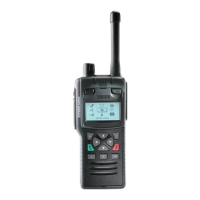
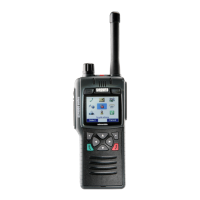
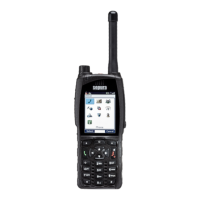
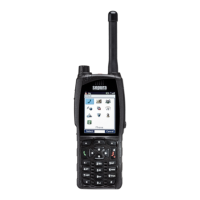
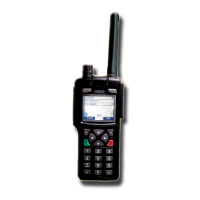
Using the STP8000 series with the car kit
All of the controls on the radio function as normal. Calls can
be initiated, answered and ended by using the controls on
the radio. Refer to the STP8000 user guide for further
details. Receive audio is amplified and fed to the car kit
loudspeaker. The user’s voice is picked up by the hands-
free remote microphone, which should, ideally, be facing
towards the user.
Volume Control
Set the loudspeaker volume with the radio’s volume
control.
Half-Duplex Calls using Remote Microphone & PTT
Press the external PTT button and speak in a normal
conversational manner; release to listen.
Full-Duplex Calls using the Remote Microphone
Both parties can speak and listen at the same time with
hands free. Ensure that the radio volume is set to the
minimum comfortable level.
Calls using Optional Accessories
A fist microphone may be used with the car kit. The car kit
automatically senses which is in use and functions as
appropriate.
Fist Microphone
When the fist microphone is lifted, the remote microphone
is automatically muted, but the loudspeaker remains in use.
Press the PTT button on the fist microphone to talk and
release to listen. Any alert tones produced by the radio
during transmit will override the loudspeaker muting and be
audible.
Fist Microphone soft key
The soft key of the fist microphone, invokes the assigned
function programmed in the STP8000 being used.
Private/Public Mode Key (on radio, if programmed)
During calls, this key switches between accessories (e.g.,
transfer from handset to handsfree).
Alarm Foot-switch
Press the foot-switch to initiate an emergency call.
Data Communication
An RS232 serial data port and an USB serial port is
provided in the interface unit. Connect a PC or data
terminal (with appropriate application software) to the
socket labelled ―DATA‖ via a standard 9-way serial lead
(not null modem). Follow the instructions supplied with the
application software. Disconnect lead from interface unit
when not in use.
Optional Functions
The following functions are provided as standard and will be
connected if specified prior to installation.
Ignition Sense
If connected, the radio will sense the state of the ignition
switch. When the ignition is turned off, a configurable timer
is started. If the timer is set to zero, turning off the ignition
switch switches off the radio. If the timer is not set to zero,
the following message is displayed and the timer started.
Press any key to stop switch off.
Pressing any key will reset the timer. When the timer period
expires, the radio will switch off and any unread messages
will be lost.
If the ignition switch is turned on before the timer expires,
normal operation will resume.
The timer parameters are set in the radio configuration.
Charging is not halted by switching off the radio.
External Mute
If connected, the vehicle entertainment system will be
muted during calls.
External Alert
If connected, the vehicle’s horn, or other external sounder,
repeats incoming call alerts for audibility outside the vehicle
in noisy environments. Note: This function must not be
used if local regulations do not permit its use.
Battery Charging
The battery charges whether the STP8000 is switched on or
off and terminates automatically. The indicator LED on the
radio glows orange during charging, green when charged
and red under fault conditions — see STP8000 radio user
guide for further information.
Problems and Hints
If the car kit or radio fails to function, check the following.
The radio is properly engaged in the cradle.
If ignition sensing is enabled, check ignition is switched on.
The battery may be discharged (the radio requires battery
power to transmit). Allow the battery to charge.
The radio functions correctly when removed from the car
kit.
The in-line fuses to the vehicle battery have not failed.
The vehicle battery is not discharged.
The antenna and its connections are functional.
If the problem persists, refer to your supplier.
Sepura plc, Radio House, SPR-DOC-01341
St. Andrew’s Road, Cambridge, Issue 2 (08/12)
CB4 1GR. England.
www.sepura.com


 To Previous Page
 Loading...