DJ-FX
The DJ-FX in Serato DJ are powered by iZotope™. Click the FX tab
to open the FX panel. Select either 1, 2 or M to assign the selected effect bank to a
deck or Master Output. To activate an effect, click the ON button on your FX UNIT
in the software, or the EFFECT button on your controller. You can adjust effect
parameters by using either software controls, or the SELECT/CONTROL knobs and
the EFFECT button on the controller.
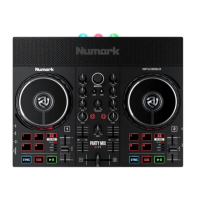
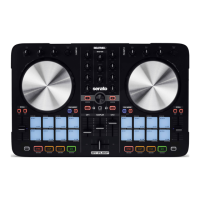
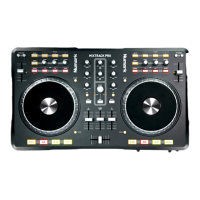
Mixtrack Pro Control Single FX Mode Shift
EFFECT (Button) Effect On/Off Adjust FX
Parameter 2
SELECT (Knob Twist) Adjust Beats Multiplier Select Effect
SELECT (Knob Click) Tap to the desired FX tempo. To
return to AUTO mode, press and
hold
Adjust
Parameter 4
CONTROL 1 (Knob) Adjust FX Parameter 1
CONTROL 2 (Knob) Adjust FX Parameter 3 Adjust FX
Parameter 5
VIEW/DELETE (Shift) +
Effect (Button)
FX Button 1
VIEW/DELETE (Shift) +
Select (Press Knob Down)
FX Button 2
Mixtrack Pro Control Multi FX Mode Shift
EFFECT (Button) Slot 1 On/Off Slot 2 On/Off
SELECT (Knob Twist) Adjust Beats Multiplier
SELECT (Knob Click) Tap to the desired FX tempo. To
return to AUTO mode, press and
hold
Slot 3 On/Off
CONTROL 1 (Knob) Adjust Slot 1 Parameter Select Effect
in Slot 1
CONTROL 2 (Knob) Adjust Slot 2 Parameter Select Effect
in Slot 2
The effect time is set using the tracks BPM value, but by applying the Beats
Multiplier you can increase or decrease the effect timing. Modify this by using the
SELECT knob on the controller. Automatic tempo requires that the track on the
deck assigned to the FX Unit has BPM information. Manual tempo mode allows you
to tap in the tempo yourself.



 To Next Page