EasyManua.ls Logo

SereneLife SLFTRD35 - User Manual

SereneLife SLFTRD35
16 pages
Print Icon
To Next Page IconTo Next Page
Loading...
SLFTRD35
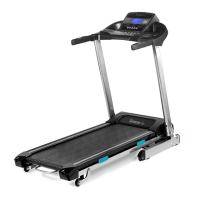
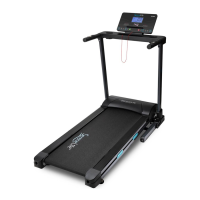
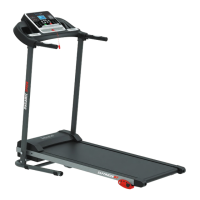
Foldable Treadmill
Home Gym Foldable Treadmill
with 15 Auto-Selectable Incline Levels
Question and Answer IconNeed help?

Do you have a question about the SereneLife SLFTRD35 and is the answer not in the manual?

Overview

The SereneLife SLFTRD35 is a foldable treadmill designed for home gym use, offering 15 auto-selectable incline levels. This user manual provides essential information for safe installation, operation, and maintenance of the device.

Safety Precautions and Directions for Use:

Before assembly and use, users must carefully read the instruction manual. It is recommended that two people assist with assembly. The treadmill should be placed on a hard, flat surface at least 0.5 meters away from obstacles. All nuts and bolts must be securely tightened before use. The treadmill is not suitable for use as a medical device.

Users over 45, or those with health issues or who haven't exercised in over 12 months, should consult a doctor before use. If symptoms like headache, chest tightness, irregular heartbeat, shortness of breath, dizziness, nausea, or sharp muscle/joint pain occur, training should stop immediately, and medical advice sought. Young children and pets must be kept away from the equipment, as it is for adult use only. The treadmill should not be placed in high-moisture areas like outdoors, near heated pools/spas, or non-insulated garages. Appropriate clothing and footwear are strongly recommended.

To prevent accidents, the treadmill safety key must be securely attached to clothing. Removing the safety key from the console pauses the motor, stopping the belt. When exercising, users should look straight ahead to avoid tripping. Speed should be increased gradually, allowing the user to adapt. The emergency stop button or safety key should be used to pause or stop the treadmill when necessary. After installation and with the motor cover securely on, the power cord can be plugged in, preferably using a surge protector.

The treadmill should be positioned on a clean, level surface near a dedicated wall socket. A rubber floor mat is recommended. Never start the treadmill while standing on the running belt; instead, place feet on the side rails, press start, and gradually increase speed before stepping onto the belt. Loose clothing that could get caught in moving parts should be avoided. The motor cover should never be removed while in use; if maintenance is needed, a qualified electrical technician must be present, and the power cord unplugged. Young children should be kept away from the treadmill during use.

Display Functions:

  • TIME: Counts up from 00:00 to 99:00 (one-minute increments) or counts down from a preset value (5:00 to 99:00 minutes, one-minute increments).
  • SPEED: Displays current training speed from 0.6 to 10.0 MPH.
  • DISTANCE: Counts up from 0.00 to 99.5 miles (0.1-mile increments) or counts down from a preset value (0.5 to 99.5 miles, 0.5-mile increments).
  • CALORIES: Counts up from 0 to 995 calories (1-calorie increments) or counts down from a preset value (10 to 995 calories, 5-calorie increments).
  • PULSE: Detects pulse signal when hand sensors are held tightly; the HEART SYMBOL flashes on the console.

Function Buttons:

  • MODE: Confirms settings and enters exercise modes.
  • Speed + / -: Selects training mode and adjusts function values up or down.
  • START/STOP: Starts or stops the workout.

Power On:

Plug the main power cord into a grounded wall outlet, ensuring the power matches. The 'Safety Key' must be correctly inserted into the console.

Quick Workout:

Users can start a workout by pressing 'Quick Select' buttons for speed or incline. There are four 'Quick Select' buttons for speed (2 MPH to 8 MPH) and incline (2% to 12%). Press 'START' to begin. To stop, press 'STOP' or pull out the Safety Key.

Program Mode:

The console has 12 preset workout programs (P1 to P12). In PROGRAM mode, use the PROGRAM button to select a workout, then press START to confirm and begin.

Getting Started:

Before using, familiarize yourself with the console buttons. To start, stand on the plastic side rails, attach the safety key to clothing, and press 'Start'. Never stand on the running belt when starting. Once the belt moves, use the +/- speed buttons to increase speed before stepping onto the belt. Adjust speed to the desired pace.

Exercise Frequency:

Begin with a gradual warm-up (5-10 minutes) before increasing speed or elevation. Aim for 3 x 20-30 minute workouts per week, increasing intensity as fitness improves. If discomfort, dizziness, nausea, or chest tightening occurs, stop immediately and seek medical attention.

Amount of Exercise (Shortcut):

Exercise for 15-20 minutes. Warm up for 2 minutes at 4.8 km/h, then gradually add 0.3 km/h every 2 minutes until breathing quickens but is not difficult. Maintain this speed, reducing by 0.3 km/h if uncomfortable. Use the last 4 minutes for a warm-down.

Clothing:

Wear comfortable clothing and footwear suitable for exercise.

Warm-Up Exercise:

Warm-up is crucial for injury prevention. Perform a light/brisk walk for 5-10 minutes, followed by simple stretches:

  1. Hamstring Stretch (Standing): Knees slightly bent, lean forward, back and shoulders relaxed, reaching toes. Hold 15-20 seconds, repeat 2-3 times.
  2. Hamstrings Stretches (Seated): One leg straight, other inward. Lean forward, reaching toes. Hold 10-15 seconds, repeat 3 times per leg.
  3. Calf Stretches: Stand with hands on wall/tree, one leg behind, heel on ground. Lean forward. Hold 10-15 seconds, repeat 3 times per leg.
  4. Quadriceps Stretches: Hold wall/fixture with left hand, grasp right foot with right hand, stretch heel towards buttocks. Hold 10-15 seconds, repeat 3 times per leg.
  5. Sartorius (Inner Muscles of the Thigh) Muscle Stretches: Sit with soles of feet together, knees outward. Pull feet towards groin. Hold 10-15 seconds, repeat 3 times.

Maintenance Instructions:

WARNING: Before cleaning or maintenance, turn off power and remove the cord from the socket. Annually, remove the motor cover and vacuum dust/debris to ensure smooth operation.

Cleaning:

Regular cleaning prolongs treadmill life. Dust regularly. Clean exposed deck surfaces, walking belt sides, and side rails. Ensure shoe soles are clean to reduce foreign material buildup under the belt. Clean the top of the belt with a slightly damp cloth, keeping liquid away from electrical components and under the belt.

Lubrication:

Belt/deck friction affects function and life, requiring periodic lubrication.

  • Light user (less than 3 hours/week): Annually
  • Medium user (3-5 hours/week): Every six months
  • Heavy user (more than 5 hours/week): Every three months Treadmill lubricating oil can be purchased from a fitness store or service department. To prolong life, power off the treadmill for 10 minutes after every 2 hours of use. A loose running belt may slip; an overtightened belt can affect motor performance and increase roller wear. For ideal tension, the running belt should lift 50-75mm from the central part of the deck.

Belt Adjustment:

  • Place treadmill on a level surface.
  • Run at 6-8km/h.
  • If the belt drifts right, turn the right bolt clockwise 1/2 turn and the left bolt anticlockwise 1/2 turn (Picture C).
  • If the belt drifts left, turn the right bolt anticlockwise 1/2 turn and the left bolt clockwise 1/2 turn (Picture D).
  • Test for at least 15 seconds at 4km/h, adjusting further if needed until the belt is centered. NOTE: Do not overtighten the running belt, as this can cause noise and damage.

Storage:

Store the treadmill in a dry place and avoid piling objects on it.

Compatible Fitness Application:

The SLFTRD35 is compatible with the 'iFitShow' App.

  • ANDROID: Download from Google Playstore.
  • iPad/iPhone: Download from the AppStore. Check app requirements on the respective stores.

How to Use the App:

  1. Turn on Bluetooth on your mobile device.
  2. Open the application.
  3. Click "Indoor" in the main menu to search for devices.
  4. Choose the shown device from the list to pair. Once paired, use the app in categories like Quick Run, Map Mode, and Target Mode. App operation and design may change with updates; refer to in-app instructions or contact support.

Features:

  • Get Connected with the ‘iFitShow’ App
  • Pairs to Your Device via Bluetooth Connectivity
  • Running & Training Data Statistics Readout
  • 15 Auto Selectable Inclined Levels for Runner Difficulty
  • Built-in Hand Grip Sensors for Pulse Monitoring
  • 5" Digital LCD Display Screen with Touch Button Controls
  • Displays Run Time, Distance, Speed, Calories Burned, Heart Rate
  • Adjustable Speed Settings
  • Selectable 12 Preset Training programs
  • Simple Electric Motorized Plug-in Design
  • Convenient Folding Style for Easy Setup & Storage
  • Used for Walking, Jogging, Running, Exercise, Training
  • Perfect for Weight Loss, Cardiovascular Fitness, Endurance & Stamina Building
  • Integrated Safety Key, Emergency Power Off
  • Removable Book / Tablet Device Holder
  • 4 cushion deck absorption system
  • MP3, USB Flash, SD Card Port
  • Built-In Speakers for Auxiliary Devices

The 'iFitshow' App:

  • Train Smarter and Connect via Your Favorite Device
  • Works with Smartphones, Tablets, Laptops, etc.
  • App Provides Access to Exercise Activities
  • Linked to 'HealthKit' to Record and Collect Activity Data
  • Free to Download via Your Smartphone
  • Easily Share Health and Fitness Data via Social Media
  • Multifunctional Sports App
  • Connect to the Treadmill via Smart BTM Bluetooth
  • Available for iOS and Android

Bluetooth Connectivity:

  • Hassle-Free Pairing, No Password Required
  • Compatible with All of Today's Latest Bluetooth Devices (Smartphones, Tablets, Laptops, Computers, etc.)
  • Bluetooth Version: BLE4.0
  • Wireless Range: Up to 16.4' ft.

Technical Specs:

  • Motorized Treadmill Motor Power: 2.5HP
  • Running Belt / Running Surface Size (L x w): 47.25" x 16.54"-inches
  • Motor Power: 2.5 HP
  • Adjustable Speed: 0.6 – 10 mph
  • Maximum Weight Support: Up to 265 lbs.
  • *Some Assembly Required
  • Power Supply: 100-120V
  • Total Folded Dimensions (L x W x H): 35.62" x 28.35" x55.90" -inches
  • Total Open Dimensions (L x W x H): 61.41″ x 28.35" x 50.78"-inches
  • Assembled Weight: 116.85 lbs.

Moving & Storage Instructions:

Folding away your Treadmill:

A. Turn OFF the treadmill, switch off at the main power switch, and pull out the plug. B. Lift the treadmill deck up towards the main console. The treadmill gas spring system should engage. C. To lower the treadmill deck, press the gas spring system in with your foot to disengage the lock. The treadmill deck can then be lowered to the ground.

Moving your Treadmill:

The treadmill can be moved by tilting the treadmill deck towards you onto its transportation wheels. Ensure the power cord cable has been disconnected before attempting to move it.

SereneLife SLFTRD35 Specifications

General IconGeneral
BrandSereneLife
ModelSLFTRD35
CategoryTreadmill
LanguageEnglish

Related product manuals