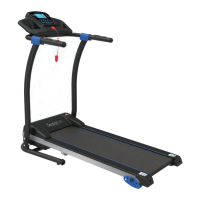
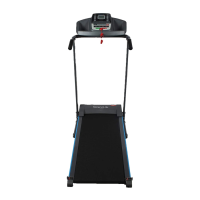
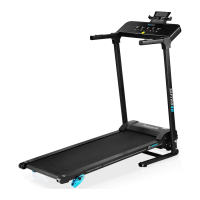
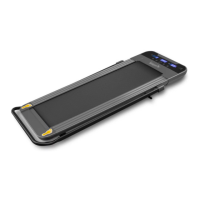
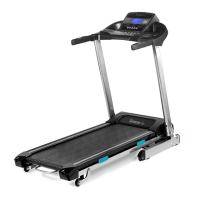
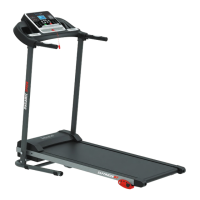
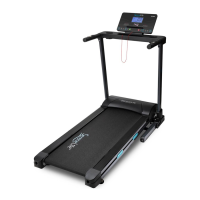
The SereneLife SLFTRD45 is a digital smart treadmill designed for home use, offering a comprehensive and interactive fitness experience. This folding electric motorized running machine is equipped with a range of features to support various workout routines, from walking and jogging to more intense running exercises.
Function Description:
The primary function of the SLFTRD45 is to provide a versatile platform for cardiovascular fitness, weight loss, endurance, and stamina building. It operates with an electric motor that drives a running belt, allowing users to control their speed and incline. The treadmill integrates smart technology, enabling connectivity with fitness applications for an enhanced and data-driven workout.
Usage Features:
The SLFTRD45 offers a user-friendly experience with its digital LCD display and touch button controls.
Workout Modes and Adjustments:
- Quick Start: Users can initiate a workout by pressing the START button, which begins a 5-second countdown before the running belt starts moving at an initial speed of 0.6 MPH.
- Speed Control: The running speed can be adjusted from a minimum of 0.6 MPH to a maximum of 10.0 MPH using the SPEED + or SPEED - buttons on the console or handlebars. Instant speed buttons (4/8 MPH) allow for quick changes to pre-set speeds.
- Automatic Incline: The treadmill features an automatic incline system with 15 levels, ranging from 0 to 15. Users can increase or decrease the incline using the INCLINE + or INCLINE - buttons. Instant incline buttons (4/8 levels) provide quick access to specific incline settings.
- Pre-set Programs (P1 to P36): The PROG (PROGRAM) button allows users to select from 36 pre-set workout programs, offering varied routines to keep exercises engaging and challenging.
- Manual Program Mode: In STOP mode, users can pre-set target goals for TIME, DISTANCE, or CALORIES.
- Target Time: The TIME function allows users to set a workout duration from 5:00 to 99:00 minutes. The treadmill will automatically stop when the time counts down to 0:00.
- Target Distance: Users can set a target distance from 0.50 to 65.0 kilometers (default 1 kilometer). The treadmill will stop when the distance counts down to 0.00.
- Target Calories: A target calorie burn can be set from 10 to 995 calories. The treadmill will stop once the target is reached.
- Display Readouts: The digital LCD display provides real-time feedback on various workout metrics, including:
- TIME: Elapsed workout time in minutes and seconds.
- DIS (DISTANCE): Accumulative distance traveled.
- CAL (CALORIES): Total accumulated calories burned.
- PULSE: Current heart rate in beats per minute (BPM), activated by gripping the hand pulse sensors on both handlebars.
Smart Connectivity and App Integration:
- Wireless BT Streaming: The treadmill supports wireless BT streaming, allowing users to connect their devices (smartphones, tablets, laptops) to play, pause, and adjust volume. The device name to pair with is "BTMP3."
- 'FitShow' and Kinomap App Compatibility: The SLFTRD45 is designed to connect with popular fitness applications like 'FitShow' and Kinomap.
- 'FitShow' App: This free, multifunctional sports app allows users to train smarter by connecting to the treadmill via SmartBTM Wireless BT. It provides access to exercise activities, links to 'HealthKit' for recording and collecting activity data, and enables easy sharing of health and fitness data via social media. It is available for both iOS and Android devices.
- Hassle-Free Pairing: The wireless BT connectivity (BLE4.0) ensures easy pairing without a password, compatible with most modern BT devices within a range of up to 16.4 feet.
- Device Holder: An integrated, removable book/tablet device holder allows users to conveniently place their smart devices for entertainment or app interaction during workouts.
Safety Features:
- Emergency Stop Magnet: A crucial safety feature, the emergency stop magnet, is connected to a safety tether key. If the user falls or moves too far from the console, the clip attached to their clothing will pull out the safety key, immediately stopping the running belt to prevent injury.
- Safety Warnings: The console displays warnings such as "To reduce risk of serious injury, stand on foot rails before starting this treadmill, read the user manual and keep warnings before use" and "Remove safety key when not in use and out of children, keep children away."
- Foot Rails: Users are instructed to stand on the side rails when starting the treadmill, never on the running belt itself.
Design and Portability:
- Folding Design: The treadmill features a convenient hydraulic folding style, making it easy to set up and store.
- Unfolding: To unfold, pull out the spring pin and gently lower the treadmill in the direction shown by the arrow, then fix it with the lock nut.
- Folding: To fold, unlock the lock nut, lift the machine, and secure it with the spring pin.
- Handrails: Sturdy handrails provide support and stability during exercise.
Maintenance Features:
Proper maintenance is essential to ensure the longevity and optimal performance of the SLFTRD45 treadmill.
Lubrication:
- Purpose: Lubricating the running belt ensures superior performance and extends its life expectancy.
- Frequency: Apply lubricant after the first 25 hours of use (or 2-3 months), and then repeat every 50 hours of use (or 5-8 months).
- Checking Lubrication: Lift one side of the running belt and feel the top surface of the running deck. If it feels slick, no lubrication is needed. If it feels dry, apply lubricant.
- Application: Lift one side of the running belt, pour lubricant under the center of the belt on the top surface of the running deck, and then run the treadmill at a slow speed (3-5 MPH) for 3-5 minutes to evenly distribute the lubricant.
- Caution: Do not over-lubricate the running deck; wipe off any excess lubricant.
Belt Adjustment:
- Initial Adjustment: The running belt is pre-adjusted at the factory, but prolonged use may require readjustment.
- Centering the Belt:
- Turn on the main power switch and run the belt at 5-6 MPH.
- Use the provided Allen Wrench to turn the rear roller adjustment bolts.
- If the belt shifts to the left, turn the left adjustment bolt 1/4 turn clockwise.
- If the belt shifts to the right, turn the right adjustment bolt 1/4 turn clockwise.
- Continue adjusting until the running belt is properly centered.
- Addressing Belt Slipping:
- If the belt slips during use, turn off and unplug the treadmill.
- Turn both left and right rear roller adjustment bolts 1/4 turn clockwise using the 6 mm Allen Wrench.
- Turn the main power switch back on and run the treadmill at 5-6 MPH.
- Run on the belt to check for slipping. Repeat the procedure until the belt no longer slips.
Cleaning:
- Post-Workout Cleaning: After each exercise, wipe down the unit to remove any sweat.
- General Cleaning: The treadmill can be cleaned with a soft cloth and mild detergent. Avoid using abrasives or solvents.
- Display Panel Care: Be careful not to get excessive moisture on the display panel, as this can cause damage and electrical hazards.
- Sunlight Exposure: Keep the treadmill, especially the computer console, out of direct sunlight to prevent screen damage.
Storage:
- Environment: Store the treadmill in a clean and dry indoor environment. Do not leave or use the unit outdoors.
- Power Disconnection: Ensure the master power switch is off and the power cord is unplugged from the wall outlet before storage.
Troubleshooting Guide:
The manual provides a troubleshooting guide for common issues:
- Treadmill will not start: Check if it's plugged in, if the safety tether key is installed correctly, and if the circuit breaker (house or treadmill) has tripped.
- Belt slips: Adjust belt tension.
- Belt hesitates when stepped on: Apply lubricant or adjust belt tension.
- Belt is not centered: Center the belt by adjusting the running belt tension across the rear roller.
Warm-up and Cool-down Routine:
The manual includes recommended warm-up and cool-down exercises to prepare the body for exercise and minimize injuries. These include head rolls, shoulder lifts, side stretches, quadriceps stretch, inner thigh stretch, toe touches, hamstring stretches, and calf/Achilles stretch.


 To Next Page
 General