EasyManua.ls Logo

SereneLife SLPAC105W - User Manual

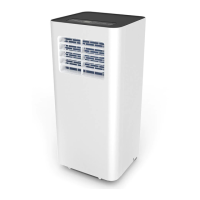
SereneLife SLPAC105W
38 pages
Print Icon
To Next Page IconTo Next Page
Loading...
Portable Air Conditioner
SLPAC105W
Visit Our Website
SCAN ME
serenelifehome.com
USER GUIDE

Other manuals for SereneLife SLPAC105W

Questions and Answers

Summary

USER TIPS

PRECAUTION

SAFETY WARNINGS

TIPS

PRODUCT OVERVIEW

Main Components

Lists and illustrates the main parts of the air conditioner.

CONTROL PANEL AND REMOTE CONTROL

Control Panel Functions

Details the functions of buttons like Power, Fan Speed, Mode, Timer, and Sleep.

Temperature and Unit Settings

Explains UP/Down buttons, temperature display, and unit switch.

OPERATION

Unit Placement and Installation

Instructions for positioning, assembling the exhaust duct, and securing it to the window.

REMOTE CONTROL

Battery Installation

Step-by-step guide for installing batteries in the remote control.

HOW TO OPERATE

Cooling Mode Operation

Details on cooling indicator, temperature, and fan speed settings.

Fan Mode Operation

Explains fan indicator, fan speed, and temperature limitations.

Dry Mode Operation

Information on dry mode indicator, drainage, operation, and fan speed.

Heating Mode Operation

Notes on heating indicator, temperature, and fan speed.

TIMER MODE

WIFI OPERATION INSTRUCTION

Download and Install the App

Guide to downloading and installing the "Smart Life" application.

Account Registration

Steps for registering a new account via mobile or email.

Sign In Procedures

Instructions for standard, social media, and SMS verification logins.

Password Reset

Steps to reset the password via mobile number or email.

Connecting the Device to WiFi

Process for connecting the air conditioner to the WiFi network.

App Device Connection

How to add the device to the app and select connection methods.

Normal Mode WiFi Connection

Steps for WiFi connection using the Normal mode.

AP Mode WiFi Connection

Steps for WiFi connection using the AP mode.

WiFi Connection Troubleshooting

Guidance for troubleshooting failed WiFi connections.

Control Device

Access Control Page

How to access the device's control page within the app.

Smart Life Scenario

Automated Actions Setup

Setting up automated actions based on conditions like temperature or weather.

Personal Profile Management

Manage User Information and Settings

Managing personal details, app settings, and unlocking patterns.

Device Sharing and Communication

Adding/managing shared devices, message center, and feedback submission.

App Information and Rating

Information on app version, rating, and potential updates.

AMAZON ECHO OPERATION INSTRUCTION

Getting Started with Echo Integration

Prerequisites and initial setup for controlling the device with Amazon Echo.

Add Device and Rename in Smart Life App

Steps to add and rename the device in the Smart Life app.

Setting Up Echo and Alexa App

Step-by-step guide to configuring Amazon Echo and the Alexa app.

Echo Model Selection and Pairing

Choosing Echo model, language, and pairing the device.

Echo WiFi Connection and Setup Completion

Connecting Echo to WiFi and finalizing the setup process.

Linking Smart Life Account to Alexa

Enabling the Smart Life skill and linking accounts for voice control.

Account Linking Process

Entering Smart Life account details to link with Alexa.

Controlling Devices via Echo Commands

How to discover devices and use voice commands with Alexa.

CLEAN AND MAINTENANCE

Drainage Procedure

Steps to drain water when the appliance displays "FL".

Maintenance

General Cleaning Instructions

Safety precautions and instructions for cleaning the appliance body.

Filter Cleaning and Maintenance Details

How to access, clean, and dry air filters, including important notes.

Seasonal Maintenance

Restarting After Extended Inactivity

COMMON FAILURES AND DIAGNOSIS

Intelligent Error Detection

Table of error codes and their meanings for the appliance.

TROUBLESHOOTING

FEATURES

WHATS IN THE BOX

TECHNICAL SPECS

Register Product

Summary

USER TIPS

PRECAUTION

SAFETY WARNINGS

TIPS

PRODUCT OVERVIEW

Main Components

Lists and illustrates the main parts of the air conditioner.

CONTROL PANEL AND REMOTE CONTROL

Control Panel Functions

Details the functions of buttons like Power, Fan Speed, Mode, Timer, and Sleep.

Temperature and Unit Settings

Explains UP/Down buttons, temperature display, and unit switch.

OPERATION

Unit Placement and Installation

Instructions for positioning, assembling the exhaust duct, and securing it to the window.

REMOTE CONTROL

Battery Installation

Step-by-step guide for installing batteries in the remote control.

HOW TO OPERATE

Cooling Mode Operation

Details on cooling indicator, temperature, and fan speed settings.

Fan Mode Operation

Explains fan indicator, fan speed, and temperature limitations.

Dry Mode Operation

Information on dry mode indicator, drainage, operation, and fan speed.

Heating Mode Operation

Notes on heating indicator, temperature, and fan speed.

TIMER MODE

WIFI OPERATION INSTRUCTION

Download and Install the App

Guide to downloading and installing the "Smart Life" application.

Account Registration

Steps for registering a new account via mobile or email.

Sign In Procedures

Instructions for standard, social media, and SMS verification logins.

Password Reset

Steps to reset the password via mobile number or email.

Connecting the Device to WiFi

Process for connecting the air conditioner to the WiFi network.

App Device Connection

How to add the device to the app and select connection methods.

Normal Mode WiFi Connection

Steps for WiFi connection using the Normal mode.

AP Mode WiFi Connection

Steps for WiFi connection using the AP mode.

WiFi Connection Troubleshooting

Guidance for troubleshooting failed WiFi connections.

Control Device

Access Control Page

How to access the device's control page within the app.

Smart Life Scenario

Automated Actions Setup

Setting up automated actions based on conditions like temperature or weather.

Personal Profile Management

Manage User Information and Settings

Managing personal details, app settings, and unlocking patterns.

Device Sharing and Communication

Adding/managing shared devices, message center, and feedback submission.

App Information and Rating

Information on app version, rating, and potential updates.

AMAZON ECHO OPERATION INSTRUCTION

Getting Started with Echo Integration

Prerequisites and initial setup for controlling the device with Amazon Echo.

Add Device and Rename in Smart Life App

Steps to add and rename the device in the Smart Life app.

Setting Up Echo and Alexa App

Step-by-step guide to configuring Amazon Echo and the Alexa app.

Echo Model Selection and Pairing

Choosing Echo model, language, and pairing the device.

Echo WiFi Connection and Setup Completion

Connecting Echo to WiFi and finalizing the setup process.

Linking Smart Life Account to Alexa

Enabling the Smart Life skill and linking accounts for voice control.

Account Linking Process

Entering Smart Life account details to link with Alexa.

Controlling Devices via Echo Commands

How to discover devices and use voice commands with Alexa.

CLEAN AND MAINTENANCE

Drainage Procedure

Steps to drain water when the appliance displays "FL".

Maintenance

General Cleaning Instructions

Safety precautions and instructions for cleaning the appliance body.

Filter Cleaning and Maintenance Details

How to access, clean, and dry air filters, including important notes.

Seasonal Maintenance

Restarting After Extended Inactivity

COMMON FAILURES AND DIAGNOSIS

Intelligent Error Detection

Table of error codes and their meanings for the appliance.

TROUBLESHOOTING

FEATURES

WHATS IN THE BOX

TECHNICAL SPECS

Register Product

SereneLife SLPAC105W Specifications

General IconGeneral
BrandSereneLife
ModelSLPAC105W
CategoryAir Conditioner
LanguageEnglish

Related product manuals