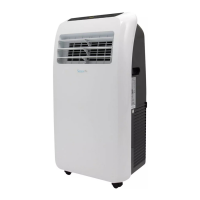
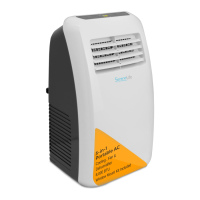
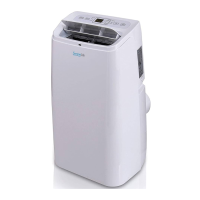
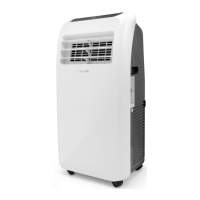
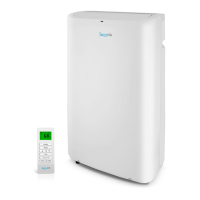
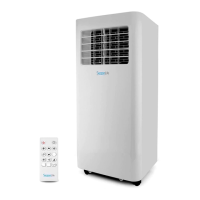
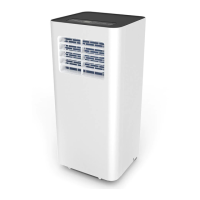
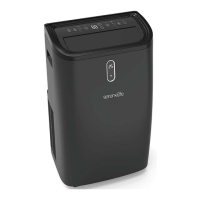
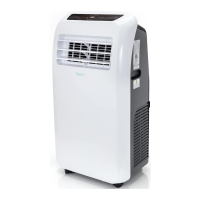
The SereneLife SLACHT108 is a portable air conditioner and heater designed for compact home use, offering a versatile climate control solution with built-in dehumidifier and fan modes. This unit is suitable for various indoor environments, including homes, offices, schools, and business rooms, providing both cooling and heating capabilities along with air circulation and moisture removal.
Function Description
The SLACHT108 operates with four primary modes: AC Cool, Heat, Dehumidifier, and Fan. This allows users to adapt the unit's function to their specific climate needs throughout the year. In AC Cool mode, the unit provides effective cooling, with an adjustable temperature range typically between 16°C and 30°C (60°F and 86°F). The Heat mode offers warmth during colder periods. The Dehumidifier mode helps reduce excess moisture in the air, improving comfort and preventing dampness. The Fan mode circulates air without cooling or heating, providing a refreshing breeze.
The unit features a compact, freestanding design with rolling wheels, making it easy to move between rooms for targeted climate control. It operates with a simple electric plug-in, ensuring hassle-free setup and use. The automatic swing mode directs wind vents to move, facilitating wide-area air circulation and even climate control across a room.
A touch button control panel with a digital LED display provides an intuitive interface for managing settings. Users can adjust the temperature, set a timer for automatic operation, and select fan speeds (low, medium, or high). A remote controller is also included, offering convenient operation from a distance. The unit is equipped with an automatic water vaporization system, where condensing water is used to cool the condenser, enhancing cooling efficiency and conserving energy. If the internal water vessel becomes full, the display will show "FL," and the compressor will stop automatically, requiring manual drainage.
Usage Features
To ensure proper operation, the SLACHT108 should be placed on an even, dry surface, at least 50cm away from surrounding objects to maintain smooth air inlet and outlet. The exhaust duct assembly is screwed into the air outlet behind the panel and connected to a window sealing plate. The window sealing plate is adjustable to fit various window widths, ensuring efficient exhaust of hot air. It is crucial to keep the exhaust duct smooth and prevent sharp bends to avoid affecting the unit's performance. The maximum developed length of the exhaust duct is 1,500mm, and it's recommended to shorten it and keep it horizontal during installation for optimal results.
When operating in cooling mode, the cooling indicator lamp lights up, and users can adjust the setting temperature using the Up/Down keys. Fan speed can be selected using the Speed key. In fan mode, only the wind indicator lamp lights up, and temperature cannot be set. For dehumidification, the dehumidification indicator lamp lights up. In this mode, the fan defaults to low speed, and neither wind speed nor temperature can be adjusted. Water drainage is required in dehumidification mode, where a water manifold is inserted into the drainage nozzle, and the other end is placed into a water vessel or drainage passage. The unit also features an auto mode (for cooling models only) where the operation state is determined by the environmental temperature: cooling if above 25°C (77°F) and fan mode if below.
The timer function allows users to set an ON time when the unit is in standby mode or an OFF time when it is already running, with adjustments possible for 1 to 24 hours. The remote controller provides full control over all functions, including power, swing, speed, temperature/time adjustment, mode selection, and timer settings. It also includes a °C/°F switching key to toggle between Fahrenheit and Centigrade temperature displays.
Maintenance Features
Regular maintenance is essential for the longevity and efficiency of the SLACHT108. Before any maintenance or repair, the unit must be turned off and unplugged to prevent electric shock. For general cleaning, the exterior of the unit should be wiped with a soft, semi-dry cloth. Harsh chemical reagents like benzene, alcohol, or gasoline should be avoided, as they can damage the unit's surface and internal components. Care should also be taken to prevent water from splashing into the unit.
The filter screen requires regular cleaning, ideally once every two weeks, to prevent dust buildup which can reduce the unit's efficiency. To clean the filter, the air inlet grille is removed, and the filter screens are pulled out from both sides. A vacuum cleaner can be used to remove lint. For a more thorough clean, the filter screen can be washed in warm water with a neutral detergent and then dried in a shady place before reassembly.
For seasonal cleaning, especially when the unit will not be used for an extended period, specific steps are recommended. First, the water plug should be pulled out to drain any remaining water. Then, the unit should be run in fan mode for two hours to ensure the interior is completely dry. After this, the unit should be turned off and unplugged. The filter screen should be washed and reassembled, and the exhaust duct dismantled and stored properly. Finally, the unit should be covered with a plastic bag and placed in a dry location for storage.
The unit also includes intelligent error detection, displaying codes like E1 for a coil temperature sensor error, E2 for an indoor temperature sensor error, and E4 for anti-freezing protection. These codes help in diagnosing issues, and in case of any abnormal operation, users are advised to turn off and unplug the unit and contact professional maintenance personnel.


 To Next Page
 General