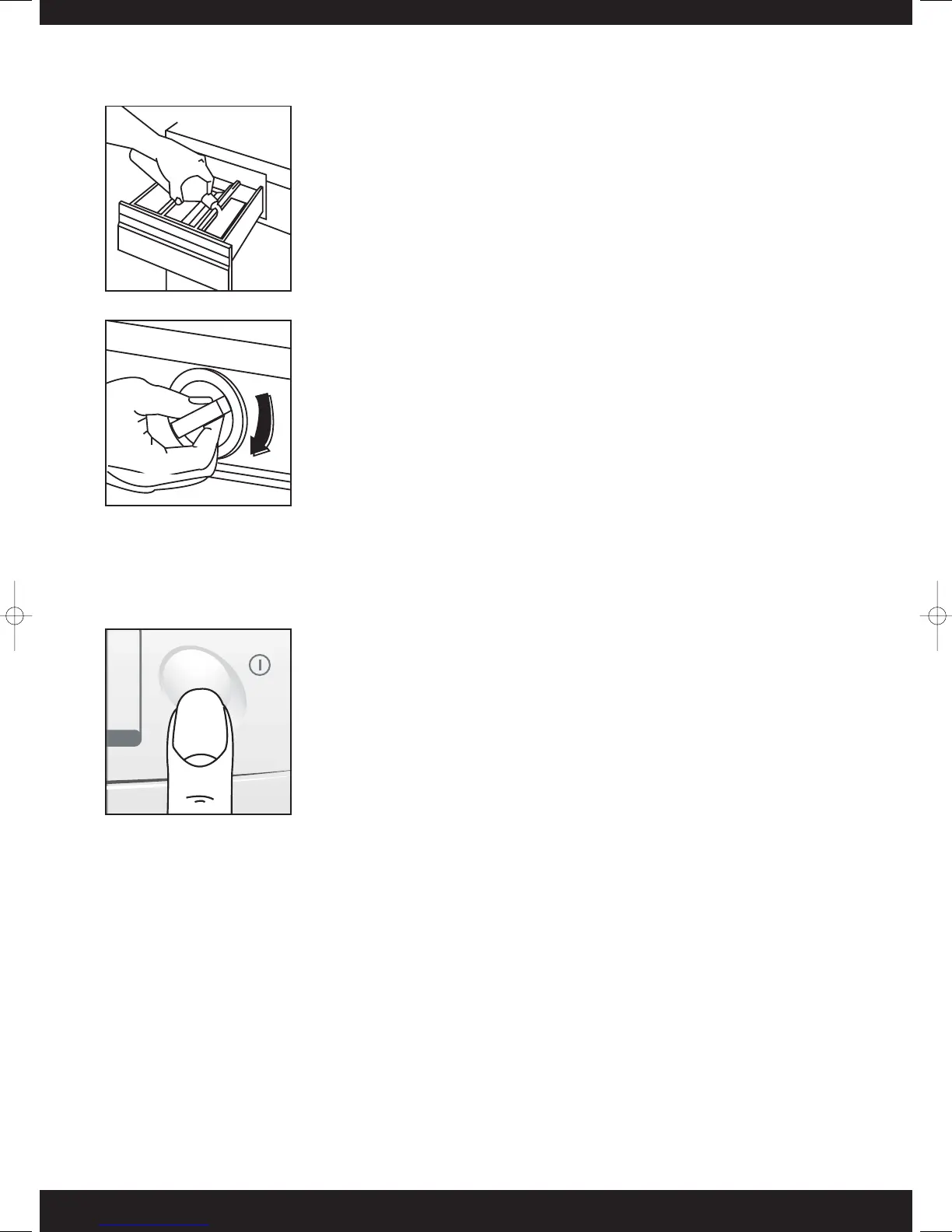
Add the conditioner
Pour the conditioner into compartment 3 (Fig 19) but do not exceed the
MAX level. Close the drawer gently. If you slam the drawer, it could cause
the conditioner to enter the appliance prematurely.
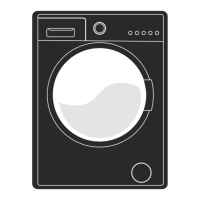
Select the programme
Turn the selector dial clockwise until the required programme number is
opposite to the indicator mark on the selector dial (Fig 20). Select options
required.
Select the temperature - temperature must be selected
This is only necessary if you are selecting a temperature lower than the defined temperature of the
programme selected.
Start up
Check that:
1 The appliance is plugged in.
2 The water taps are on.
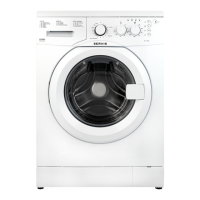
3The drain hose is correctly positioned. Then push the ON/OFF button
(Fig 21) to start. The programme is complete when the dial is pointing to
‘•’, and the appliance has stopped.
The end
At the end of a programme the appliance automatically stops. Push the ON/OFF button to turn the appliance
OFF. The door is controlled by a safety device, which releases 1 – 2 minutes after the end of the programme.
Open the door once the safety catch is released and remove all the articles of clothing. When the programme
has finished, you are advised to unplug the appliance and turn off the water taps.
NOTE: Do not attempt to turn the programme selector dial anticlockwise. Should you turn past the required
programme continue to turn the dial to reset. Do not turn the programme selector dial whilst the machine is
switched on and working, if necessary switch off the machine before attempting to move the dial.



 To Next Page