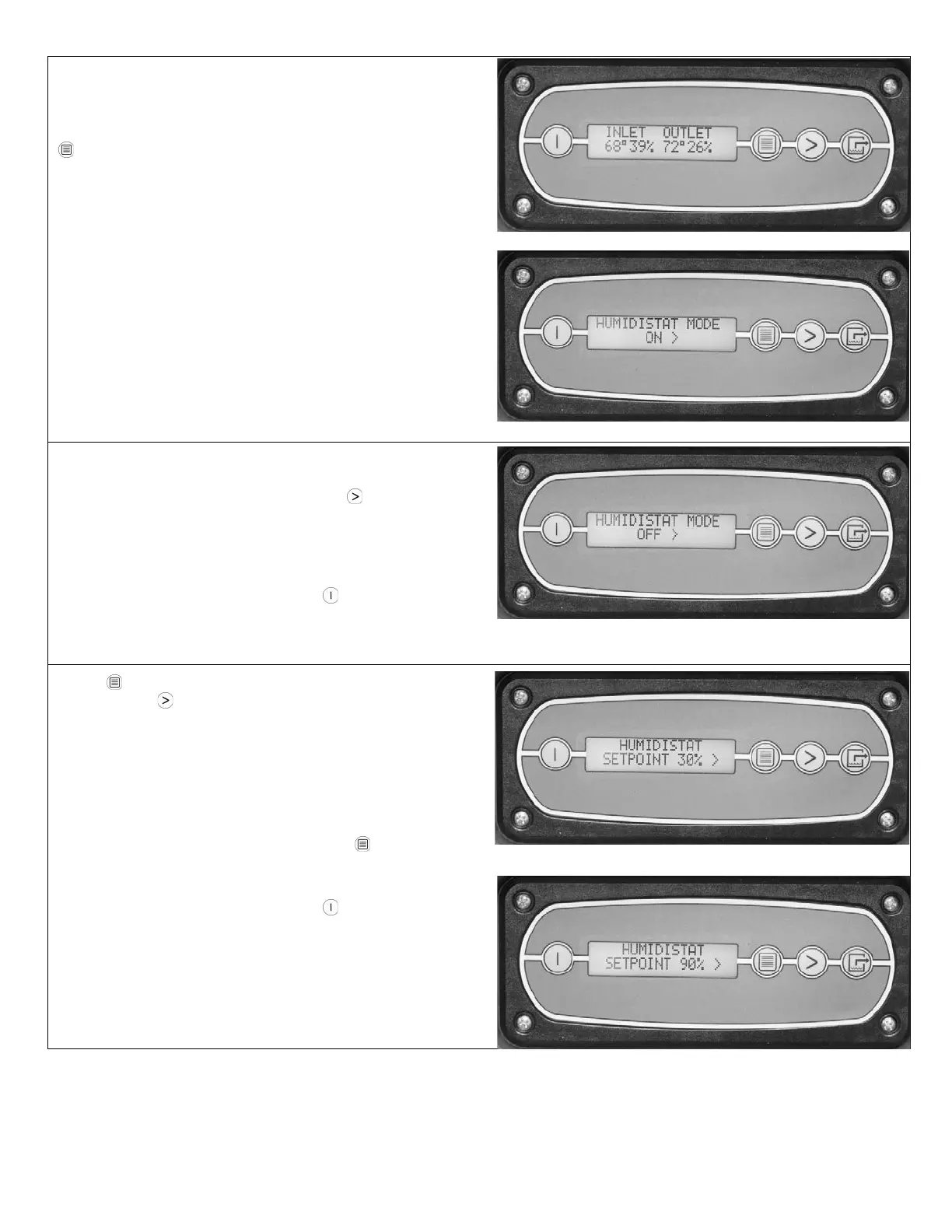
The display shows the current temperature and RH of inlet
and outlet. This item may not be reset.
To move to the next item in the menu, press
DISPLAY MENU.
HUMIDISTAT MODE
To turn the humidistat mode ON, press MENU
SELECTON. The unit will maintain the humidistat setpoint.
To change the setpoint, see the next frame below.
To return to the main menu, press the
ON/OFF key
once.
Press
DISPLAY MENU to see the current setpoint.
Each press of MENU SELECTON increases the
setpoint by 5% increments, cycling through 90%RH and
starting again at 30%RH.
When the desired setpoint is shown, press DISPLAY
MENU to set and move to the next menu item.
To return to the main menu, press the
ON/OFF key
once.
07-01897D #613 (F413-SP) Warranty 07-00420 7 Dri-Eaz Products, Inc.



 To Next Page