29
Emptying the dust container
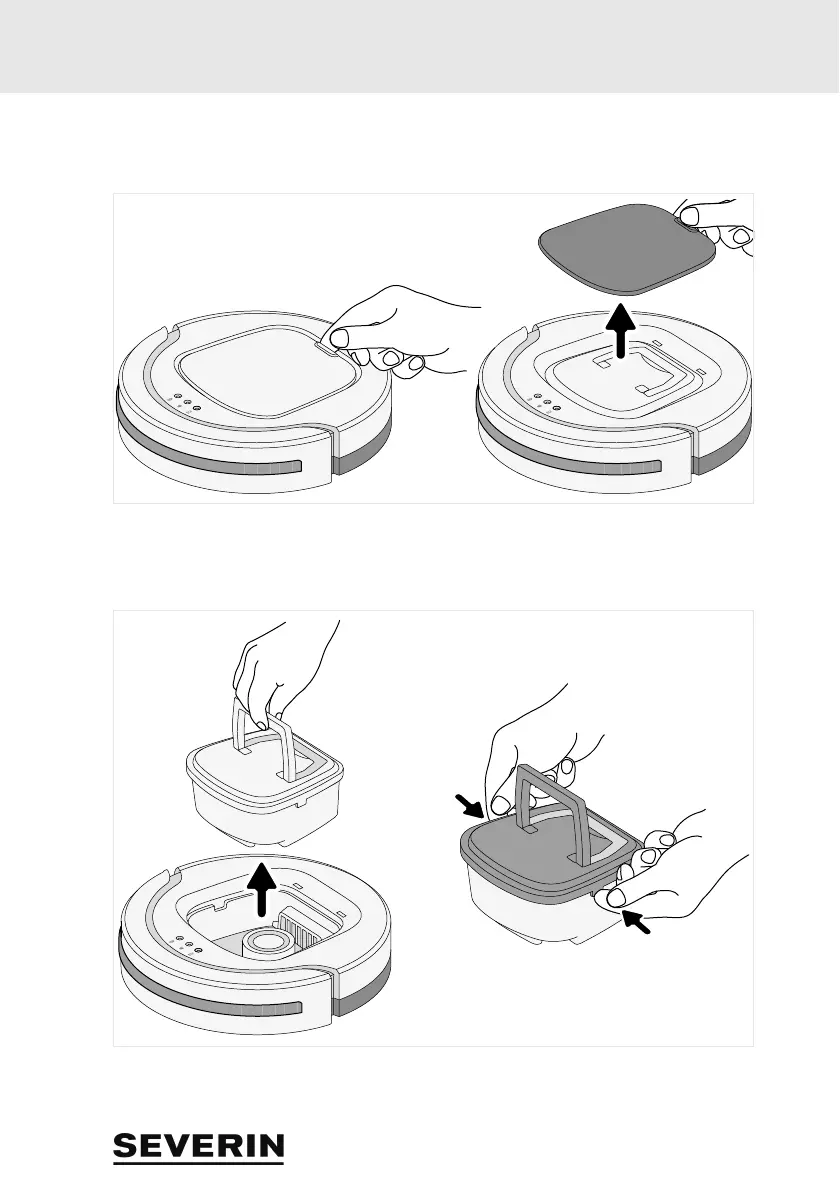
7 Emptying the dust contai ner
1. Make sure that the appliance is switched off and the mains adapter is not connected.
2. Remove the cover (see figure).
3. Use the handle to lift the dust container out of the appliance (see figure left).
4. Remove the dust container cover (see figure right).



 To Next Page