21
4 Operating controls and programs
4.1 Operating controls
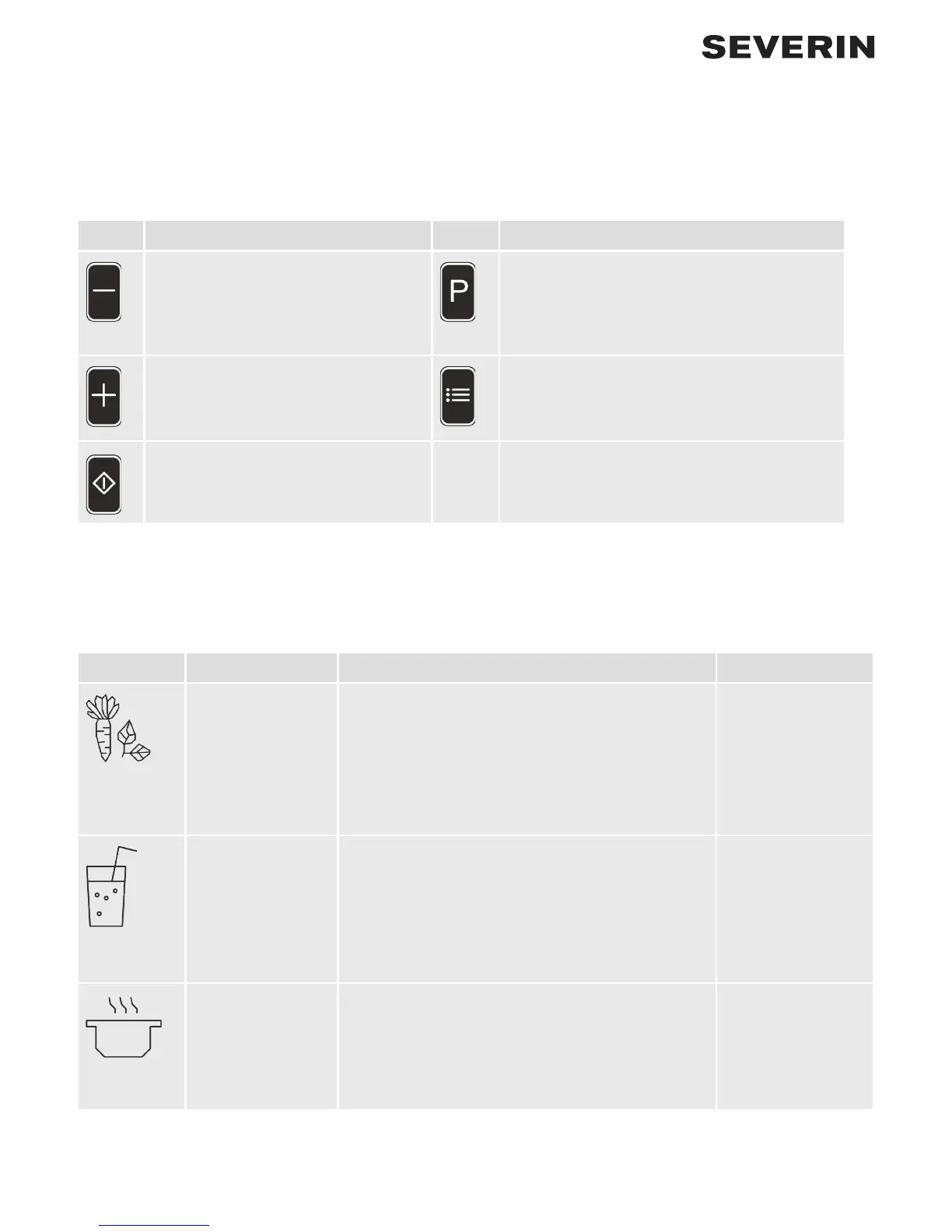
The following keys are provided for operating the appliance:
Key Function Key Function
“Minus key”
Decreases the speed
“Pulse key”
Activates the pulse function: The appliance op-
erates at maximum speed as long as the pulse
key is held pressed.
“Plus key”
Increases the speed
“Program key”
Selects one of the 6 programs
“ON/OFF key”
Switches the appliance ON or OFF
4.2 Programs
The appliance has 6 programs that each combine pre-selected speeds and processes. The following programs are
available:
Symbol Program Description Duration
Green smoothie
program
Press the program
key once, then
press the
ON/OFF key
The blender initially blends at full speed, stops,
blends at medium speed, stops, blends once again at
full speed, stops and blends once again at medium
speed.
Ideal blending process to optimally break down
vegetable cells, green leaves and wild herbs.
1 min. 56 sec.
Fruit smoothie
program
Press the program
key twice, then
press the
ON/OFF key
The blender initially blends at full speed and then
pauses briey. This procedure is repeated three
times up to the end of the program.
Ideal blending process for preparing fruity smoothies
or cocktails.
30 sec.
Soup program
Press the program
key three times,
then press the
ON/OFF key
The blender starts slowly and gradually increases to
full speed. The blender then continues at full speed
up to the end of the program. In this way, the ingredi-
ents are heated gently.
Ideal blending process for preparing warm soups.
8 min.



 To Next Page