18
22
23
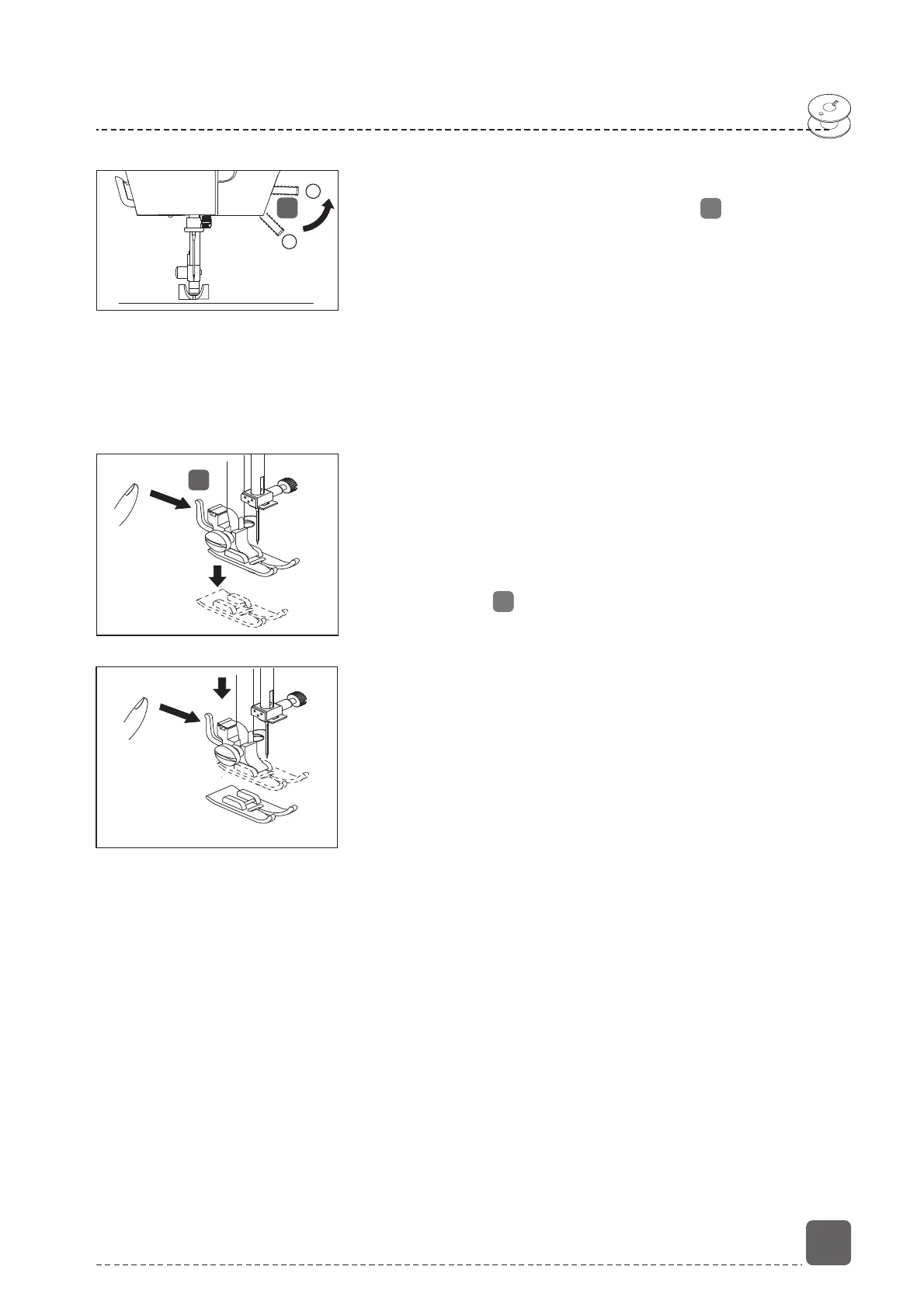
Removing and fitting the presser foot
Raising and lowering the presser foot
Raise or lower the presser foot lever in order to
move the presser foot up or down.
Position 1: The presser foot presses the fabric onto
the feeders and the thread tension is activated. You
can start sewing.
Position 2: The presser foot is in the top position and
the thread tension is deactivated. You can take the
fabric out of the machine, put it in the machine, or
change the presser foot.
Removing and fitting the presser foot
Removal
- Turn the hand wheel towards you until the needle
has reached its highest position.
- Lift the presser foot by raising the presser foot lever
to the highest position.
- The presser foot will drop out if you push the foot
release lever behind the presser foot holder.
Fitting
- Fit the presser foot so that the pin on the foot is
directly under the groove of the foot holder.
- Lower the presser foot lever as shown, push the
sewing foot release lever upwards, the sewing foot
will click into place.
22
1
2
23


 To Next Page