English
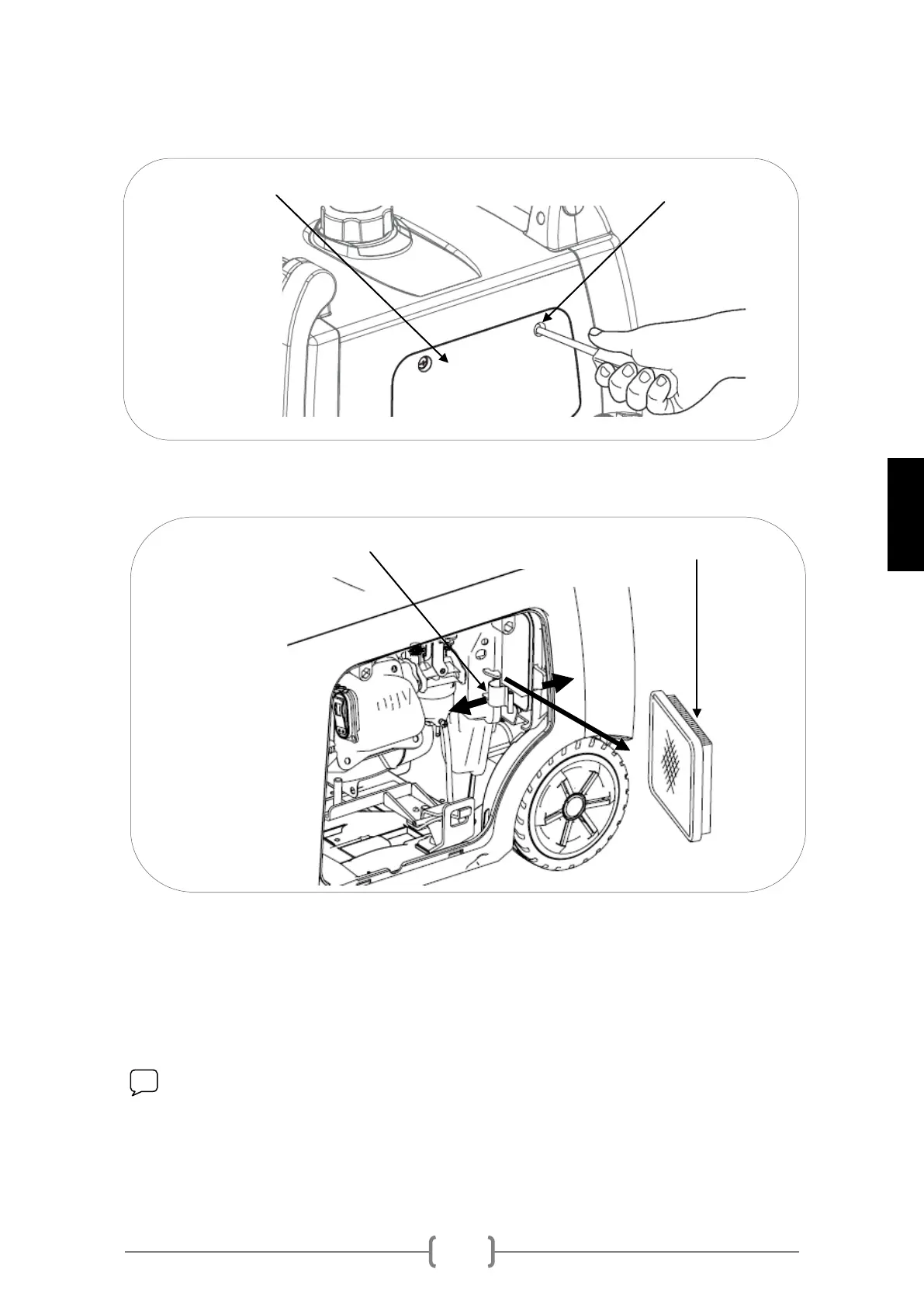
1 Loosen both screws in the maintenance cover and remove the cover
2 Loosen the air filter closing flange and open the cover to extract the filtering
cartridge.
3 Extract the air filter, shake it by giving it soft taps to remove any accumulated
dust and filth. An air compressor may be used.
4 Install the air filter back in the generator, close the filter cap and the
generator's maintenance cover.
NOTE: If compressed air is used, check that the pressure does not exceed
2BAR and do not place the air gun too near to avoid damage to the filter.
COVER SCREWS MAINTENANCE COVER
AIR FILTER (SPONGE) CLOSING FLANGE


 To Next Page