9
EM7
Streaming Music Centre
Power ON / OFF / Screen Locking
2. Power off: . The display shows the "Power
Off" and "Restart" selection window. Click on "Power Off" to shut down the device.
press and hold down the volume wheel for 2 seconds
3. Screen lock: while the device is powered on, short press the volume wheel to lock screen and turn
off display. Press the volume wheel again to unlock device.
Back to the main screen: slide up from the bottom of the screen.
1. Gesture mode
Return to the previous: slide to the right from the left edge of the screen or slide to the left from the
right edge of the screen.
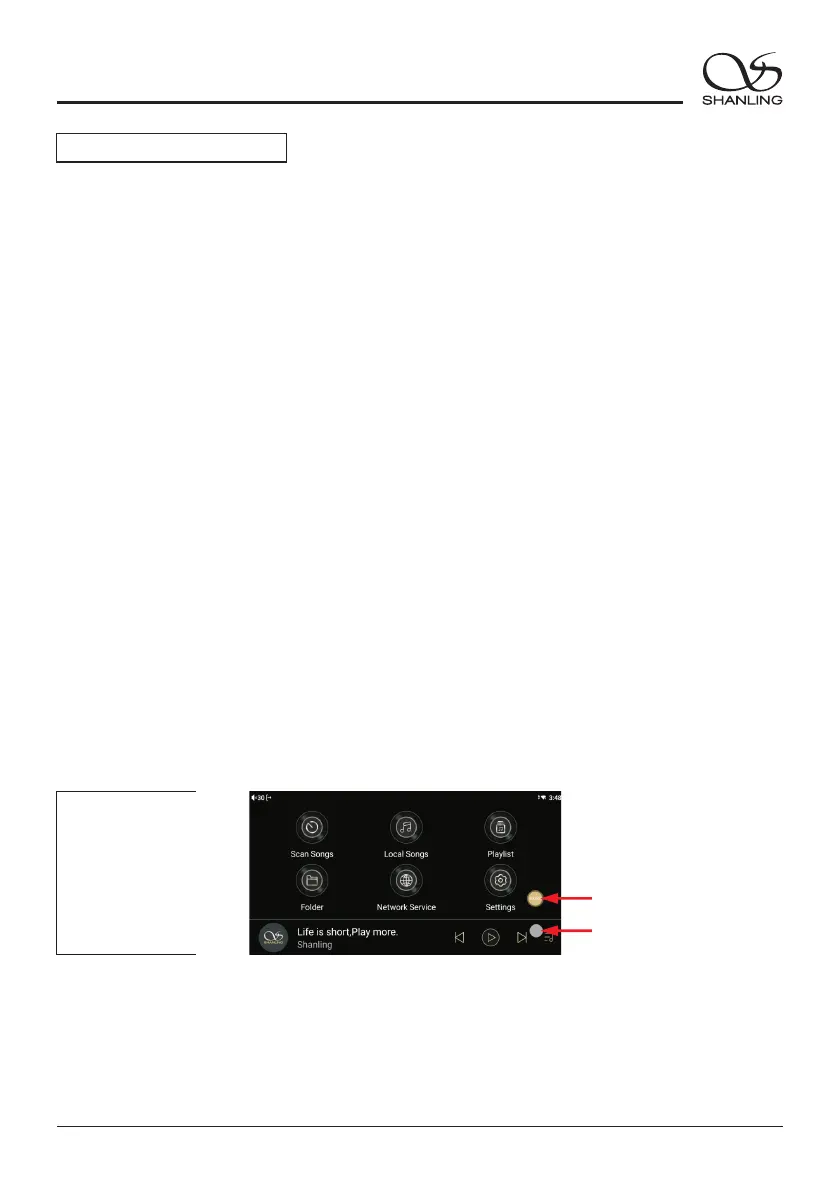
2. Floating ball mode
Return to the previous: click the floating ball on the screen.
Back to the desktop: press and hold the floating ball on the screen.
Operating instructions
1. Power on: Put the power switch to ON position. Then press the wheel for 2 seconds to turn on the
device.
" "
Note: If the device is not in use for longer period of time, please disconnect it from power outlet.
Switching between Local playback, Streaming services and digital inputs:
Long press the Source floating button or click on Input Switching in the swipe down menu to enter
the input menu. Switch between local playback, Streaming services, USB DAC, Coaxial or Optical.
" " " "
Source Switch
System Navigation
Streamer
Interface
Floating Ball Button Guide
Navigation mode (Settings - General - Navigation mode)


 To Next Page