Need help?
Do you have a question about the Shanling M0 Pro and is the answer not in the manual?
Press and hold volume wheel for 3s to power on/off. Single press turns screen on/off.
Turn volume wheel to change volume. Drag slider for quick adjustment.
MO PRO requires a Micro SD card. Supports FAT32, EXFAT, NTFS formats.
Methods for transferring music: using card reader or connecting MO PRO via USB.
Set amplifier gain (Low/High) to match headphone sensitivity and power.
Configure playback settings: Max Volume, Default Volume, Resume Mode, Gapless, Equalizer.
Scans Micro SD card for music files. Can be automatic or manual.
Manage Bluetooth pairing, codec quality, volume control, and device searching.
Steps to update firmware: charge, unzip update.bin to SD card, initiate update via System menu.
Use M0 PRO as an external soundcard for computers and Android devices (not iOS).
Pair M0 PRO with a phone/tablet/computer to receive Bluetooth audio streams.
Install drivers, connect M0 PRO, and set as default audio device in Windows.
Use M0 PRO as a digital transport for external DACs via USB AUDIO mode.
 General
| Bluetooth | Bluetooth 5.0 |
|---|---|
| Storage | MicroSD card slot (Up to 2TB) |
| USB | USB-C |
| Headphone Jack | 3.5mm |
| Weight | 36.8g |
| Output Impedance | <1Ω |
| Frequency Response | 20Hz-40kHz |
| Signal-to-Noise Ratio | 118dB |
| Battery Capacity | 650mAh |
| Charging Time | About 2 hours |
| Wi-Fi | No |
| DAC | ESS ES9219C |
| Bluetooth Codec Support | LDAC, aptX, AAC, SBC |
| Supported Formats | APE, FLAC, WMA, WAV, AAC, OGG, MP3 |
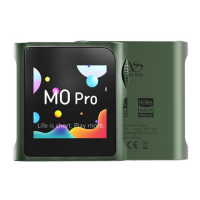
| Display | 1.54-inch Touch Screen (240*240) |
| Battery Life | Up to 14.5 hours (Single-ended), Up to 10 hours (Balanced) |

 To Next Page