EasyManua.ls Logo

Shark Rocket QS301Q Series - User Manual

Shark Rocket QS301Q Series
2 pages
Print Icon
To Next Page IconTo Next Page
Loading...
ASSEMB LY
A
Handheld Vacuum
B
Motorized Floor Nozzle
C
Wand
D
8" Crevice Tool
E
Upholstery Tool
F
Home & Car Detail Kit
G
Hard Floor Hero™
H
Wall Mount
I
Accessory Bag
WHAT’S INSIDE STORAGE
MAINTENANCE
QS301Q_QSG_MP_Mv1
A
B
C
2
(Click)
1
(Click)
F
Onboard Hook
For compact, convenient
storage, hang the handheld
vacuum on the hook on the
bottom of the wand, and
wrap the power cord around
the cord hooks. The unit
stores easily in a closet or
along a wall.
Handheld
Vacuum Catch
Handheld
Vacuum
Storage
Hook
Empty the dust cup every time
debris reaches the MAX fill line.
Brushroll Maintenance
To access the brushroll, open the three locks on the bottom
of the floor nozzle and lift o the cover. Remove any string,
carpet fibers, or hair that may be wrapped around the
brushroll. Loosen debris by cutting across the groove on
the brushroll with a pair of scissors.
QUICK START GUIDE
ULTRA-LIGHT
VACUUM
D
G
E
H
Please be sure to read the enclosed Shark® Owner’s Guide prior to using your unit.
CAUTION:
Hand wash filters only with
water to prevent damage
from cleaning chemicals.
Allow ALL filters to
air-dry completely before
replacing them in the
vacuum to prevent liquid
from being drawn into
electric parts.
I
Question and Answer IconNeed help?

Do you have a question about the Shark Rocket QS301Q Series and is the answer not in the manual?

Summary

Storage

Onboard Hook System

Utilize the onboard hook and cord wraps for compact, convenient storage of the vacuum and power cord.

Assembly

Maintenance Procedures

Dust Cup Emptying and Filter Care

Empty dust cup at MAX line; hand wash filters with water only and air dry completely.

Brushroll Debris Removal

Open bottom locks, lift cover, remove debris, and cut hair/fibers from brushroll with scissors.

Floor Cleaning Operation

Select Floor Cleaning Setting

Choose between two speed settings for bare floors/small rugs (Setting I) or carpets (Setting II).

Above-Floor Cleaning

Detach Wand or Handheld Unit

Disconnect the wand from the floor nozzle or handheld vacuum using the release buttons.

Attach Cleaning Accessories

Connect desired cleaning accessories to the wand or handheld vacuum for above-floor use.

Summary

Storage

Onboard Hook System

Utilize the onboard hook and cord wraps for compact, convenient storage of the vacuum and power cord.

Assembly

Maintenance Procedures

Dust Cup Emptying and Filter Care

Empty dust cup at MAX line; hand wash filters with water only and air dry completely.

Brushroll Debris Removal

Open bottom locks, lift cover, remove debris, and cut hair/fibers from brushroll with scissors.

Floor Cleaning Operation

Select Floor Cleaning Setting

Choose between two speed settings for bare floors/small rugs (Setting I) or carpets (Setting II).

Above-Floor Cleaning

Detach Wand or Handheld Unit

Disconnect the wand from the floor nozzle or handheld vacuum using the release buttons.

Attach Cleaning Accessories

Connect desired cleaning accessories to the wand or handheld vacuum for above-floor use.

Overview

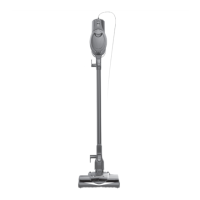
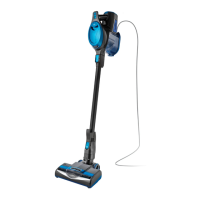
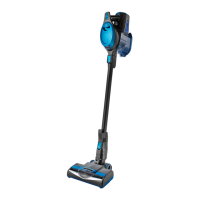
The Shark Rocket Ultra-Light Vacuum is a versatile floor-to-ceiling cleaning device designed for efficient and convenient home maintenance. This ultra-light upright vacuum offers a range of features for both floor and above-floor cleaning, making it suitable for various surfaces and tasks.

Function Description:

The primary function of the Shark Rocket Ultra-Light Vacuum is to provide powerful suction for cleaning dirt and debris from floors and other surfaces. It operates as a 2-speed power slider switch on the handle, allowing users to select the appropriate setting for different cleaning needs. The device is designed for both upright floor cleaning and handheld above-floor cleaning, offering flexibility in its application.

Important Technical Specifications:

While specific technical specifications like motor wattage or decibel levels are not explicitly detailed in the provided manual, the vacuum is described as "Ultra-Light," indicating its design for ease of handling and maneuverability. It features a "Motorized Floor Nozzle" for effective floor cleaning and a "Wand" for extended reach. The inclusion of a "Hard Floor Hero™" suggests specialized design for optimal performance on hard surfaces. The vacuum utilizes a "Brushroll" system, which can operate at two different speeds (Setting I and Setting II) to accommodate various floor types.

Usage Features:

The Shark Rocket Ultra-Light Vacuum offers several usage features that enhance its convenience and effectiveness:

  • Floor Cleaning:

    • Easy Setup: To begin floor cleaning, users simply plug in the vacuum, place their foot gently on the floor nozzle, and tilt the handle back.
    • 2-Speed Power Slider Switch: Located on the handle, this switch allows users to choose between two settings:
      • Setting I (Gentle on bare floors and small area rugs): In this mode, the brushroll spins slowly, making it ideal for cleaning delicate bare floors and small area rugs without causing damage.
      • Setting II (Deep-cleans carpets by removing embedded dirt): This setting increases the brushroll's speed, enabling it to pick up deeply embedded debris from carpets, providing a thorough clean. The manual specifically notes that for deep cleaning per ASTM F 608 (embedded dirt in carpet), Setting II (carpet mode) should be used.
    • Motorized Floor Nozzle: This component ensures effective agitation and suction on floor surfaces.
  • Above-Floor Cleaning:

    • Detachable Wand: The vacuum can be easily converted for above-floor cleaning. Users can disconnect the wand from the floor nozzle by pushing the "Nozzle Release" button and pulling the wand up.
    • Handheld Vacuum: Alternatively, the handheld vacuum can be detached from the wand by pressing the "Wand Release" button on the top of the wand. This allows for close-up cleaning of various surfaces.
    • Cleaning Accessories: The vacuum comes with several accessories that can be attached to the wand or handheld unit for specialized cleaning tasks:
      • 8" Crevice Tool (D)
      • Upholstery Tool (E)
      • Home & Car Detail Kit (F)
      • Hard Floor Hero™ (G)
      • Accessory Bag (I)
    • Recommended Setting for Above-Floor: For all above-floor accessories, Setting I is recommended.
  • Storage Features:

    • Onboard Hook: For compact and convenient storage, the handheld vacuum can be hung on a dedicated hook located on the bottom of the wand.
    • Cord Management: The power cord can be wrapped around the cord hooks for neat storage.
    • Wall Mount (H): The unit includes a wall mount, suggesting an option for wall-mounted storage to save space.
    • Accessory Bag (I): This bag helps keep all the cleaning accessories organized.

Maintenance Features:

Proper maintenance is crucial for the longevity and optimal performance of the Shark Rocket Ultra-Light Vacuum. The manual outlines key maintenance procedures:

  • Dust Cup Emptying: Users are instructed to empty the dust cup every time debris reaches the MAX fill line. This prevents loss of suction and ensures efficient operation.
  • Filter Cleaning:
    • Caution: Filters should only be hand washed with water to prevent damage from cleaning chemicals.
    • Drying: It is critical to allow ALL filters to air-dry completely before replacing them in the vacuum. This prevents liquid from being drawn into electrical parts, which could cause damage.
  • Brushroll Maintenance:
    • Access: To access the brushroll, users need to open the three locks on the bottom of the floor nozzle and lift off the cover.
    • Cleaning: Any string, carpet fibers, or hair wrapped around the brushroll should be removed. Stubborn debris can be loosened by cutting across the groove on the brushroll with a pair of scissors. This ensures the brushroll spins freely and effectively.

The Shark Rocket Ultra-Light Vacuum is designed to be user-friendly, offering a comprehensive cleaning solution with easy assembly, flexible usage modes, and straightforward maintenance instructions to keep the unit performing at its best. Additional parts and accessories can be found at sharkaccessories.com, and product registration or questions can be directed to sharkclean.com.

Shark Rocket QS301Q Series Specifications

General IconGeneral
BrandShark
ModelRocket QS301Q Series
CategoryVacuum Cleaner
LanguageEnglish

Related product manuals