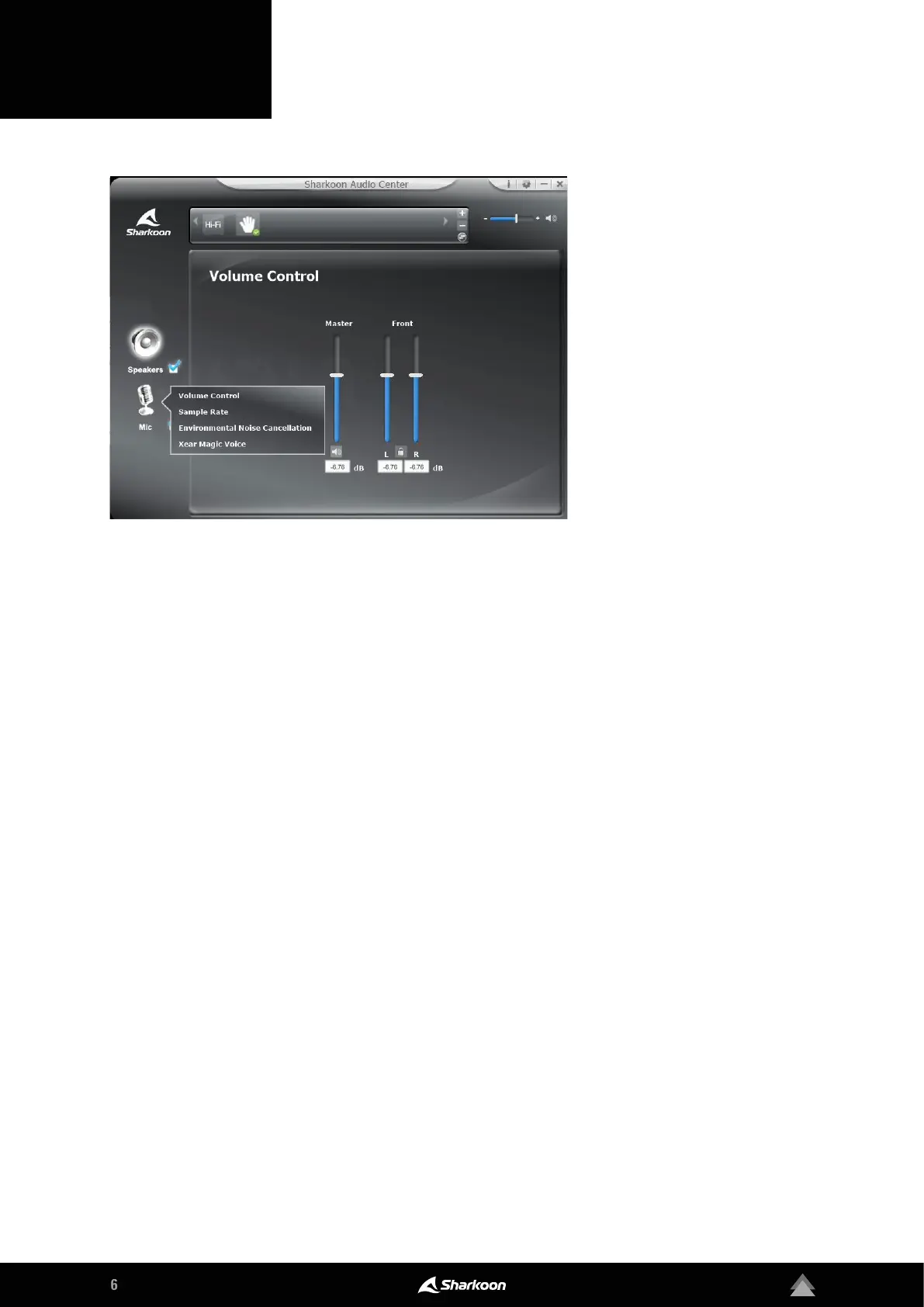
The Sharkoon Audio Center enables
setting customization for audio re-
cording via the B2 microphone. To
access the individual menu items,
right-click on the microphone sym-
bol displayed on the left side of the
software.
Volume Control: To adjust the microphone volume, sim-
ply move the slide control up to increase the volume or
down to decrease the volume. In addition, the Micro-
phone Boost can be activated for better playback of
voice inputs.
Sample Rate: The microphone of the B2 oers two
dierent sampling frequencies. Choose between
44.1 kHz and 48 kHz.
Environmental Noise Cancellation: For clear voice
reproduction, Environmental Noise Cancellation can be
used to make corrections to recorded background noise
through the microphone.
Xear Magic Voice: With Magic Voice, your own voice can
be set in three dierent forms: that of a monster, that of a
cartoon character, or that of the opposite sex.
4. Microphone



 To Next Page