SERVICE ADJUSTMENTS
• SERVICE MODE FUNCTION
This mode function is provided to assist with the settings of those adjustments that may vary from one Picture Tube to
another, or between models.
In order to use the Service Mode
1. Press main switch to OFF.
2. Connect Test Pattern signal to antenna terminal.
3. Press V< and CH /\ buttons and main switch to ON simultaneously.
4. -SERV-will appear on screen. Service mode is now entered.
5. Select adjustment using buttons f\ CM V.
To exit service mode, press main switch to OFF or press MENU button on R/C.
Displayed Hexadecimal
on Screen Range Function
-SERV- Indicates operative Service Mode.
a. AGC 00~3F Auto Gain Control.
b. AFT 00 ~ 7F Auto Frequency Control
c. H-SHFT 00 ~ 3F Horizontal Position shift
d. V-SHFT 00 ~ 3F Vertical Position shift.
e. V-AMPL 00-3F Vertical Amplitude shift.
f. V-SLOP 00 ~ 3F Vertical Symmetry alteration.
g. V-DLY 00-CF VIDEO Delay.
h. GAIN R 00 ~ 3F Red Gain.
i. GAIN G 00-3F Green Gain.
j. GAINB 00-3F Blue Gain.
k. NVM Access to NVM memory.
6. For "a" thru j selections.
Adjustment to a selection can be made by pressing buttons
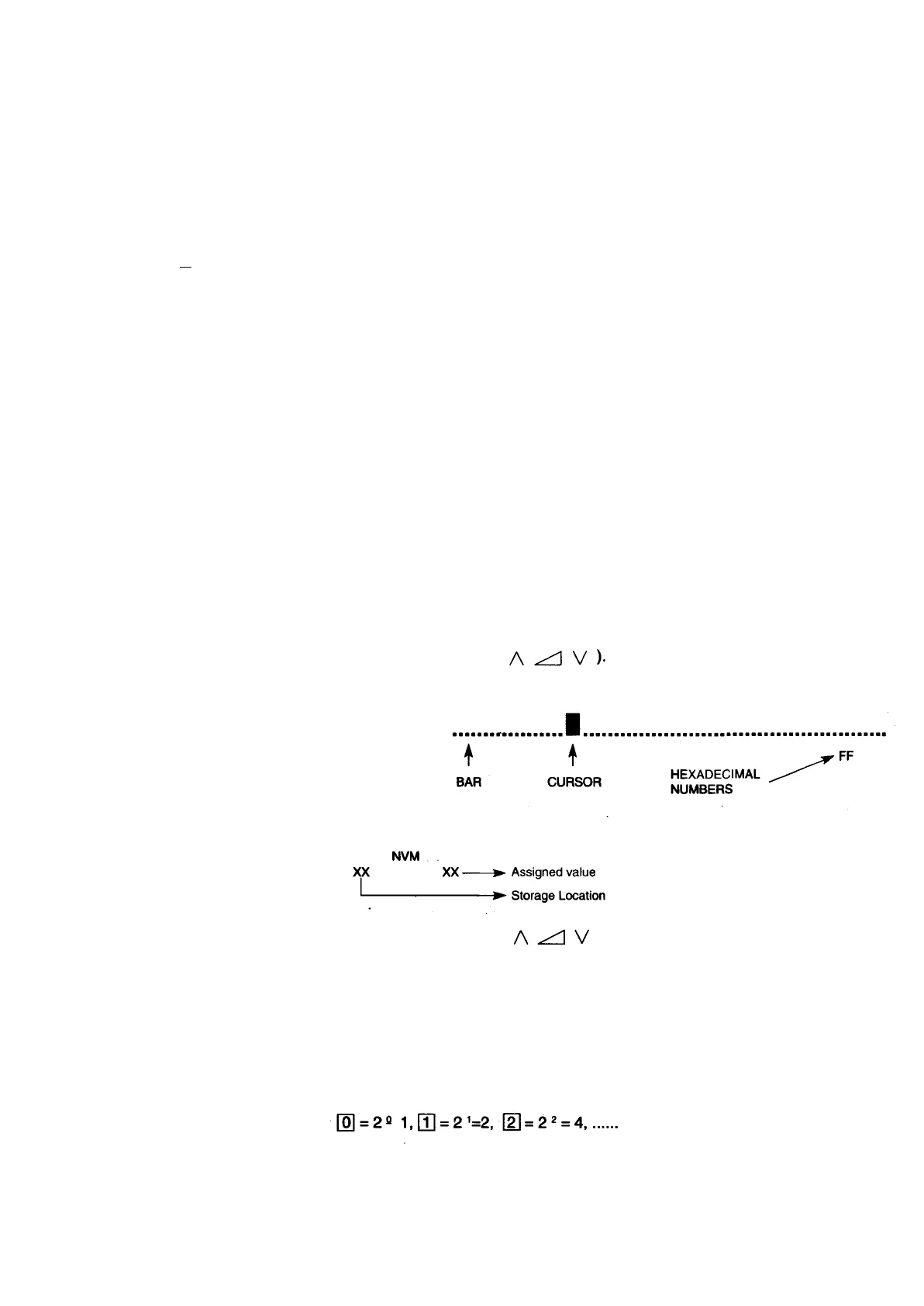
A colour bar is displayed on the OSD to indicate the adjustment position, together with hexadecimal numbers (Not for
Gil adjustment).
For "k" Selection.
NVM storage location settings variants.
In order to have access to the desired storage location, buttons
a higher or lower location, respectively. Bear in mind that, for storage location indication a hexadecimal numerical system
is used, instead of a decimal system.
0,1,2,3,4,5,6,7,8,9,A,B,C,D,E,F,
10,
11,
.........19,
1A,
1B,
1C,
1D,
1E,1F,
20,
21,.......... 99, 9A, 9B, 9C, 9D, 9E,
9F,
AO,
A1,
..........
BO,..........
CO,
..........
DO,
..........
EO,
..........
FO,
F1,
F2,
F3,
F4,
F5,
F6,
F7, F8,
F9, FA, FB, FC,
FD,
FE,FF.
From the last location FF to the first 00 can be reached by increasing and from first to last by decreasing. Once the storage
location to be varied has been selected, its value can be modified by the bits that form part of the storage location numerical
buttons, numbers [0] to \7\, respectively. This switches its binary number from and between 0 and 1 each time one
of the buttons is Dressed.



 To Next Page