
 Need help?
Do you have a question about the Sharp 4T-C70BK2UD and is the answer not in the manual?
Key warnings regarding fire, electric shock, moisture, and product safety.
Lists common problems like no power or sound, with possible solutions.
Procedure to reset the TV password if forgotten, returning to factory defaults.
This document describes the SHARP 4T-C60BK2UD and 4T-C70BK2UD 4K Ultra HD Full Array LED TVs, providing essential information for their proper use, installation, and maintenance.
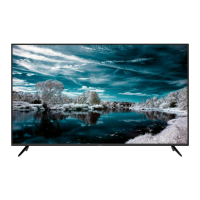
The SHARP 4T-C60BK2UD and 4T-C70BK2UD are 4K Ultra HD Full Array LED TVs, designed to deliver high-quality visual experiences. These televisions are equipped with a Liquid Crystal Display (LCD) panel featuring LED backlighting, offering detailed and vibrant images. They incorporate Dolby Audio and HDMI technologies for enhanced sound and connectivity, and also feature Bluetooth and Wi-Fi CERTIFIED capabilities for wireless connectivity and smart TV functions. The inclusion of a voice command infrared remote control allows for convenient operation.
For initial setup, users should first connect an antenna cable to the antenna terminal on the TV. Next, the AC cord needs to be plugged into an AC outlet. It is recommended to place the TV close to the AC outlet and ensure the power plug is within easy reach. After connecting the power, press the POWER-KEY button on the TV to turn it on. The TV will then guide the user through an initial installation process on the screen, which includes setting the language, country, home/retail mode, and pairing the remote control. Once these settings are configured, the initial setup is complete. The cables should be bundled into a cable tie for neatness.
The TV comes with several supplied accessories to facilitate its setup and use. These include a remote control unit, two "AAA" size batteries for the remote, an initial setup guide, a stand unit, two stand bases (one marked "R" for right and one marked "L" for left), four screws for attaching the stand, and a power cord. The remote control unit is an infrared type with voice command functionality. When inserting batteries into the remote control, ensure they are aligned correctly with the positive (+) and negative (-) polarity markings. It is crucial to note that batteries should not be exposed to excessive heat from sources like sunshine, fire, or similar conditions.
Attaching the stand is a straightforward process. For both the 4T-C60BK2UD and 4T-C70BK2UD models, the TV should be placed on a soft cushion to protect the screen during installation. The stand bases, marked "L" and "R," are then attached to the bottom of the TV using the provided screws. This ensures the TV is securely supported.
Important safety information is provided to ensure safe operation and prevent damage or injury. Users are warned about the risk of fire or electric shock and are advised not to expose the product to rain or moisture. The TV's enclosure should not be opened by unauthorized personnel due to the presence of dangerous voltage. Servicing should only be performed by qualified service personnel. When connecting the power plug, the wide blade should be matched to the wide slot for proper insertion. Any unauthorized changes or modifications to the equipment could void the user's authority to operate it. Shielded cables and connectors should be used when connecting the TV to other equipment to prevent electromagnetic interference.
The stability of the TV is a critical safety concern. The stand base must be properly attached to prevent the TV from falling and causing injuries. The TV should always be placed on a stable cart, stand, tripod, or table recommended by the manufacturer. If mounting the TV on a wall, the manufacturer's instructions and recommended hardware must be followed. When relocating the TV on a cart, extreme care must be taken to avoid sudden stops, excessive force, or uneven surfaces that could cause it to fall. Children should be educated about the dangers of climbing on furniture to reach the TV or its controls. The TV should not be placed on tall furniture without anchoring both the furniture and the TV to a suitable support. Cords and cables should be routed to prevent tripping or pulling.
Ventilation is essential for the TV's longevity and performance. The vents and openings in the cabinet are designed for ventilation and should not be covered or blocked, as insufficient ventilation can lead to overheating and shorten the product's life. The TV should not be placed on a bed, sofa, rug, or similar surface that could block these openings. It is not designed for built-in installation in enclosed spaces like bookcases or racks unless proper ventilation is ensured.
The LCD panel is made of glass and can break if struck forcefully or with a sharp object. Care should be taken to avoid injury from broken glass if the panel is damaged. The TV should be kept away from heat sources such as radiators, heaters, stoves, and other heat-generating products. Candles or naked flames should never be placed on or near the TV set to prevent fire. The AC power cord should not be placed under the TV or other heavy items, and heavy objects should not be placed on the TV or its stand, especially near children and pets, as this could cause injury if the product overturns.
The Liquid Crystal panel is a high-technology product with a large number of pixels, providing fine picture details. Occasionally, a few non-active pixels may appear as fixed points of blue, green, or red on the screen; this is normal and does not affect the product's performance.
When transporting the TV, it should never be carried by holding or putting pressure on the display. Two people should always carry the TV, with one hand on each side. To prevent image retention, avoid displaying a still picture for long periods. The product should be installed where the AC cord can be easily unplugged from the AC outlet or the AC INPUT terminal on the rear of the product. The TV should not be installed in locations subject to water drops, such as underneath an air conditioning unit or near a humidifier, as water entering the TV can cause fire, electric shock, or malfunctions. It is recommended to install the TV at least 3.3 feet (1 meter) away from an air conditioner outlet.
The manual also provides guidance for troubleshooting common issues. If there is no power, users should check if the POWER button on the remote control was pressed, if the AC cord is disconnected, and if there is AC power at the outlet. If the remote control unit does not operate, verify that the batteries are inserted with the correct polarity. For issues with no picture or no sound, check if the connections to other components are correct.
For users who forget their password, a procedure to clear it is outlined: from the HOME screen, navigate to "Settings" > "Device Preferences" > "Reset," and then press ENTER. Performing a reset will return the TV to factory preset values, requiring the password to be set again. It is advisable to make a note of the password and keep it in a safe place.
The manual also explains symbols found on the equipment. A square symbol indicates that the product operates on AC Voltage. A double square symbol signifies a class II or double insulated electrical appliance, meaning it does not require a safety connection to electrical earth (ground).
For service, product information, or to purchase accessories, customers can call 1-800-BE-SHARP or visit www.sharpusa.com. The limited warranty covers defective workmanship and materials for one year from the date of purchase, including parts and labor. This warranty applies to non-commercial, household use and does not cover appearance items, removed or defaced serial/model numbers, installation or signal reception problems, or commercial use. To obtain service, customers must provide proof of purchase. The warranty excludes damages from abuse, accidents, misuse, negligence, improper operation or maintenance, or repairs by unauthorized servicers. Image retention from fixed images displayed for long periods is also not covered. Installing the Liquid Crystal Television requires special skill and should only be performed by qualified service personnel.
 General
| Screen Size | 70 inches |
|---|---|
| Resolution | 4K UHD (3840 x 2160) |
| Display Technology | LED |
| Smart TV | Yes |
| Operating System | Android TV |
| Audio Output | 20W (10W x 2) |
| HDMI Ports | 3 |
| USB Ports | 2 |
| Built-in Wi-Fi | Yes |
| Bluetooth | Yes |
| HDR Support | HDR10, HLG |


 To Next Page
