AE-X15PU
5 – 2
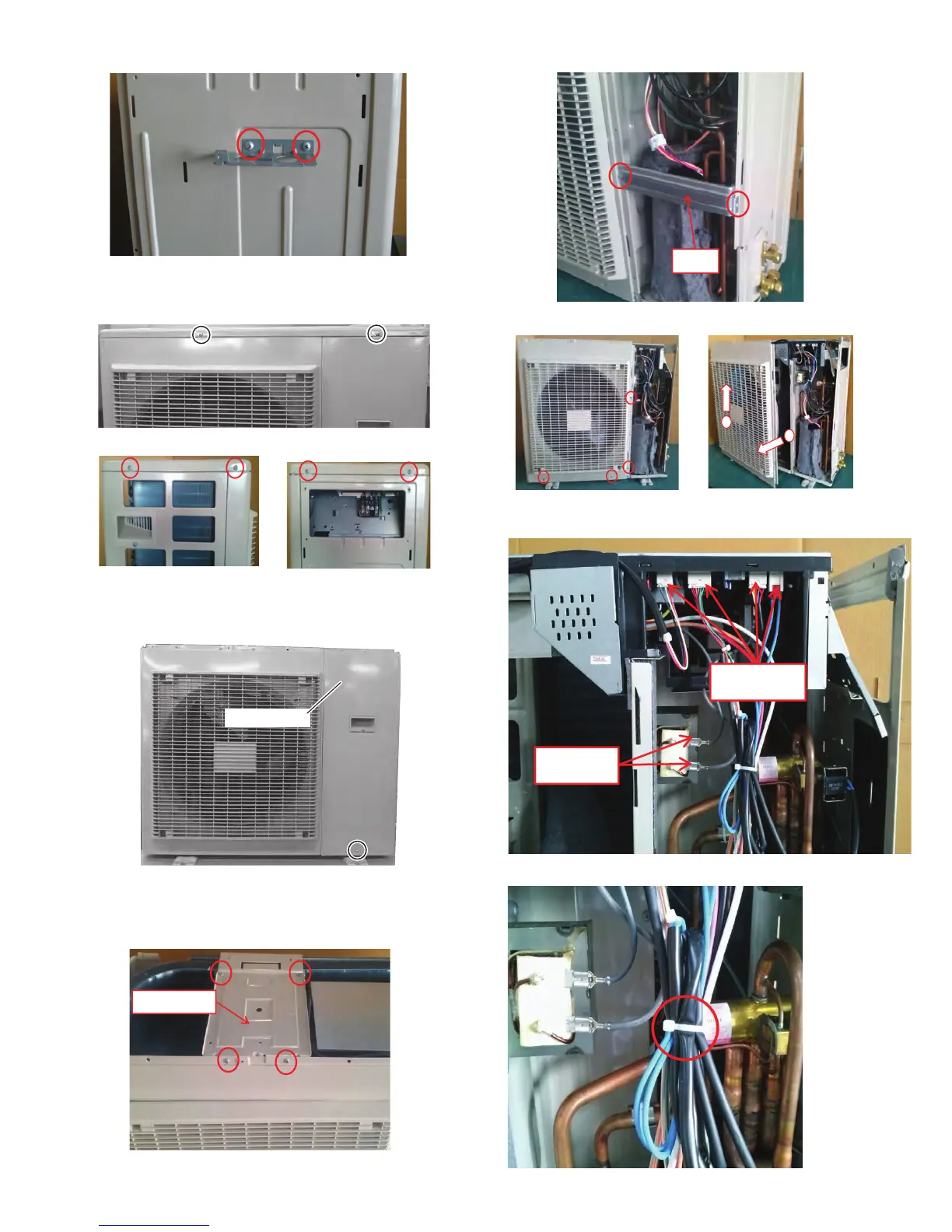
5) Unscrew the 2 screws fixing the cable holdor and remove it
6) Unscrew the 6 screws fixing the top plate and remove it.
7) Unscrew the screw fixing the service panel, then slide the panel
downward and remove it.
8) Unscrew the 4 screws fixing the motor angle T and remove it.
Service panel
Motor angle T
9) Unscrew the 2 screws fixing the angle and remove it.
10) Unscrew the 4 screws fixing the front panel and remove it.
1
2
Angle
11)Disconnect the 4 connectors and the 2 terminals.
Terminal
Connector
12)Cut the fixing band.



 To Next Page