EN-12
REMOTE CONTROL
LOADING BATTERIES
1
Remove the battery cover.
2
Insert batteries, making sure the (+) and
(
-
) polarities are correctly a lign ed.
batteries are properly installed.
3
Reinstall the cover.
Battery cover
NOTE:
normal use.
displays “
”.
to use.
both and use the same type.
remove the batteries from the remote control.
SETTING THE CURRENT TIME
There are two clock modes: 12-hour mode and
24-hour mode.
1
To set the 12-hour mode, press the
CLOCK button once.
To set the 24-hour mode, press the
CLOCK button twice.
2
Press the TIME ADVANCE or REVERSE
button to set the current time.
reverse the time quickly.
3
Press the SET/C button.
NOTE:
is set.
3
2
1
USING THE REMOTE CONTROL
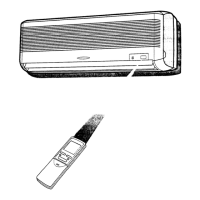
Point the remote control towards the receiver
window and press the desired button. The
unit generates a beep when it receives the
signal.
remote control and the unit.
CAUTION:
sunlight. This may adversely affect its operation.
room as the indoor unit may interfere with the
transmission signal from the remote control.
sunlight or near a heater. Protect the remote
control from moisture and shock.
is operating.
Receiver window
1
During operation, press the °F/°C
CHANGE OVER button.
change between “°F” (Fahrenheit) and “°C”
(Centigrade).
1
CHANGING °F/°C DISPLAY
OM-B142 ZU A5 EN.indd 12 2022/7/22 10:59:16



 To Next Page