14
CH
MENU
E
TV/VIDEO
R
E
V
E
A
L
H
O
LD
E
N
D
M
MENUSOUND
S
U
B
T
I
T
L
E
SUBPAGE
TEXT
R
O
T
A
T
E
W
I
D
E
T
CHVOL
MENU
SLEEP DIS.MODE
OKMPX
SUBTITLE END
HOLD
SUBPAGE
REVEAL
TEXTBRIGHT
TV/ VIDEOPOWER
MENU
]/[
</>
MENU
MENU
SLEEP TIMER
PICTURE
FEATURE
CH-SETTING
SELECT: ENTER:
EXIT:
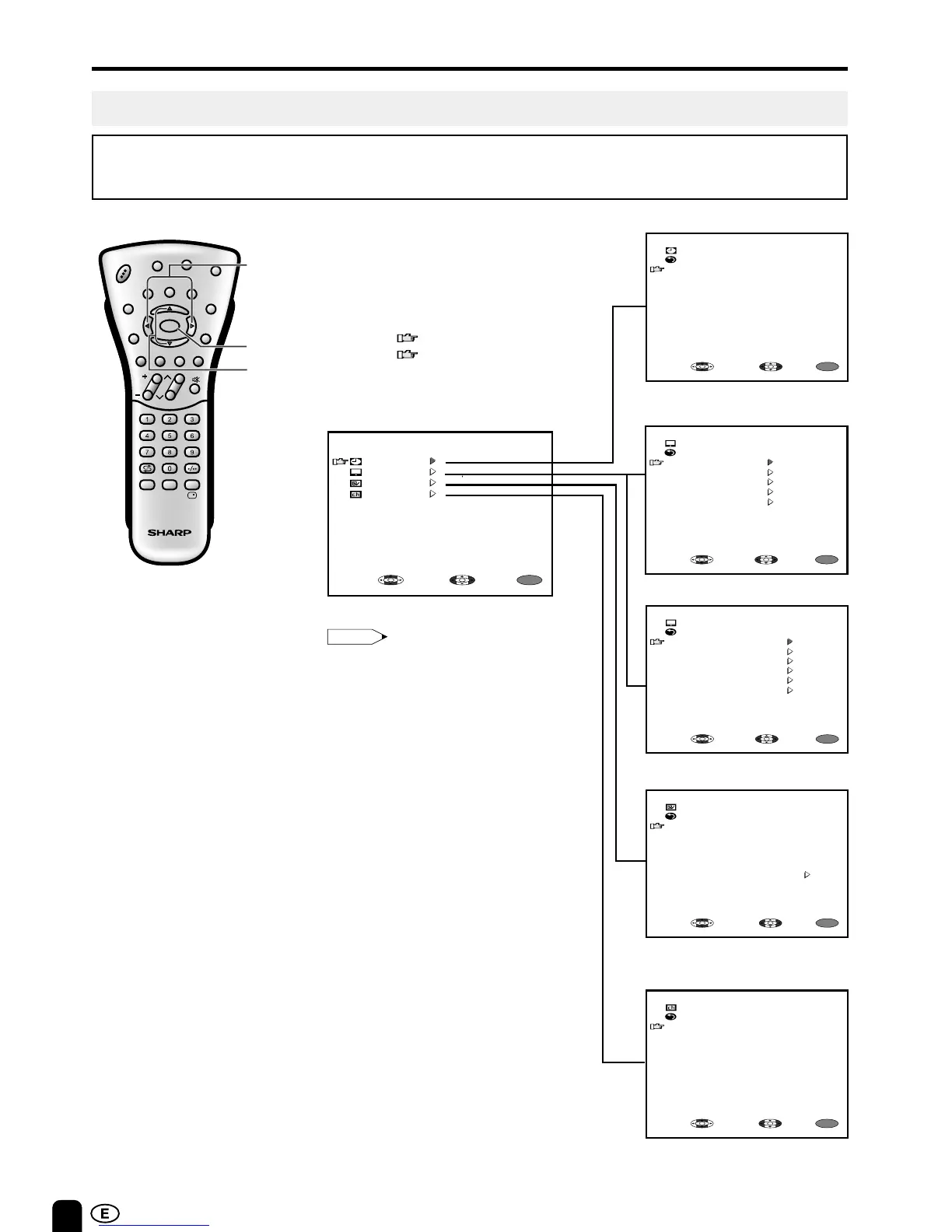
SELECTING THE MENU ITEMS
• This LCD TV set allows you to adjust the picture and sound, and set the channels and other features
using the On-Screen Display. Select the desired menu item by following the steps below and then refer
to the indicated page for details.
SLEEP TIMER
menu ----------------- Page 18
PICTURE menu
(TV mode) ---------- Page 19
FEATURE menu --- Page 21
CH-SETTING
menu ---------------- Page 17
1 Press MENU to display the MENU
screen.
2 Press ]/[ to select the desired
menu item.
•
The “ ” mark moves up or down.
•
The “ ” mark indicates the selected
menu item.
3 Press </> to enter.
• The displayed items differ depending
on the setting conditions.
• The selected item changes to yellow.
• Items in purple cannot be selected.
(AV mode) --------- Page 19
Selecting a Menu Item
Note:
* The screen indications shown above are larger than actual for easy reading.













 To Next Page