19
CH
MENU
E
TV/VIDEO
R
E
V
E
A
L
H
O
L
D
E
N
D
M
MENUSOUND
S
U
B
T
I
T
L
E
SUBPAGE
TEXT
R
O
T
A
T
E
W
I
D
E
T
CHVOL
MENU
SLEEP DIS.MODE
OKMPX
SUBTITLE END
HOLD
SUBPAGE
REVEAL
TEXTBRIGHT
TV/ VIDEOPOWER
MENU
]/[
</>
ADJUSTMENT (Continued)
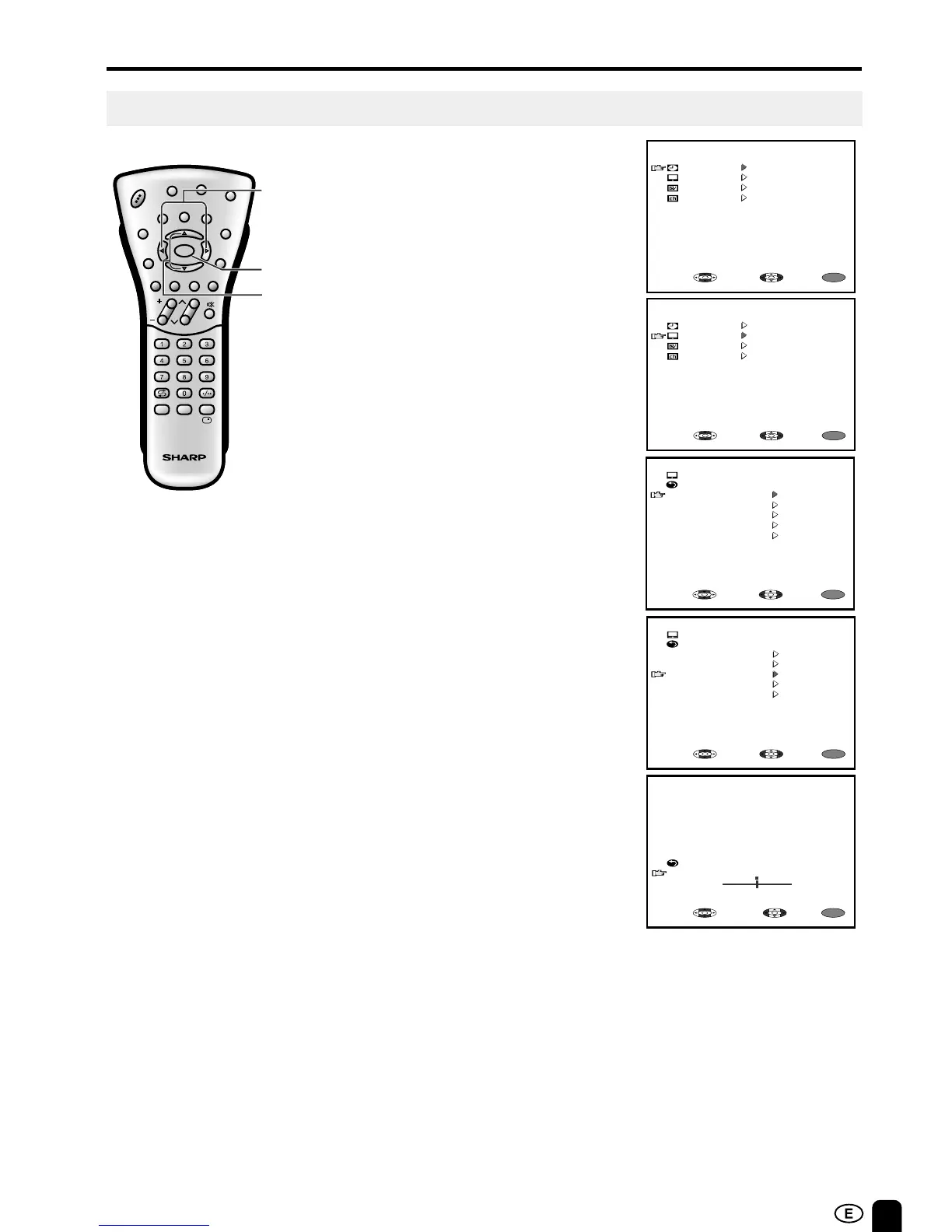
Adjusting the PICTURE Settings
1 Press MENU to display the MENU
screen.
2 Press ]/[ to move the cursor to
PICTURE.
3 Press </> to display the
PICTURE menu screen.
4 Press ]/[ to move the cursor
and select the desired adjustment
item.
All of adjustment items are shown
in the diagram on page 20.
5 Press </> to display the screen
for the selected adjustment item.
6 Press </> to make adjustment.
To adjust another item, move the
cursor by pressing ]/[ while the
MENU screen is displayed.
See the diagram on page 20 for
details of each item settings.
7 Press MENU to return to the main
screen.
RETURN
COLOUR
MENU
SELECT:
ADJUST:
EXIT:
0
-
+
MENU
MENU
SLEEP TIMER
PICTURE
FEATURE
CH-SETTING
SELECT: ENTER:
EXIT:
MENU
MENU
SLEEP TIMER
PICTURE
FEATURE
CH-SETTING
SELECT: ENTER:
EXIT:
PICTURE (TV)
RETURN
CONTRAST [ 50 ]
COLOUR [ 0 ]
BLACK LEVEL [ 0 ]
SHARPNESS [ 0 ]
RESET
MENU
SELECT: ENTER:
EXIT:
0
0
TINT [ 0 ]
0
0
0
PICTURE (TV)
RETURN
CONTRAST [ 50 ]
COLOUR [ 0 ]
BLACK LEVEL [ 0 ]
SHARPNESS [ 0 ]
RESET
MENU
SELECT: ENTER:
EXIT:
0
0
0
TINT [ 0 ]
0
0













 To Next Page