24
ADJUSTMENT (Continued)
Adjusting the DISPLAY MODE Settings
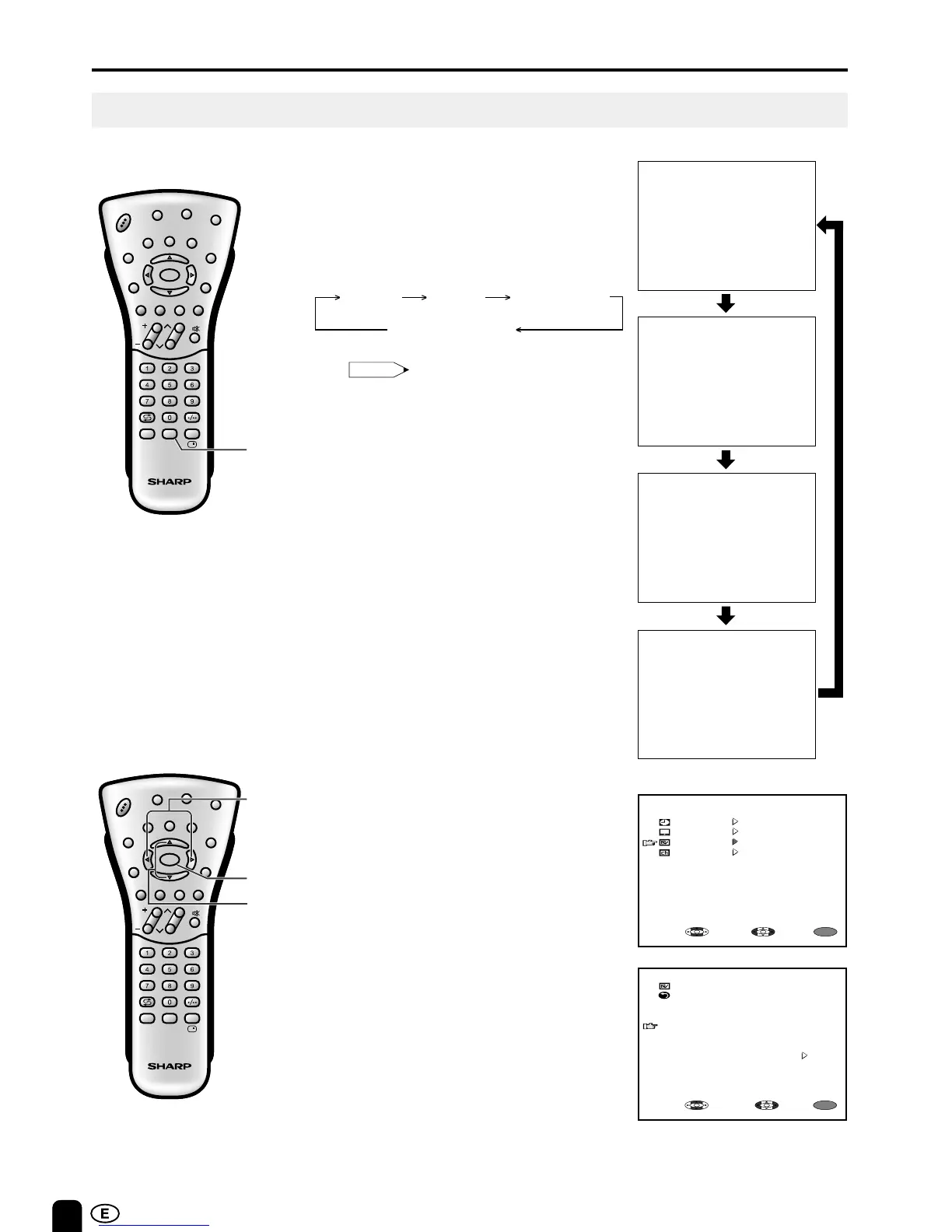
You can set the orientation of the picture.
Directly setting the DISPLAY MODE
1 Press DIS.MODE to display the
DISPLAY MODE screen.
2 Press DIS.MODE to change the
setting.
Setting the DISPLAY MODE on the
MENU screen
1 Press MENU to display the MENU
screen.
2 Press ]/[ to move the cursor to
FEATURE.
3 Press </> to display FEATURE
screen.
4 Press ]/[ to move the cursor to
DISPLAY MODE.
5 Press </> to set the DISPLAY
MODE.
6 Press MENU to return to the main
screen.
Note:
• The DISPLAY MODE screen automatically
disappears in 3 seconds.
• [NORMAL]: normal image
[MIRROR]: mirror image
[UPSIDE DOWN]: upside down image
[REVERSE+INVERT]: reversed and
inverted image
CH
MENU
E
TV/VIDEO
R
E
V
E
A
L
H
O
L
D
E
N
D
M
MENUSOUND
S
U
B
T
I
T
L
E
SUBPAGE
T
EX
T
R
O
T
A
T
E
W
I
D
E
T
CHVOL
MENU
SLEEP DIS.MODE
OKMPX
SUBTITLE END
HOLD
SUBPAGE
REVEAL
TEXTBRIGHT
TV/ VIDEOPOWER
DIS.MODE
CH
MENU
E
TV/VIDEO
R
E
V
E
A
L
H
O
L
D
E
N
D
M
MENUSOUND
S
U
B
T
I
T
L
E
SUBPAGE
TEX
T
R
O
T
A
T
E
W
I
D
E
T
CHVOL
MENU
SLEEP DIS.MODE
OKMPX
SUBTITLE END
HOLD
SUBPAGE
REVEAL
TEXTBRIGHT
TV/ VIDEOPOWER
MENU
]/[
</>
MIRROR UPSIDE DOWNNORMAL
REVERSE + INVERT













 To Next Page