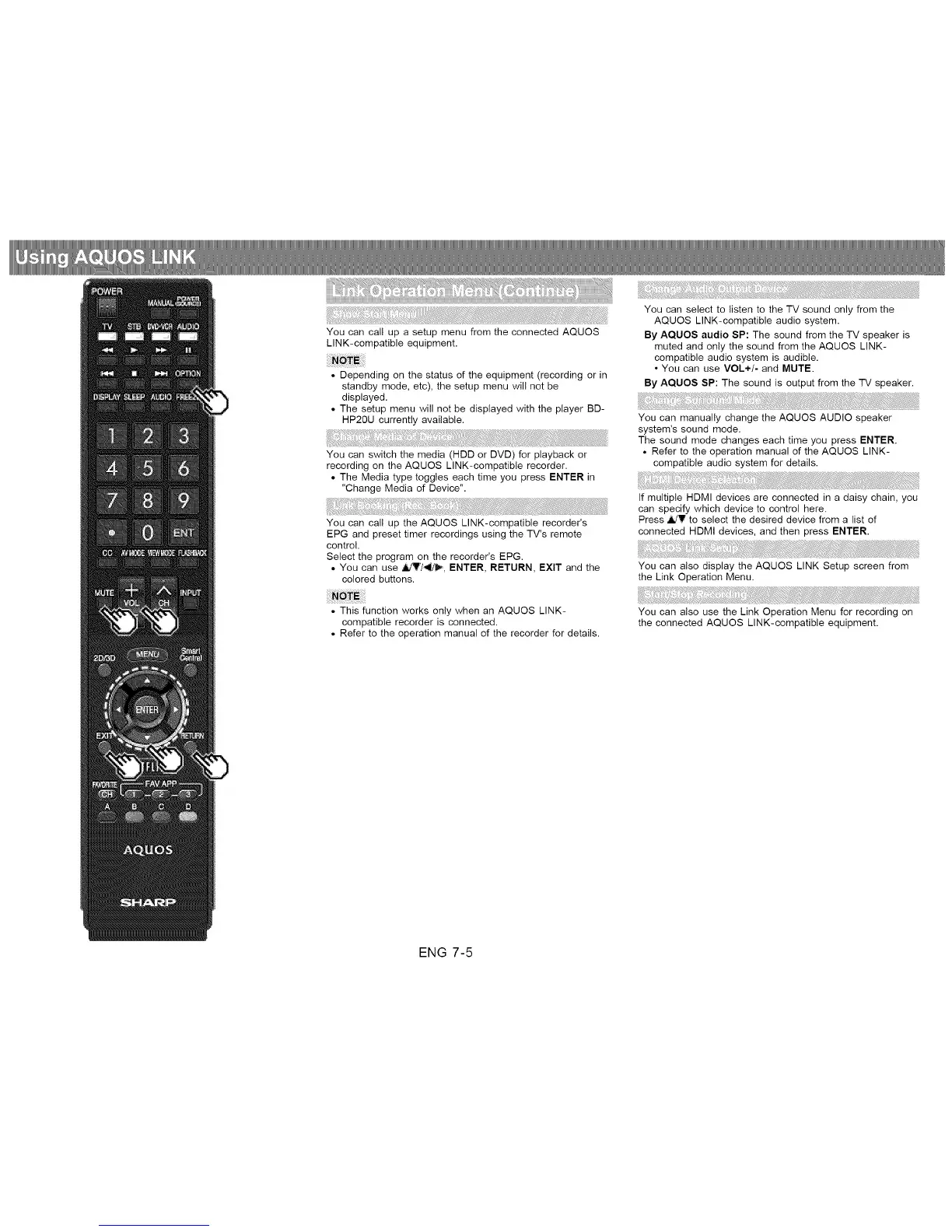
You can call up a setup menu from the connected AQUOS
LINK-compatible equipment.
• Depending on the status of the equipment (recording or in
standby mode, etc), the setup menu will not be
displayed.
• The setup menu will not be displayed with the player BD-
HP20U currently available.
You can switch the media (HDD or DVD) for playback or
recording on the AQUOS LINK-compatible recorder.
• The Media type toggles each time you press ENTER in
"Change Media of Device".
You can call up the AQUOS LINK-compatible recorder's
EPG and preset timer recordings using the TV's remote
control.
Select the program on the recorder's EPG.
• You can use _7_, ENTER, RETURN, EXIT and the
colored buttons.
You can select to listen to the TV sound only from the
AQUOS LINK-compatible audio system.
By AQUOS audio SP: The sound from the TV speaker is
muted and only the sound from the AQUOS LINK-
compatible audio system is audible.
• You can use VOL+/- and MUTE.
By AQUOS SP: The sound is output from the TV speaker.
You can manually change the AQUOS AUDIO speaker
system's sound mode.
The sound mode changes each time you press ENTER.
• Refer to the operation manual of the AQUOS LINK-
compatible audio system for details.
If multiple HDMI devices are connected in a daisy chain, you
can specify which device to control here.
Press _V to select the desired device from a list of
connected HDMI devices, and then press ENTER.
You can also display the AQUOS LINK Setup screen from
the Link Operation Menu.
• This function works only when an AQUOS LINK-
compatible recorder is connected.
• Refer to the operation manual of the recorder for details.
You can also use the Link Operation Menu for recording on
the connected AQUOS LINK-compatible equipment.
ENG 7-5












 To Next Page